Post
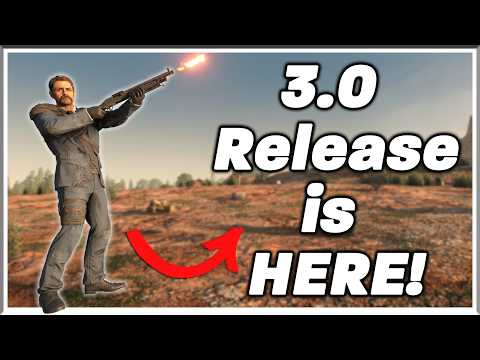
7 Days to Die 3.0 Update, All Changes SummarizedWe'll provide a detailed breakdown of all the changes in the 7 Days to Die 3.0 update. Explore new features that will completely change gameplay, including over 150 new sandbox settings, an item stat enhancement system, revamped durability and repair systems, and new POIs.
1. 🎮 Over 150 New Sandbox Settings & Sharing Feature
· The core of the 7 Days to Die 3.0 update is the addition of over 150 new sandbox settings.
· Each setting change generates a unique code string, allowing players to easily share and load settings with others.
· You can adjust everything from basic settings like experience gain and item repair amounts to entirely new options.
· Each setting change generates a unique code string, allowing players to easily share and load settings with others.
· You can adjust everything from basic settings like experience gain and item repair amounts to entirely new options.
| Category | Details |
|---|---|
| Inventory Weight Limit | Adjustable weight limit per inventory slot. |
| Headshot Mode | Settings to only deal damage via headshots, or require the final blow to be a headshot. |
| Max Enemy Tier | Set the maximum tier of enemies that can spawn in the game (e.g., only up to irradiated zombies). |
| Zombie Density | Create a constantly zombie-filled environment with settings for zombie density and respawn. |
| Zombie Digging | Enable or disable the feature where zombies dig into player bases. |
| Time Settings | Set the game to always be day or always be night (details on Blood Moon duration are unclear). |
| Resources & Harvesting | Set item acquisition rates, harvest amounts, and the maximum lootable item tier. |
| Traders | Toggle trader protection and set trader operating hours. |
| Quests | Disable early game quests, supply drops, POI quests, etc. |
| Other | Settings related to vehicles, electrical systems, small zombies, big heads, low gravity, and more. |
00:09 - 01:26
1. 🎮 Over 150 New Sandbox Settings & Sharing Feature
· The core of the 7 Days to Die 3.0 update is the addition of over 150 new sandbox settings.
· Each setting change generates a unique code string, allowing players to easily share and load settings with others.
· You can adjust everything from basic settings like experience gain and item repair amounts to entirely new options.
· Each setting change generates a unique code string, allowing players to easily share and load settings with others.
· You can adjust everything from basic settings like experience gain and item repair amounts to entirely new options.
| Category | Details |
|---|---|
| Inventory Weight Limit | Adjustable weight limit per inventory slot. |
| Headshot Mode | Settings to only deal damage via headshots, or require the final blow to be a headshot. |
| Max Enemy Tier | Set the maximum tier of enemies that can spawn in the game (e.g., only up to irradiated zombies). |
| Zombie Density | Create a constantly zombie-filled environment with settings for zombie density and respawn. |
| Zombie Digging | Enable or disable the feature where zombies dig into player bases. |
| Time Settings | Set the game to always be day or always be night (details on Blood Moon duration are unclear). |
| Resources & Harvesting | Set item acquisition rates, harvest amounts, and the maximum lootable item tier. |
| Traders | Toggle trader protection and set trader operating hours. |
| Quests | Disable early game quests, supply drops, POI quests, etc. |
| Other | Settings related to vehicles, electrical systems, small zombies, big heads, low gravity, and more. |
05:43 - 07:48
2. ⚙️ Detailed Explanation of Sandbox Preset Saving & Sharing
· Players can save and share their configured sandbox options as presets.
· Use the 'Copy Code' function to copy the settings code and send it to other players, then use 'Paste Code' to load the received code.
· The game comes with various built-in presets, making it easy to apply settings that match your preferred playstyle.
· Use the 'Copy Code' function to copy the settings code and send it to other players, then use 'Paste Code' to load the received code.
· The game comes with various built-in presets, making it easy to apply settings that match your preferred playstyle.
07:49 - 08:43
3. ⚠️ Major Content Excluded from 3.0 Update
· The 'Bandits' content is not included in the 3.0 update. Bandits are being developed by a separate team and will be added in a future update.
· Other features like backpack capacity, crafting convenience improvements, the learning system, sandbox setting randomization, and the addition of chicken coops are currently under development with no release date set.
· Other features like backpack capacity, crafting convenience improvements, the learning system, sandbox setting randomization, and the addition of chicken coops are currently under development with no release date set.
08:44 - 10:43
4. ✨ New 'Magnitude' System: Item Stat Enhancement
· The 'Magnitude' system adds a chance for items to gain additional stats (e.g., increased magazine size, improved durability, increased effective range, etc.).
· By combining two items of the same type at the new 'Assembly Bench', you can create an item with a higher tier and enhanced stats.
· This process applies a higher percentage of stats to the resulting item.
· By combining two items of the same type at the new 'Assembly Bench', you can create an item with a higher tier and enhanced stats.
· This process applies a higher percentage of stats to the resulting item.
10:44 - 11:52
5. 🔧 Durability and Repair System Overhaul
· The new 'Durability' system can reduce an item's maximum durability when the player dies or repairs the item.
· The possibility of restoring or transferring this reduced durability via the Assembly Bench has been mentioned, but no clear information has been provided.
· This system can be disabled in the settings if players prefer not to use it.
· The possibility of restoring or transferring this reduced durability via the Assembly Bench has been mentioned, but no clear information has been provided.
· This system can be disabled in the settings if players prefer not to use it.
11:53 - 13:50
6. 🎨 Other Improvements: Mod Tiering, Menus, Crosshairs, New POIs
· Most mod items now have tiers, allowing for a wider variety of quality mods to be found.
· Animated backgrounds have been added to the main menu for an enhanced visual experience.
· Customization options for crosshair size, color, and transparency have been added.
· A custom sign system has been added to make the game world more immersive (e.g., pub signs, shop signs, etc.).
· Over 60 new Points of Interest (POIs) have been added to enhance exploration. Notably, a Tier 5 football stadium POI named 'Champions Colosseum' has been revealed.
· Animated backgrounds have been added to the main menu for an enhanced visual experience.
· Customization options for crosshair size, color, and transparency have been added.
· A custom sign system has been added to make the game world more immersive (e.g., pub signs, shop signs, etc.).
· Over 60 new Points of Interest (POIs) have been added to enhance exploration. Notably, a Tier 5 football stadium POI named 'Champions Colosseum' has been revealed.