Post
CPU Cooler JONSBO CR-1000 EVO AUTO RGB Review
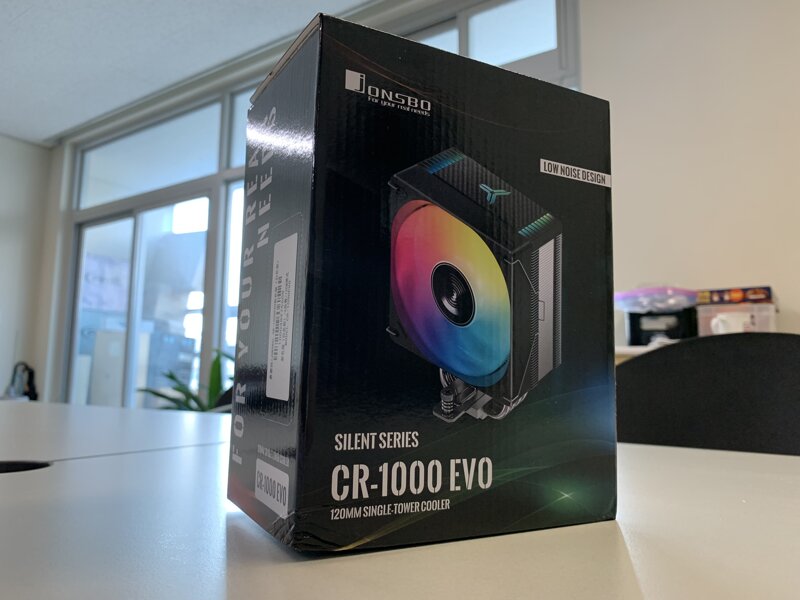
BravoTech distributes products from various brands, and I've been focusing on DeepCool products (air coolers, graphics card supports, thermal grease) among the various brands, whether by coincidence or not. I often visit the BravoTech cafe, and I'm so happy to finally use JONSBO products, which I could only see through release news.
It boasts a generous cooling performance of TDP 220W and supports AUTO RGB LED tuning to build a more stylish computer system. It is an air cooler, but it has the feature of providing a 3-year free warranty period.
I will start introducing the JONSBO CR-1000 EVO AUTO RGB, a cost-effective CPU cooler that can be purchased for around 20,000 won based on Danawa.
1. Product Introduction
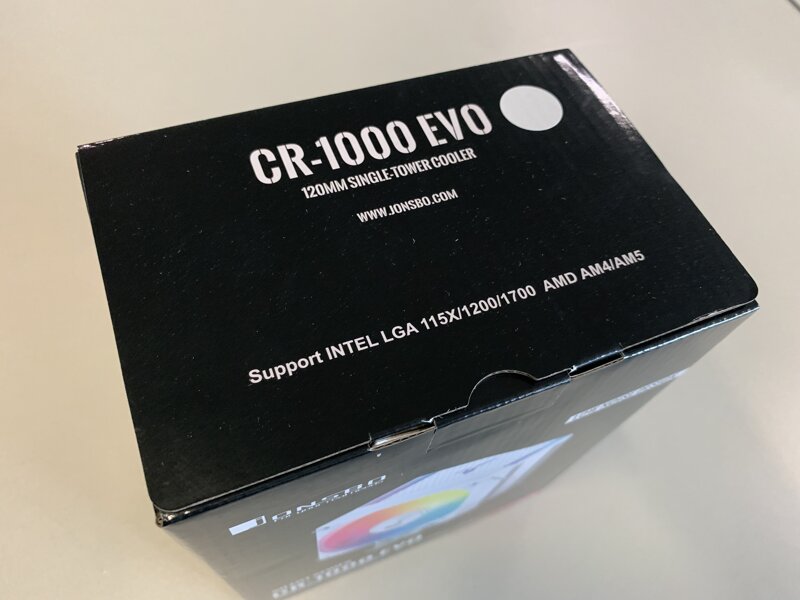
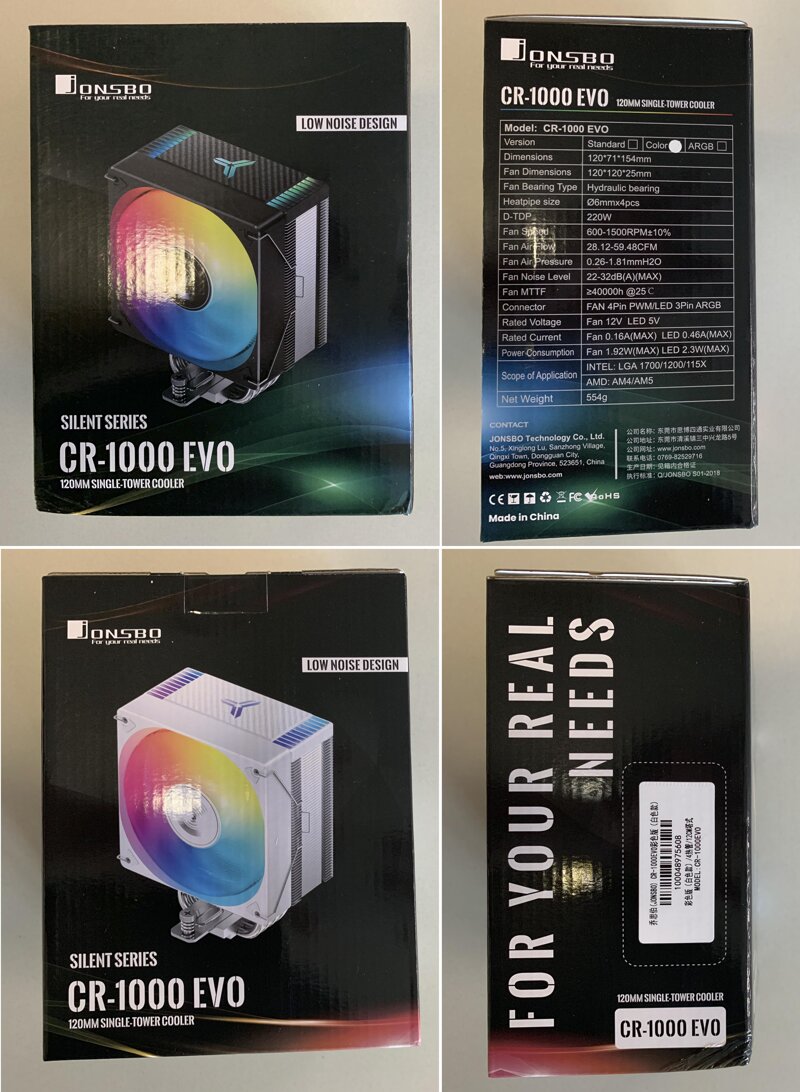
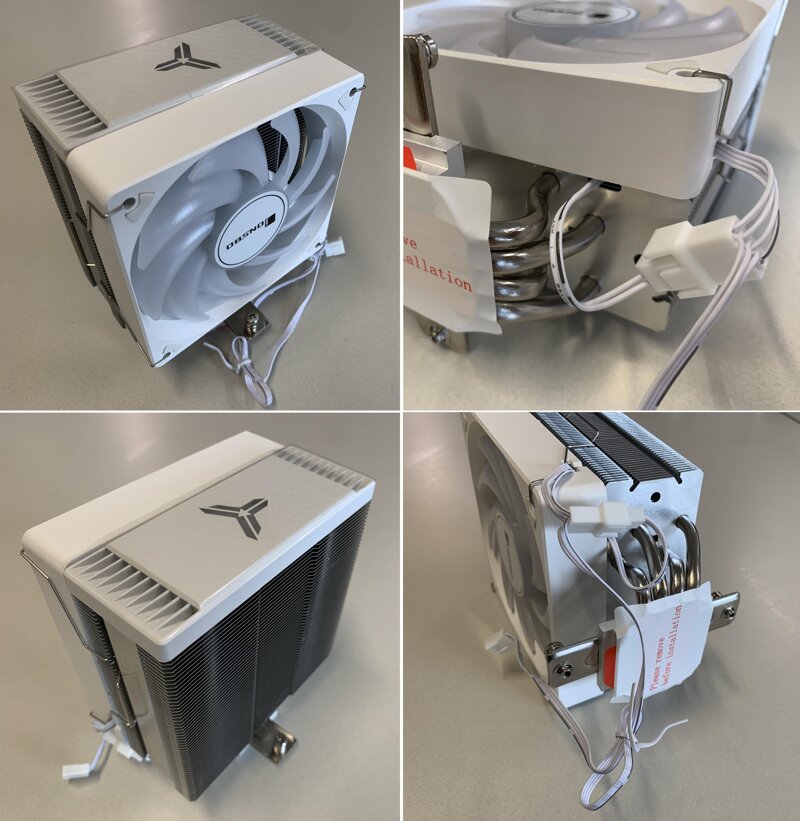
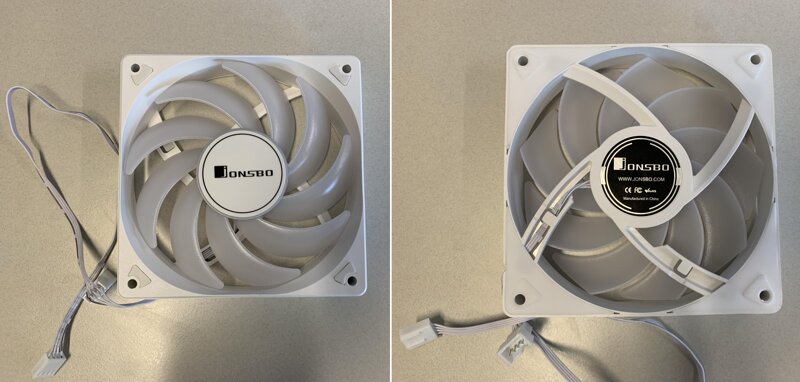
If you take a brief look at the specifications, the supported sockets are LGA 1700 / LGA 1200 / LGA 115X / AM4 / AM5, height 154mm, TDP 220W, weight 554g, Hydraulic bearing, fan size 120mm, fan speed 600~1500RPM, air flow 28.12~59.48CFM, maximum noise 32dB or less, warranty period 3 years.
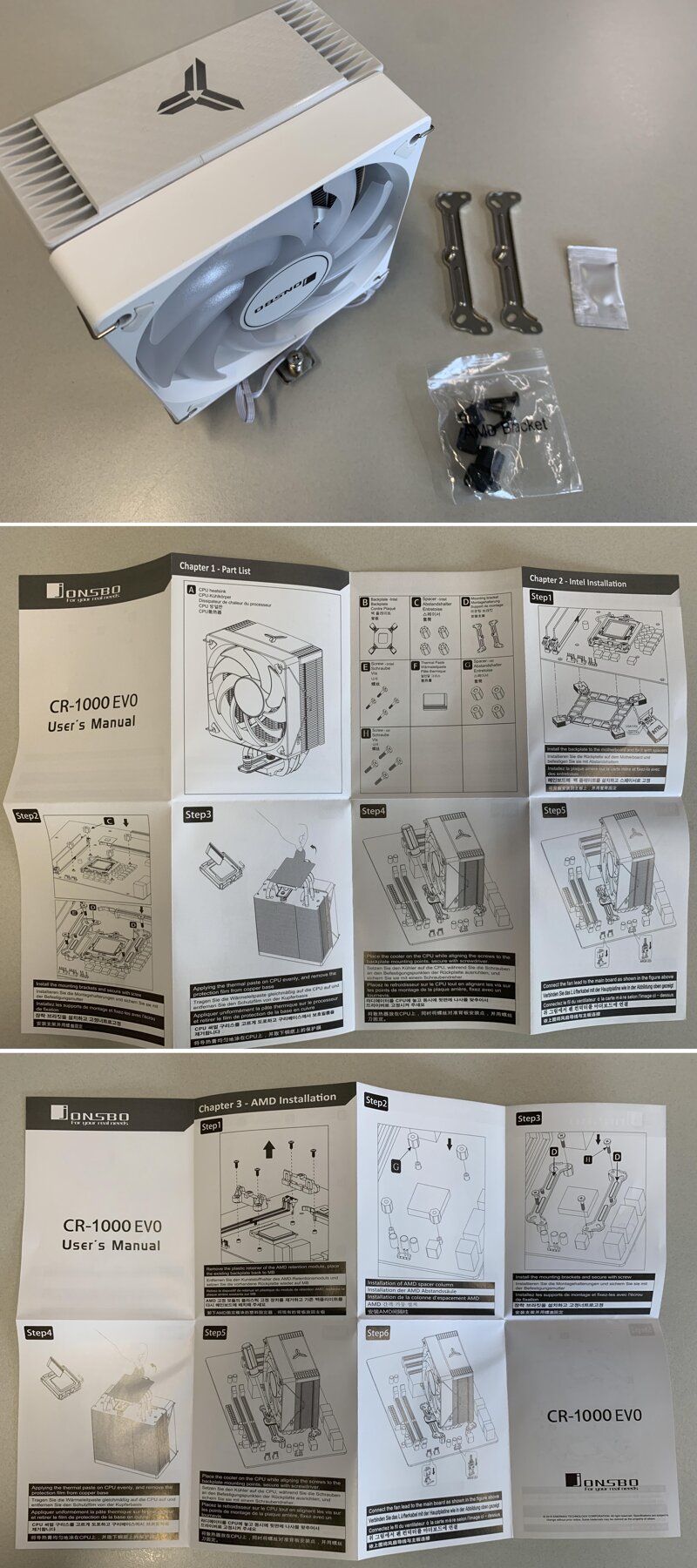
JONSBO CR-1000 EVO main body, Intel/AMD guide, thermal grease, and fixing screws are included.

Since the CPU to be used for the test is AMD Ryzen 7600, only the AM5 socket guide was sorted and organized.
Even beginners can easily assemble it by following the instructions.
2. Assembly and Test Environment

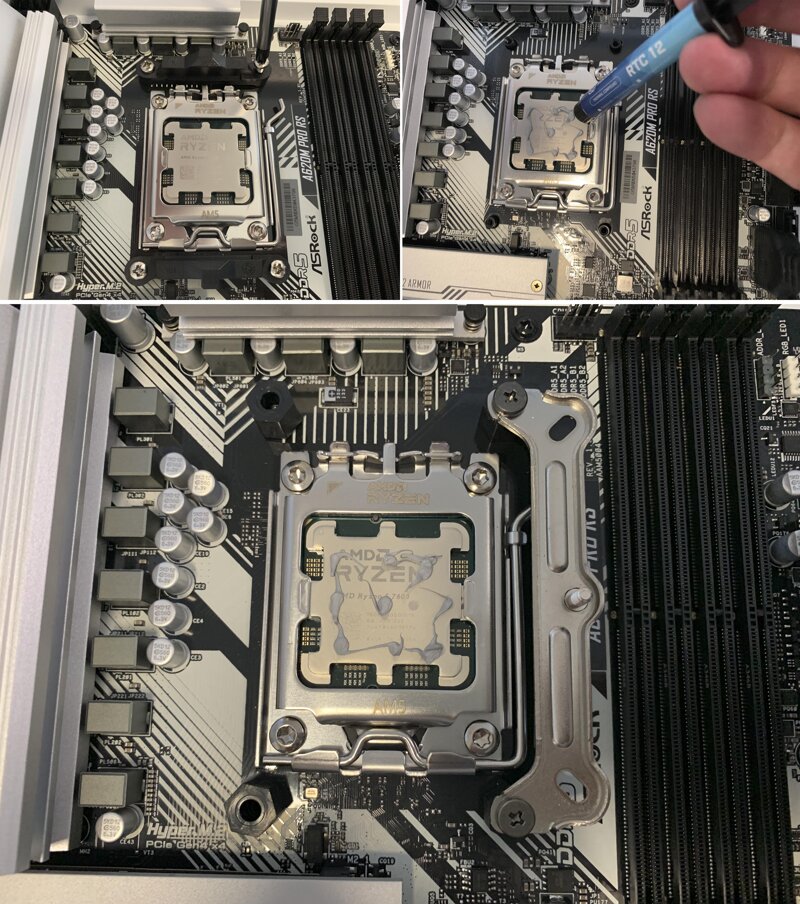
Assembly was performed based on the AM5 socket in the Ryzen 7600 system environment.
Loosen the screws and remove the guide on the motherboard.
Thermal grease was applied in 9 dots so that it could be spread evenly.
Place the plastic pillars and guide clips included in the package in order and tighten the screws to fix them.
Separate the cooling fan connected with the fan clip and the wire connected to the CPU FAN in advance.
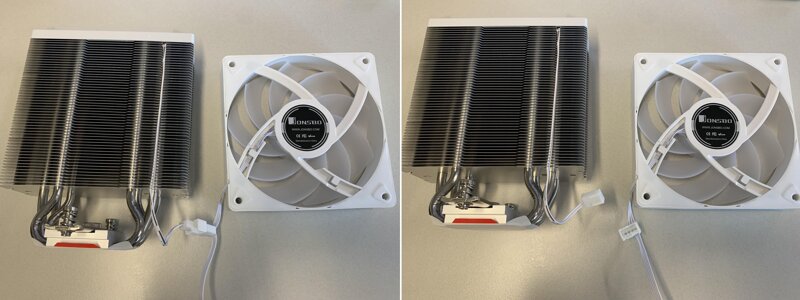
Remove the sticker, tighten the screws on both sides alternately 2 to 3 times to fix it, and install the separated cooling fan.
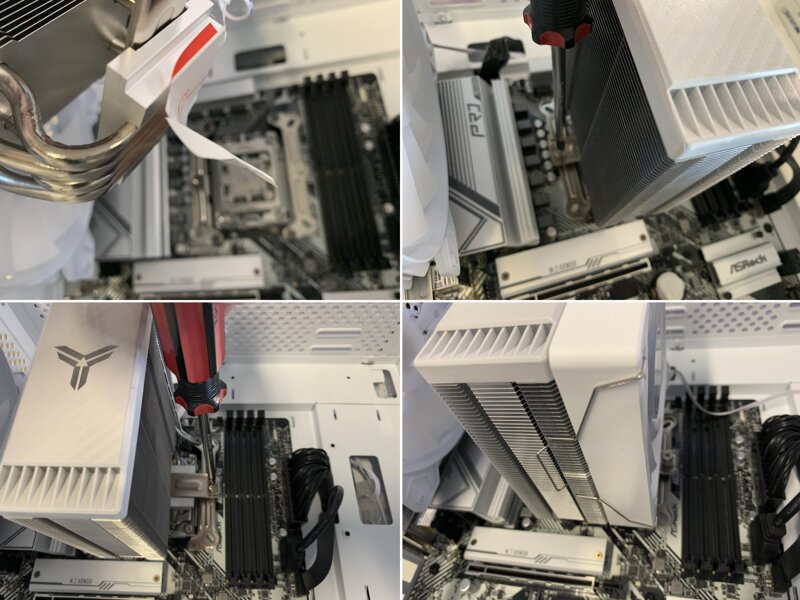
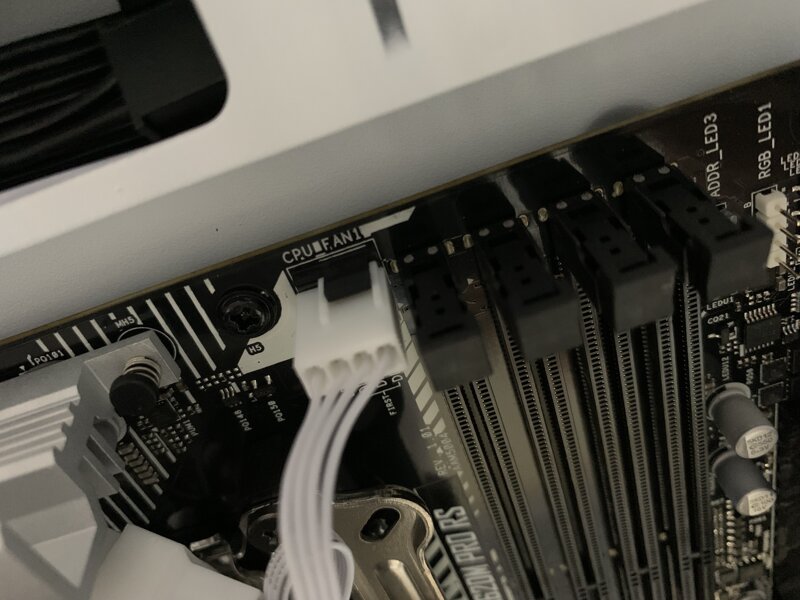
Finally, connect the 4-pin connected to the fan to the CPU FAN on the motherboard to complete the assembly.
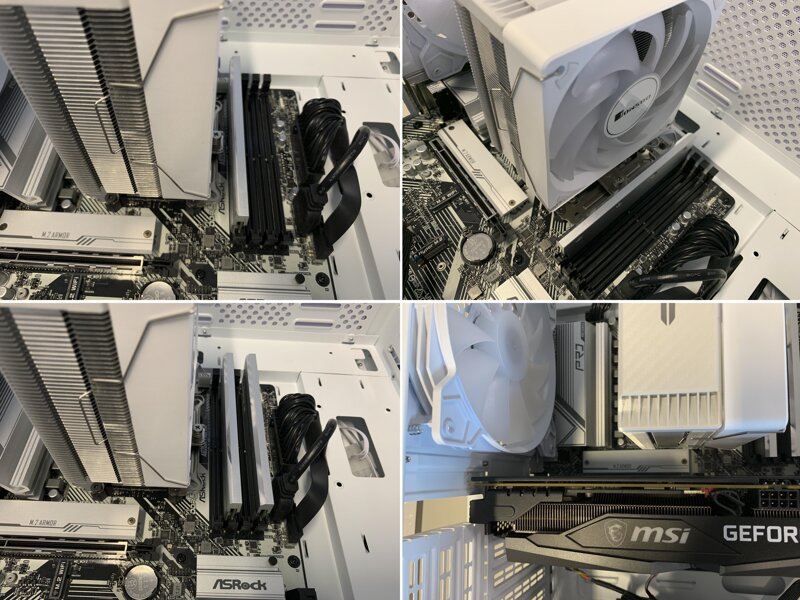
Even if you install DDR5 RAM with a heat sink in the slot close to the CPU cooler, there was no interference, and the compatibility is good enough to install it in full bank. After checking the compatibility, the installation is completed in dual channel for actual use.
Since the cooler height is 154mm, there is no interference with most PC cases, so there is an advantage that the choice of PC case is wide.
There is also a suitable distance from the graphics card installed in the first slot, so smooth ventilation inside is expected.


You can assume that there is almost no noise even if you listen to the fan.
It was difficult to measure the exact noise because the noise was mixed with other fans. For your reference, I measured the noise of the PC case fan and the JONSBO CR-1000 EVO fan.
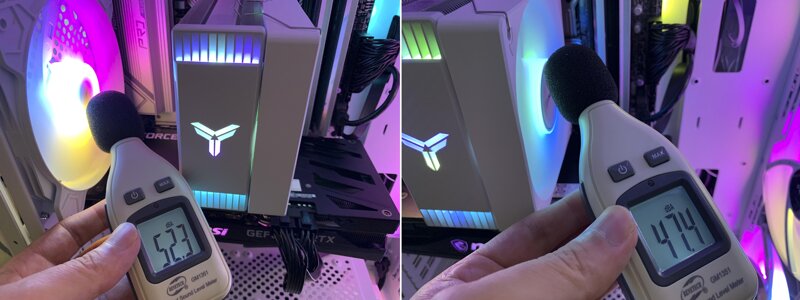
This is how it works.

3. Benchmark
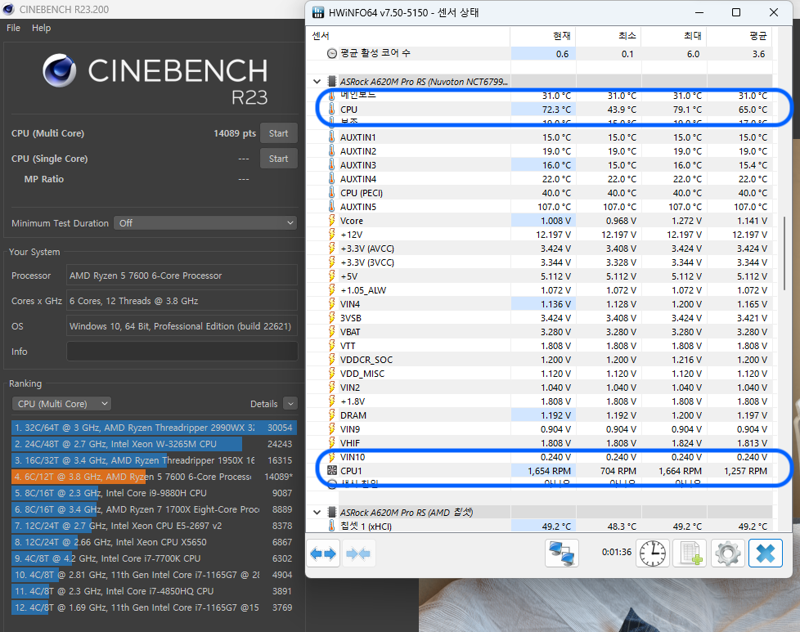
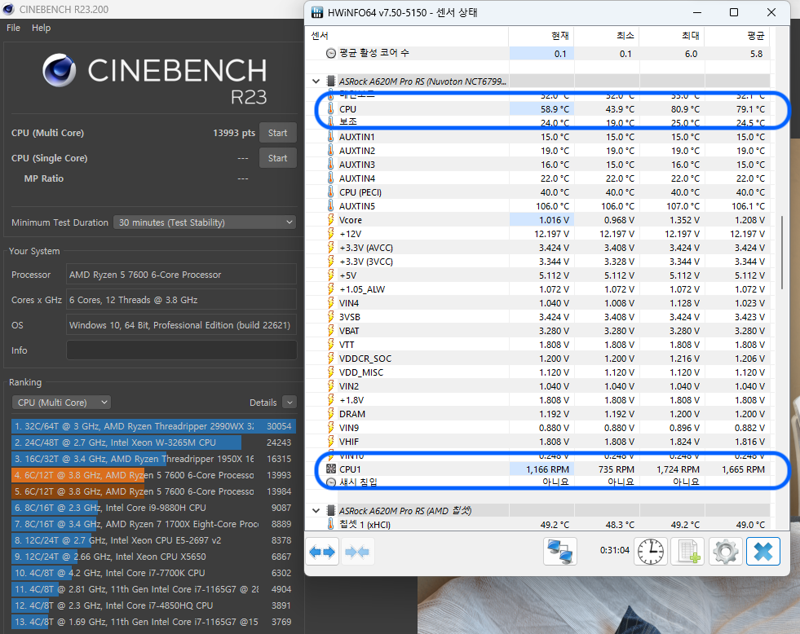
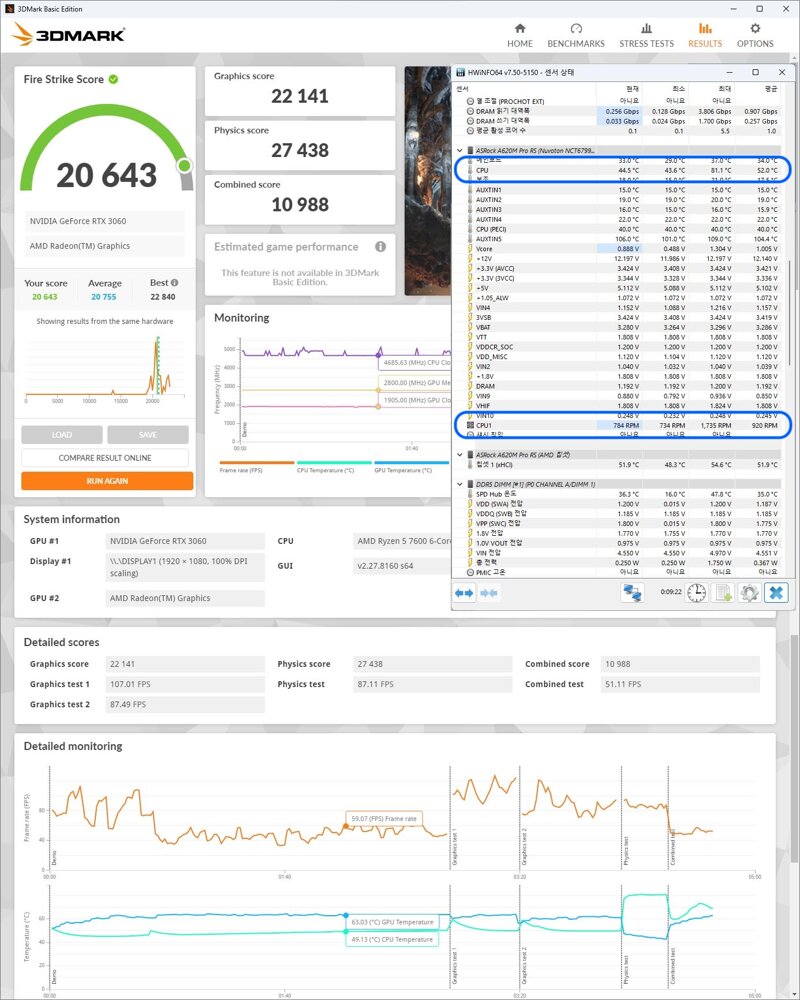
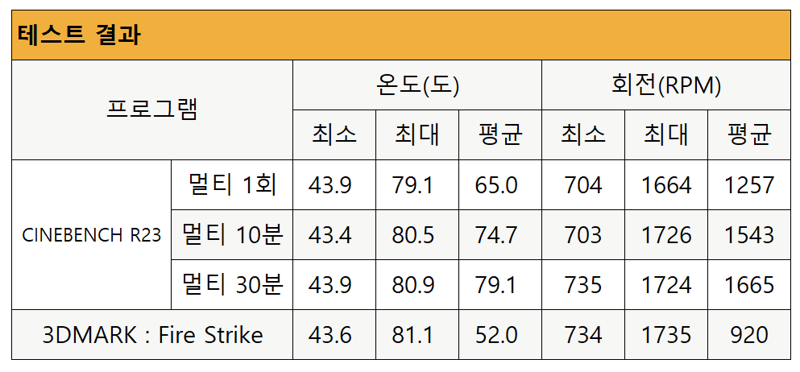
With CINEBENCH R23, when the CPU was subjected to the maximum load for a certain period of time, the temperature and the rotation speed of the cooling fan were tested. And the test was conducted with Fire Strike of 3DMARK, which is often used as a game benchmark.
Cinebench multi 1 execution result
Cinebench multi 10 minute execution result

Cinebench multi 30 minute execution result
3DMARK Fire Strike
4. Conclusion
So far, we have looked at the JONSBO CR-1000 EVO AUTO RGB and tried assembling and testing it.
Even though it is a cost-effective CPU cooler that can be purchased for around 20,000 won based on Danawa, it can be seen through the test that it stably holds the temperature so that the latest CPU can perform well.
Generous cooling performance of TDP 220Wand boastsAUTO RGB LED tuningIt supports to build a more stylish computer system. Even though it is an air cooler,Provides a 3-year free warranty periodis impressive.
As I mentioned earlier, this is my first time using JONSBO products, and I am satisfied with the performance, design, and price of the JONSBO CR-1000 EVO AUTO RGB. If you are looking for an air cooler, please check out the product at the purchase link.
#CPU쿨러 #CPU쿨러추천 #가성비CPU쿨러 #JONSBO #CR-1000
IT 인벤 유저리뷰사용기밀랍미녀
2023-09-15