Post
For those of you who want to try a large monitor - Samsung Ultra Wide Series ①
Wide monitors, even large 40-inch monitors, were once a burden to me, who casually enjoyed games like League of Legends or Dota. Is a wide or large monitor really necessary for playing League of Legends? It can actually make map reading more difficult because you can't see everything at a glance, which is why some people even lower the resolution on smaller monitors.
But aren't displays like monitors and TVs naturally better the bigger they are? Of course. Whether you're playing a game or watching a movie, the difference in experience is proportional to the size of the display. The emotion that comes from a vast screen is hard to describe unless you experience it yourself. There's a reason why movie theaters are still in demand even when ticket prices get more expensive.
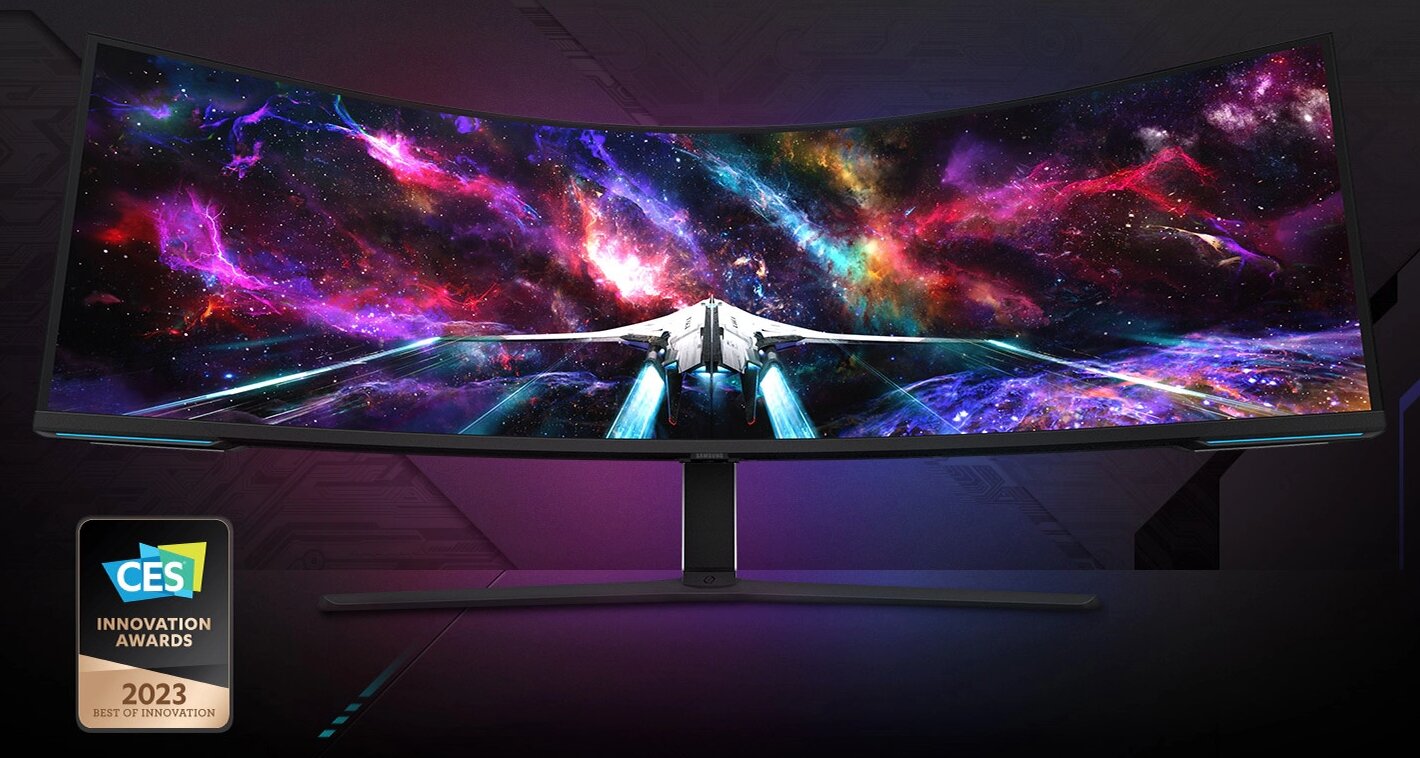
These large and wide monitors were once a burden to me. Now, I'm completely captivated by their charm. Why? Because since joining the company, I've experienced games and content firsthand through various monitors, both large and small. Ultimately, after using them myself, I realized that even a 27-inch monitor with high resolution, refresh rate, and response time can't beat a large monitor with a big, long screen, even if it has slightly lower specs. Although I still haven't gotten used to strategy games like League of Legends.
In this article, I'll share information on how to comfortably use these large and wide monitors, based on my experience using the Samsung Odyssey monitor for several months.
PC Specs Proportional to Monitor Size
Did you bring a fat wallet?
There's no big reason why I didn't use wide or large monitors. It was just an excuse from a young professional with limited funds. Of course, I could probably afford a monitor if I ate a little less well and bought fewer games. However, you also need to consider the PC specs to support it. You can't buy a large or wide monitor and then play in FHD.
To explain the subheading, there's a correlation between monitor size (resolution) and PC specs (graphics). The higher the resolution, the more work the graphics card has to do. Even with a simple calculation, if you want to maintain 144 frames on a QHD 144Hz monitor, the graphics card has to work about twice as hard as on an FHD monitor.
To help you understand, I conducted the following benchmark tests using a Samsung Odyssey NEO G9 monitor and an RTX 4060Ti.
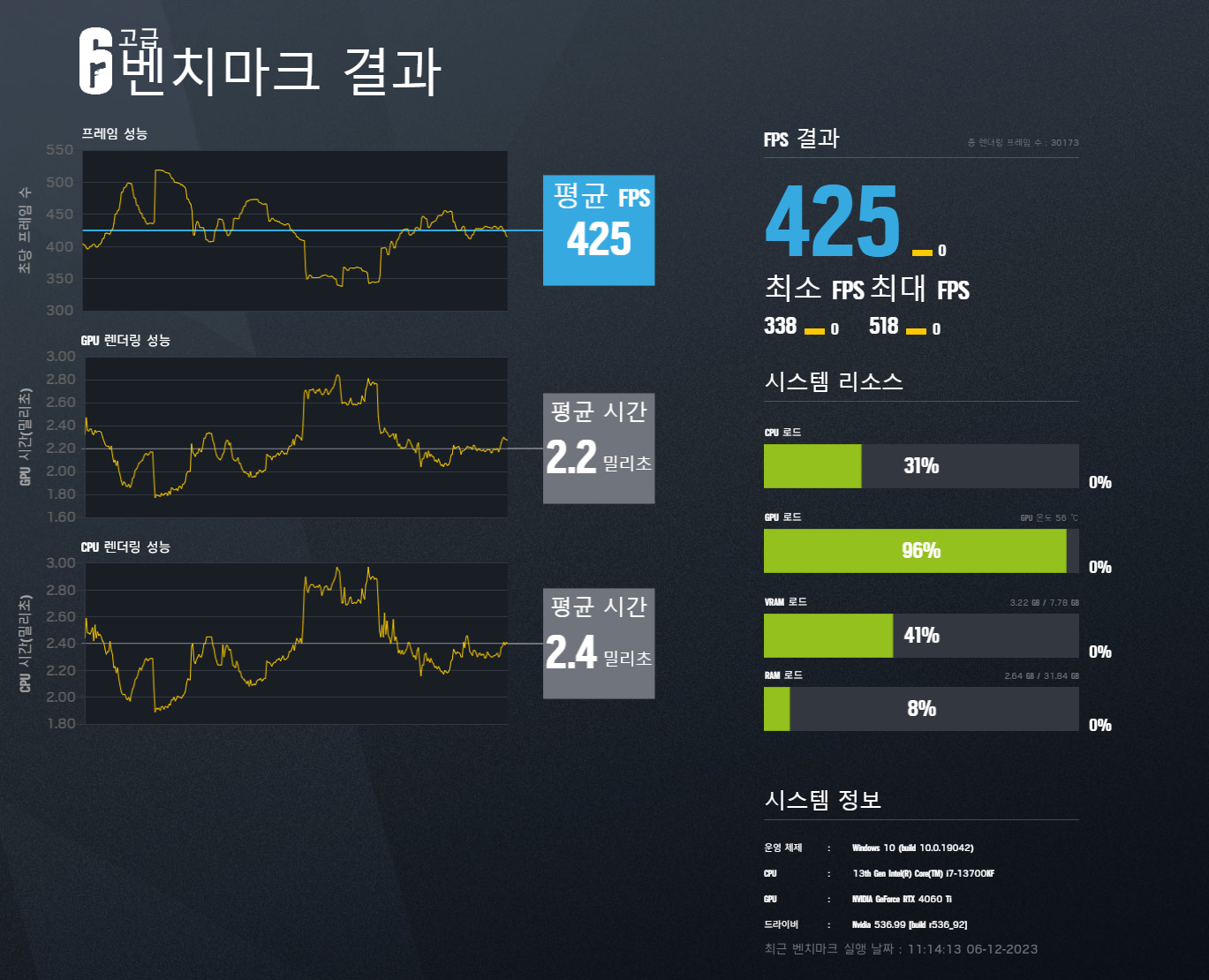
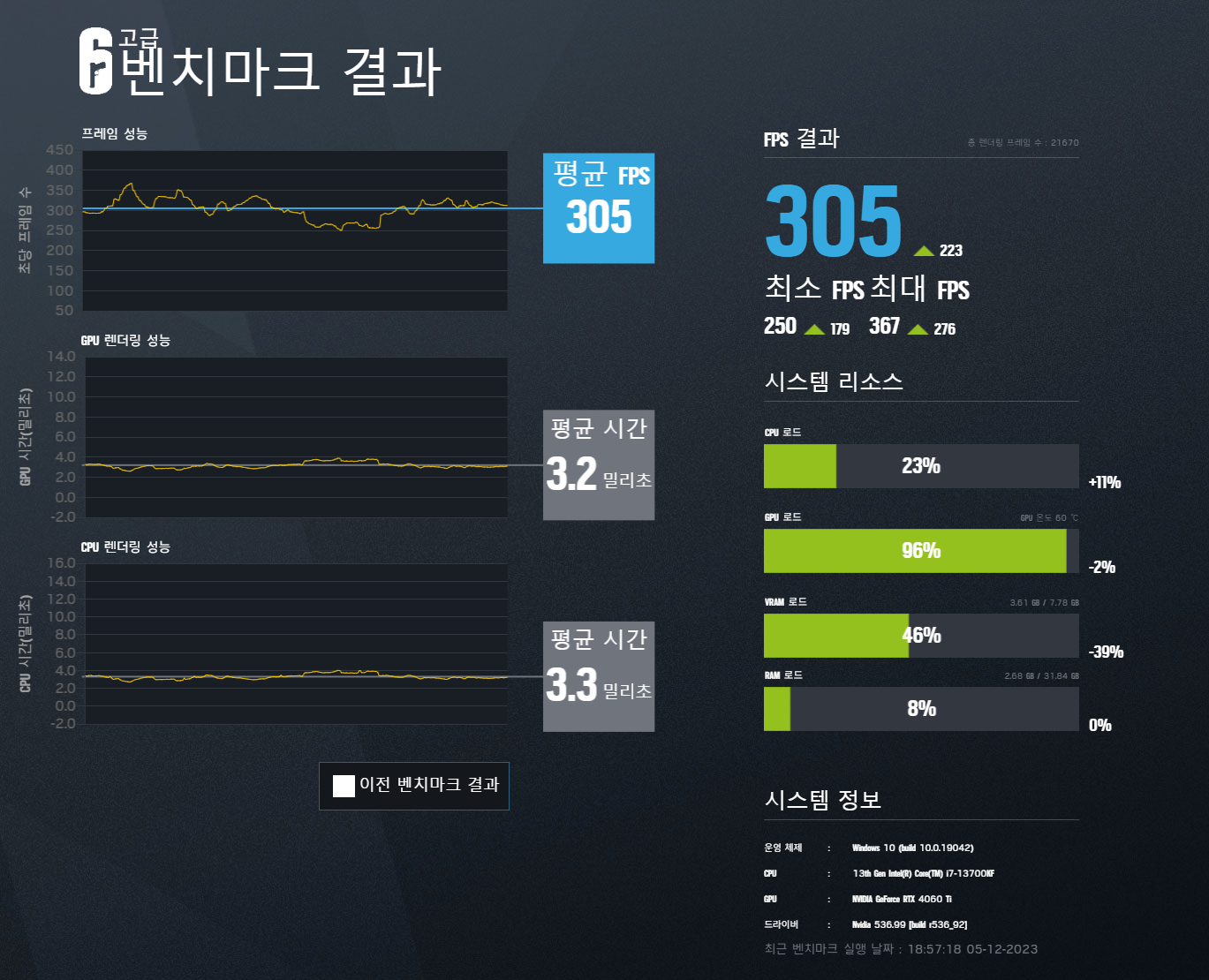
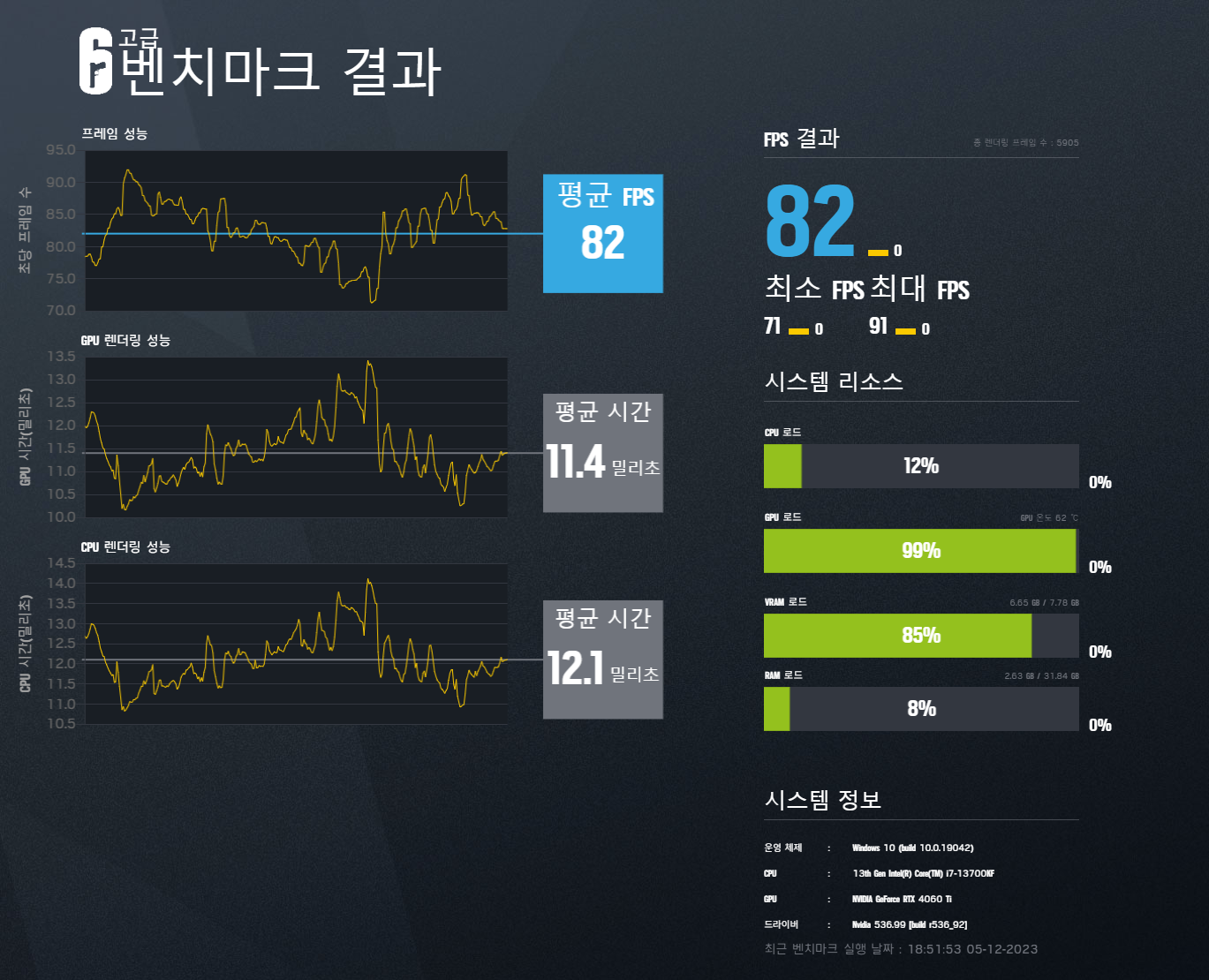
If that was helpful, gamers who want to buy a large monitor with a high (2K~4K or higher) resolution should keep this in mind and consider the PC specs to support it. Otherwise, you might end up spending a lot of money on a large or wide monitor and then struggle to maintain 60 frames. Of course, you could lower the resolution to compromise, but that's not why you're buying it.
Monitor Size That's Right for Me
Is there a reasonable standard?
Monitor sizes and resolutions vary. Although they are now often used as secondary monitors for work or as touch panels, historically, 4:3 monitors around 20 inches were popular. Since then, high-resolution displays have been released one after another, changing to 16:9 or 16:10, and now, ultra-wide monitors with a 21:9 or 32:9 aspect ratio are also in the spotlight.
As for size, commonly used ones range from 24 inches to 27 inches, 32 inches, 40 inches, 49 inches, and even larger monitors comparable to TVs. Each has its pros and cons, but the smartest choice is to choose one that suits your games, work, etc.
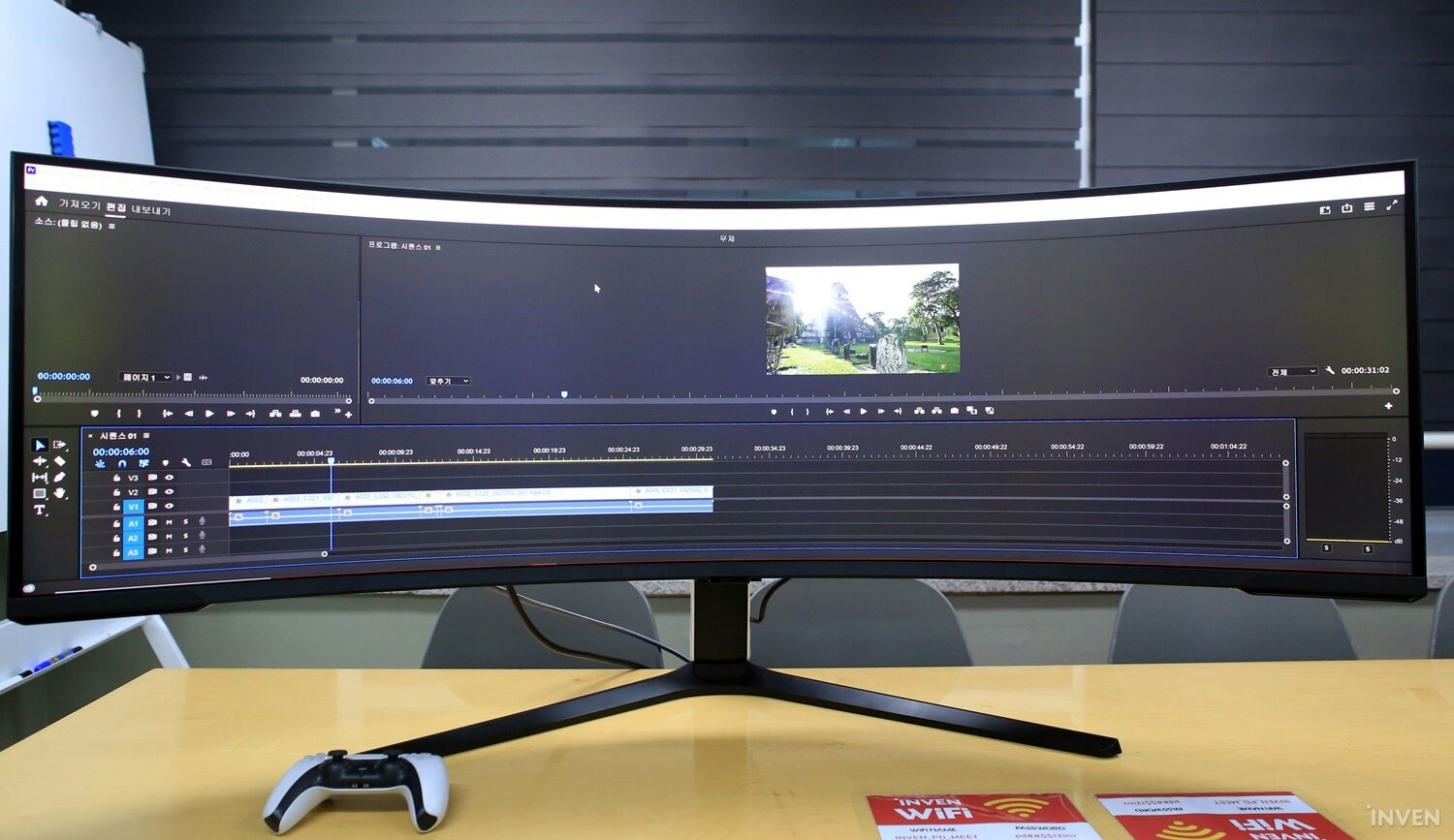
If you're a user who mainly plays casual games, 24 inches or 27 inches should be sufficient, and for users who want to play console games, watch video content, or do editing work, I recommend 32 inches or larger. The benefits of a large screen are strong for games and videos, and when editing images or videos, it's easy to have multiple preview or effect windows open, and the UI and text are displayed large, making it easier to work.
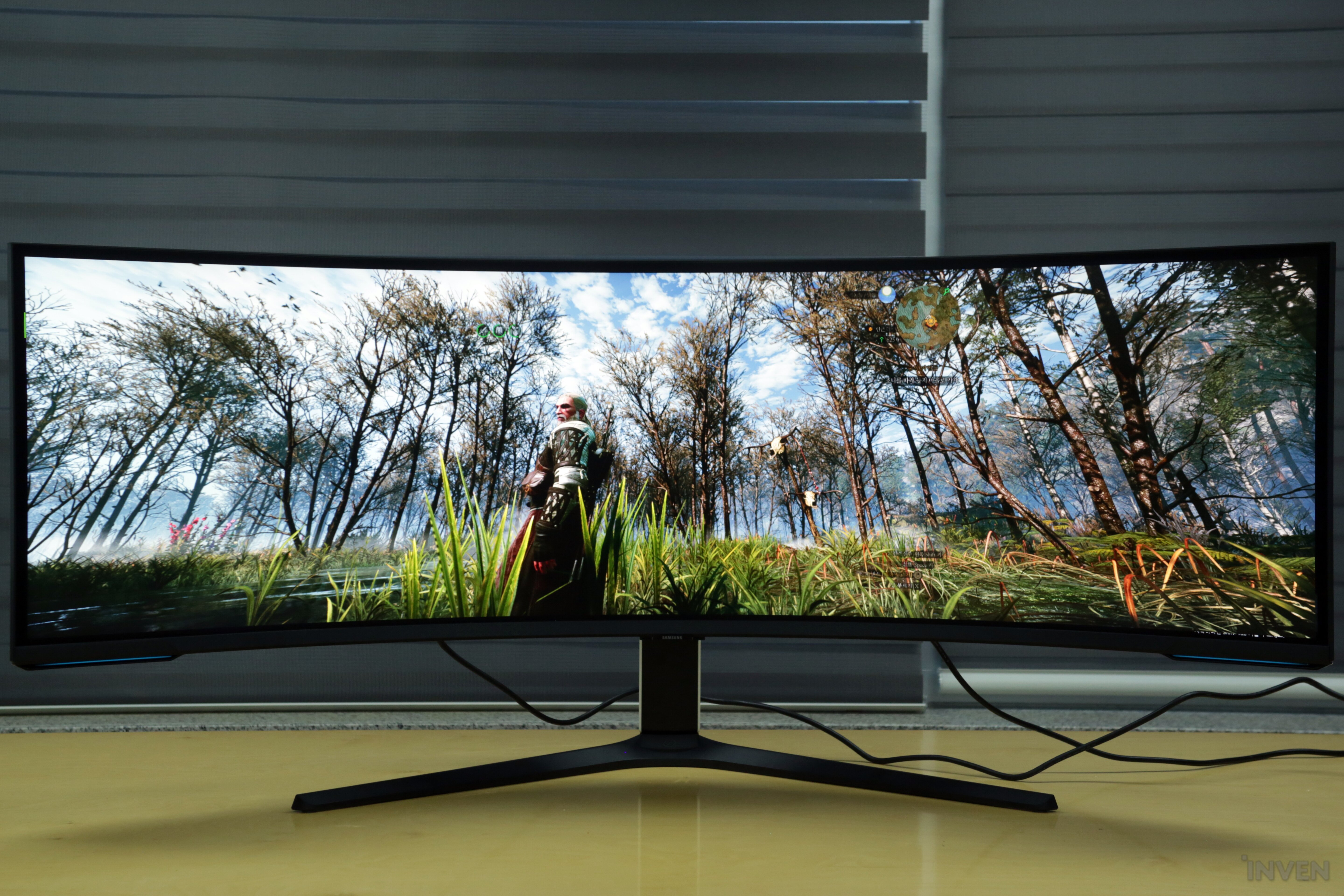
In addition, I highly recommend wide or ultra-wide monitors for racing games, sports games, or console games that take place in vast environments. When I first encountered a wide monitor, I couldn't imagine what it would be like to play games on it, but the immersive experience was quite significant when the high curvature of the curved shape met the wide monitor.

In addition, it has the advantage of being able to divide the display in half and use it like a dual monitor, so you can watch guides or video content while playing games, and even edit videos or photos more easily.
What about performance?
Resolution, refresh rate, response time, additional features, etc.
The essence of hardware is ultimately performance. No matter how beautiful and stylish a product is, it's no good if the performance is poor. Monitor performance is largely determined by the panel, resolution, refresh rate, and response time. Looking closer, there's also color reproduction rate, contrast, and brightness, which are responsible for the monitor's color. I think people who like games know about resolution, refresh rate, and response time to some extent.
However, it's not easy to judge color or clarity, which are full of technical terms, just by looking at the numbers. In that case, check the panel type. The color and clarity vary greatly depending on the panel. Standard VA and TN panels are standard monitor panels that we use, and IPS panels have a wider viewing angle and better color expression. Models with IPS panels are relatively more expensive.
Additional features include frame synchronization technology that prevents tearing, which is a gaming feature. This is commonly known as NVIDIA's G-Sync and AMD's FreeSync. By using this technology, you can adjust the difference between the image displayed by the monitor and the image output by the graphics card, allowing you to see a smooth and clear screen without tearing.
In addition, there are features that can be changed with the monitor's own software. For example, Samsung Odyssey products, among wide monitors, have built-in PIP/PBP functions. This function allows you to split the monitor screen and use it, which can be seen as performing the dual monitor function mentioned above. In addition, physical functions include pivot, swivel, elevation, and tilt functions that allow you to optimally set your eye level and angle by adjusting left and right, up and down, height, and tilt.
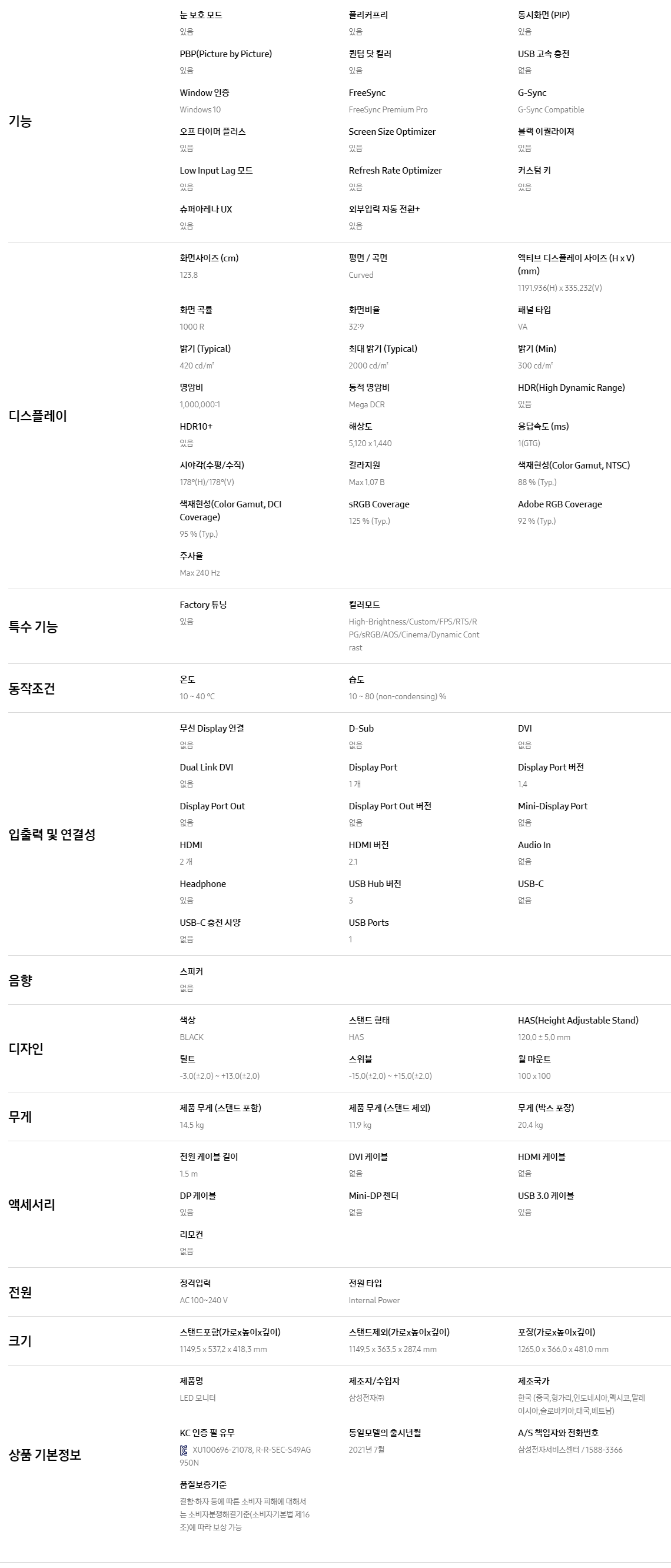
The Samsung Odyssey NEO G9, which I used for this test, is a gaming monitor with a 240Hz refresh rate and 1ms response time, despite being a large monitor, as well as the various additional functions mentioned above. See the information below for more details.
Samsung Odyssey NEO G9 Product Details (Click!)
The feeling is different depending on the size
What games are a good fit?
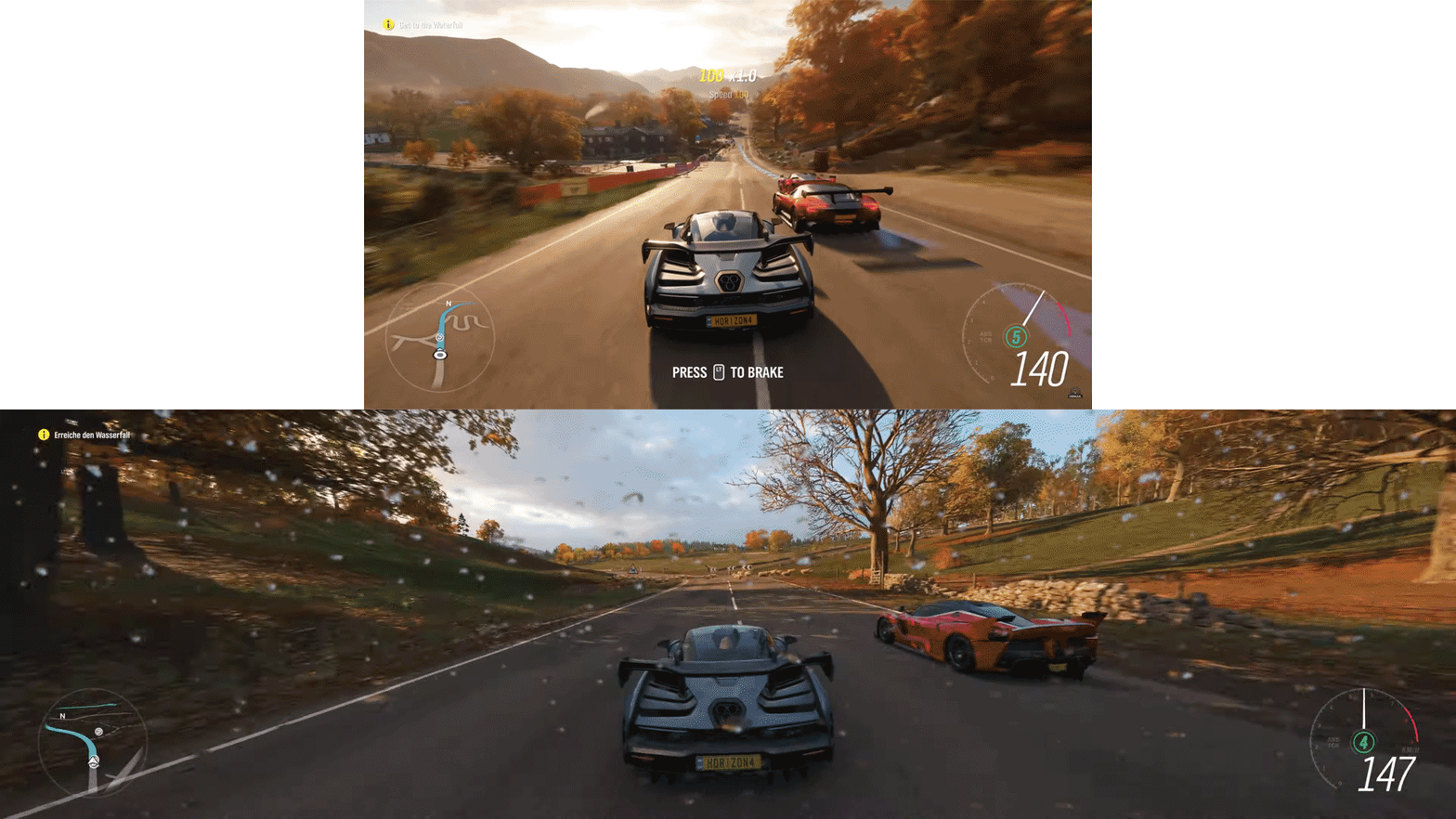
What games are suitable for a wide, especially 32:9 ultra-wide monitor? The first thing that comes to mind when you think of a wide monitor is sports and racing games. As those who have experienced it know, the immersive experience is considerable when playing with a curved wide monitor that shows a wide horizontal screen and a 1000R curvature.
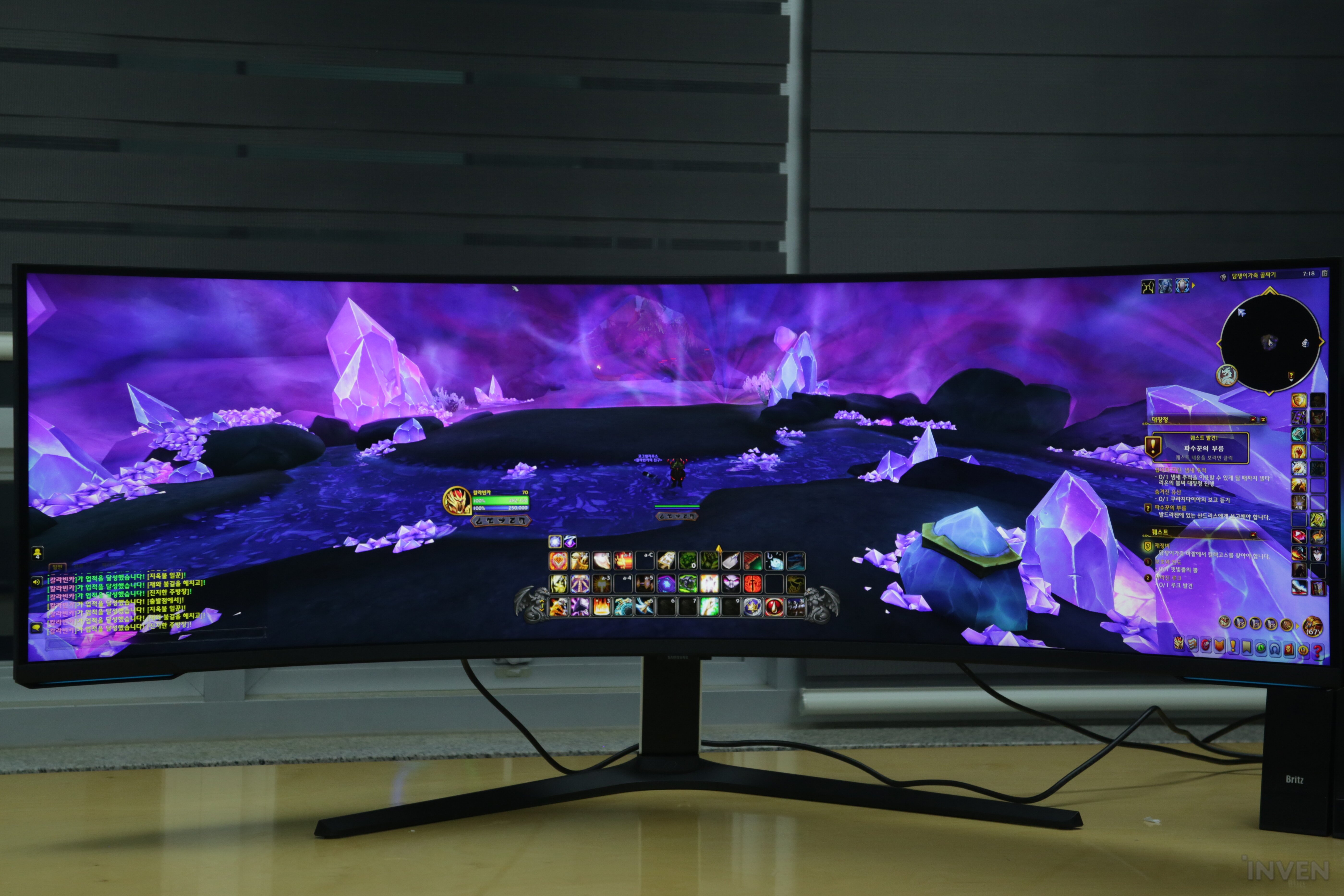
That doesn't mean other games are bad. Wide monitors are in high demand for console games where you can see a wider view of the vast background, or MMORPGs where you can use the map more widely, which is helpful in terms of in-game aspects. For example, in games like WoW or Lost Ark, gamers prefer wide monitors because they can use the map more widely and perform gimmicks more comfortably during raids.
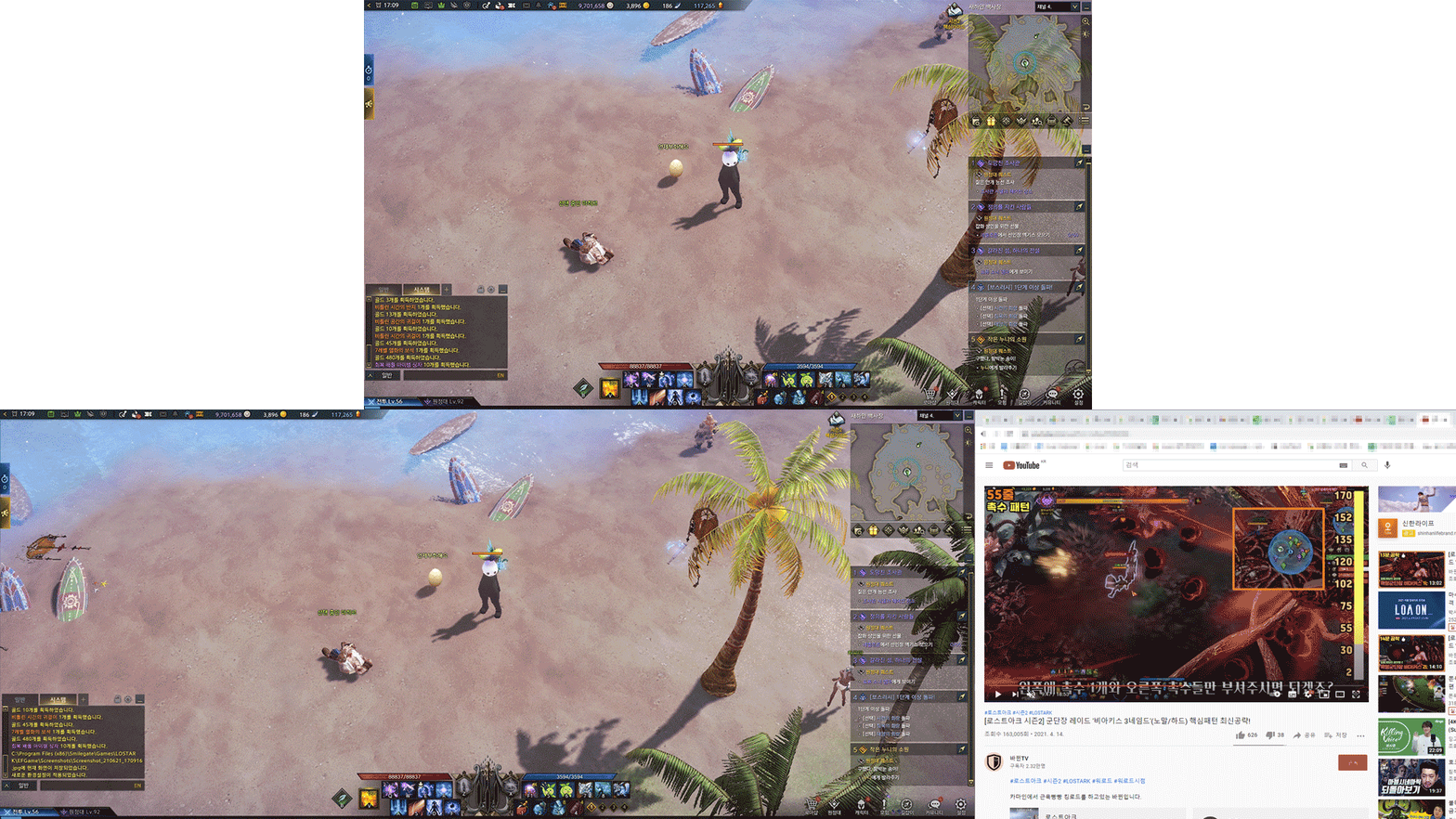
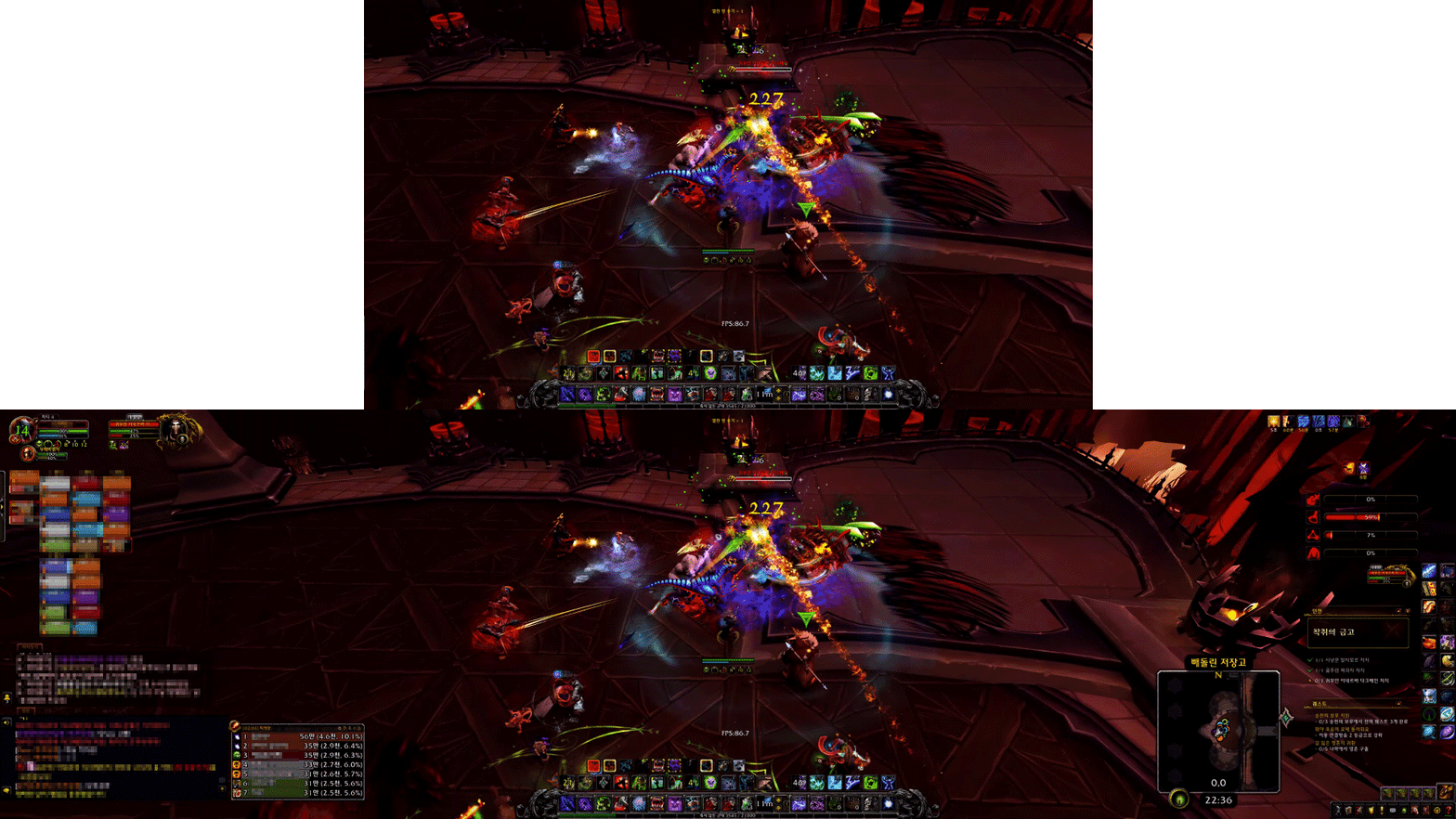
However, since there are relatively few games that support the 32:9 ultra-wide resolution yet, be sure to check whether the 32:9 resolution is supported before starting. You can use the PIP/PBP function to divide the screen and use it, but that's not why you're considering buying it.
In closing
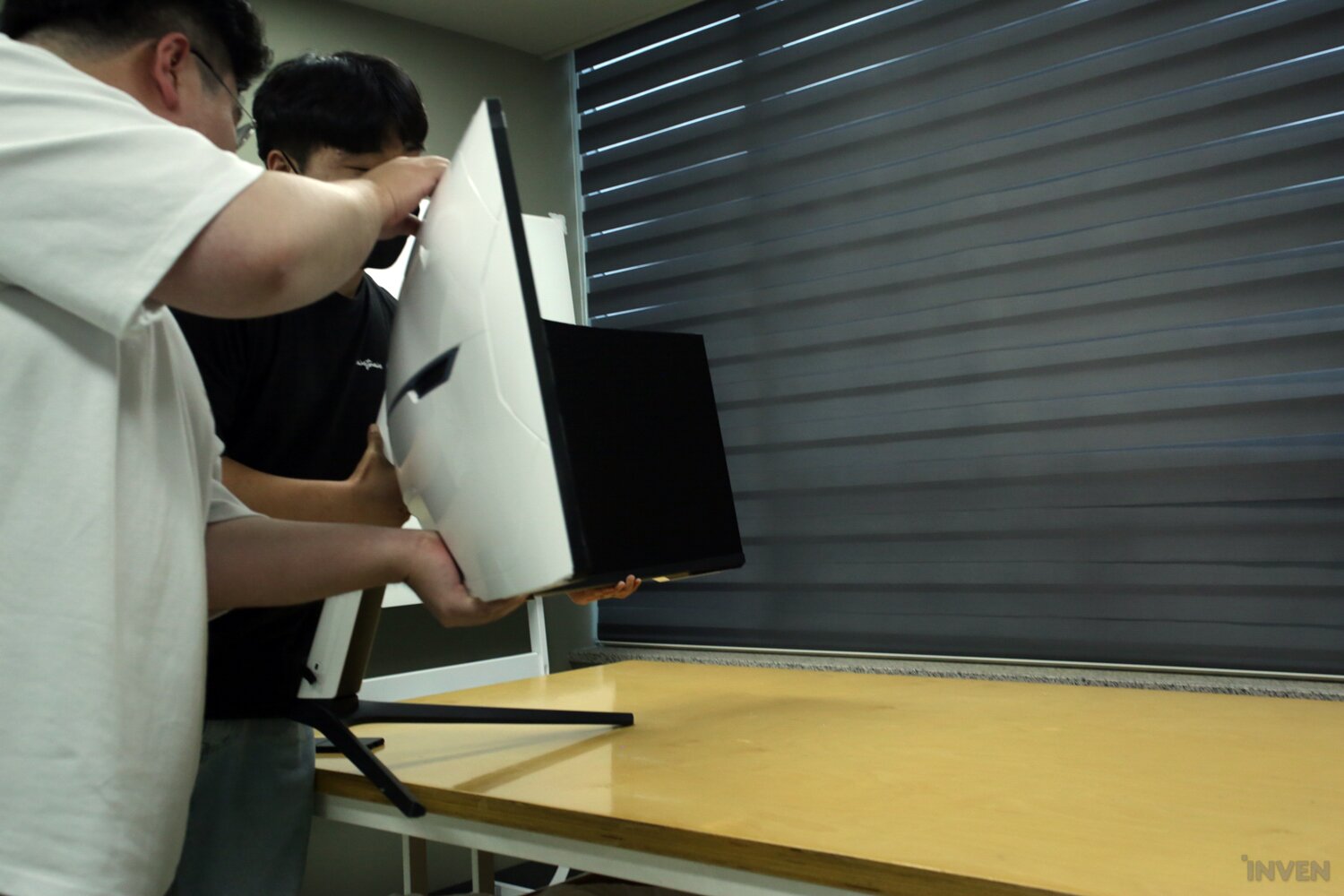
I enjoyed various content and used the functions through the 57-inch Samsung Odyssey NEO G9 for a long time and felt it. Monitors are definitely better the bigger they are. In addition, I thought that wide monitors would definitely be a matter of taste until I used them, but I was quite satisfied with the experiential aspect when I actually used them. Especially when playing MMORPGs or racing games.
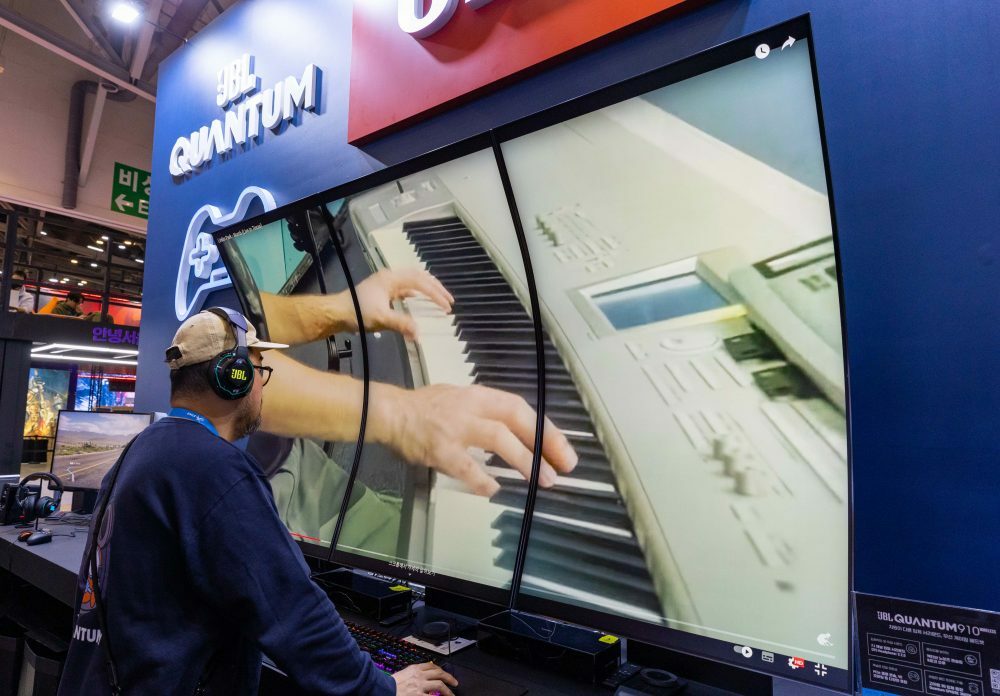
It's best to choose according to your taste, but since you don't know until you experience it yourself, I highly recommend going to a store or offline event to feel it yourself. I saw three Samsung Odyssey Arcs placed vertically at the G-Star 2023 JBL booth this year, and the feeling was different again.
Let's also check the performance and functions well. I'm someone who has been equipped with the mindset of using it as is if I don't have it for many years, but I check monitors carefully. After all, it's not a price range that you can change as easily as peripherals, and especially for large monitors, you can use them for a long time once you buy them, so it's good to set clear standards.
Finally, let's check the PC specs as well. The 27-inch gaming monitor you're currently using in FHD may be perfect for your current PC specs, but a high-performance large monitor that goes from 2K to 4K may not be able to handle it.
Webzine InvenReporter Lee Hyun-soo
2023-12-11