Post
(Paid Content Warning) How to increase LoA frame rate on low-spec PCs
***3-Line Summary for the Busy***
1) Can double your frame rate for ₩7800 / Refundable (within 14 days of purchase, less than 2 hours of use)
2) Applicable to almost all games and videos, including old classic games, emulator games, the latest games, and videos
3) Usage instructions attached in the main text below
------
Are you familiar with NVIDIA's DLSS or AMD's AFMF?
I'm too lazy to explain it in detail, so I'll skip it.
Just know that it's a technology that artificially boosts frame rates.
NVIDIA DLSS is not supported in Lost Ark.
Also, AMD's Radeon has driver issues, Lost Ark optimization issues, etc.
In reality, many Lost Ark users will be using NVIDIA graphics cards rather than Radeon.
(So, very few people actually enjoy Lost Ark by applying AFMF, right?)
But aside from these two, there's another way to increase frame rates.
It's LSFG of Lossless Scaling, an upscaling program sold on Steam.
This program doesn't really have any major restrictions.
Just buy the game on Steam for ₩7800, install it, and press the "button" to increase the frame rate.
Don't like it after using it? Steam games can be refunded within 14 days of purchase / less than 2 hours of playtime.
It's not expensive, so it's worth a try, right?
Here's how to use it:
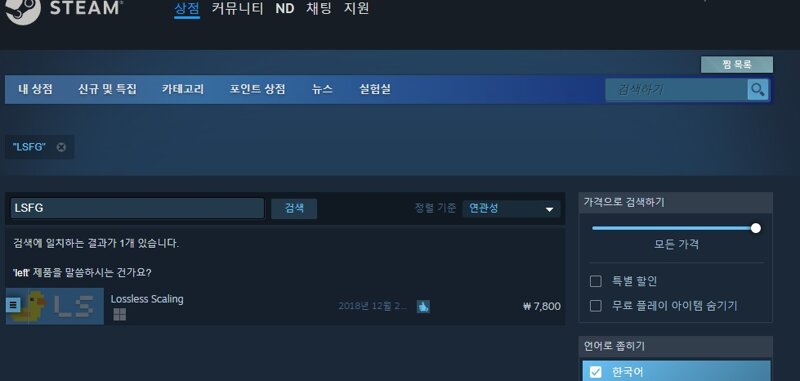
1. Search for LSFG on Steam and purchase it.
(Lossless Scaling with an orc picture)
2. Install and run it.
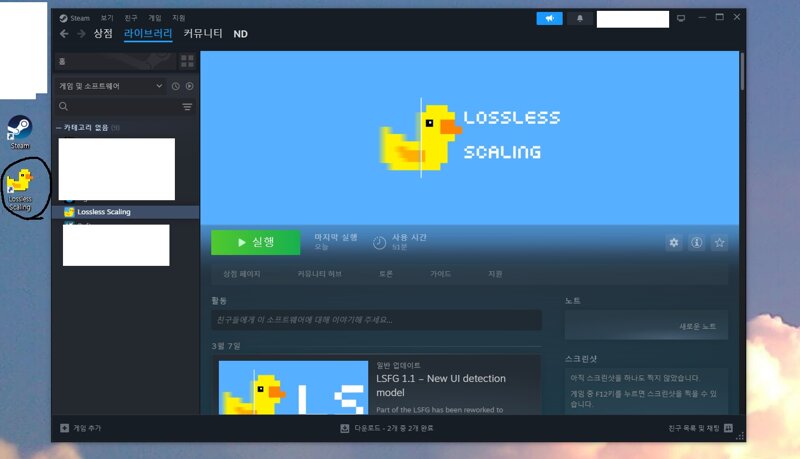
3. After running, set it up as follows and run Lost Ark.

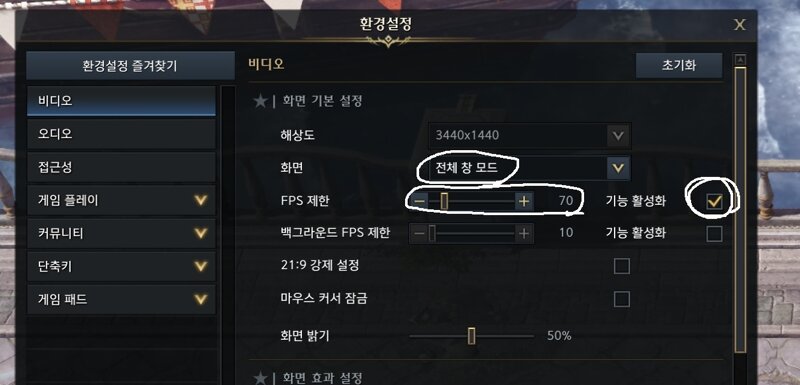
4. This program requires windowed mode or borderless windowed mode.
4-1. Set windowed mode or borderless windowed mode in Lost Ark settings.
4-2. Limit the FPS to half of your monitor's maximum refresh rate.
ex) 70 for 144hz users
5. Press the "Scale" button on the Lossless Scaling program and switch to the Lost Ark screen.
(Pressing the Scale button will start a 5-second countdown. Enter the game window before the count ends.)
6. Check the frame rate display in the upper left corner.

In my case, the main PC I use at home is 7800x3d / rtx4080, so I enjoy a pleasant Lost Ark life, but when I use it on business trips,
I can't get a smooth screen on my laptop.
(Laptop specs 5800h / rtx3060 / I undervolt and underclock because I hate the noise)
I suddenly thought about that and wondered if I should change my laptop,
I was looking for whether amd's AFMF works well on laptops and accidentally stumbled upon this program.
I'm very satisfied because it outputs a very smooth screen when used on a laptop. ^^
If you don't like it after using it, you can get a refund right away.
Lost Ark Inven Tips and Tricks앤딩12
2024-03-27