Post
My personal method to reduce Maple lag (not universal, Windows 11)
This article is purely based on a method I personally discovered,
The effectiveness may vary depending on your computer environment,
Assuming you are using Windows 11.
-------------------------------------------------------------I've noticed a lot of lag in Maple lately,
I tried various things but didn't get much result,
I think I found one cause and am sharing it.
Culprit: Efficiency Mode
Based on my laptop, while playing Maple, suddenly and without warning,
I found that "Efficiency Mode" was automatically turned on when I went into the task manager.
Efficiency Mode reduces energy consumption instead
It lowers process priority and reduces resource (CPU, RAM) usage.,
Naturally, if this mode is turned on, Maple lag will get worse.
If this Efficiency Mode is automatically turned on in the middle of the game,
I experienced Maple suddenly freezing for 1-2 seconds, or the lag intensifying afterward.
How to turn off Efficiency Mode (Windows 11)
1. Temporary Method (Must be done every time Maple is running)
A. Task Manager (Processes) → Right-click MapleStory→ Efficiency Mode (Turn On/Turn Off)
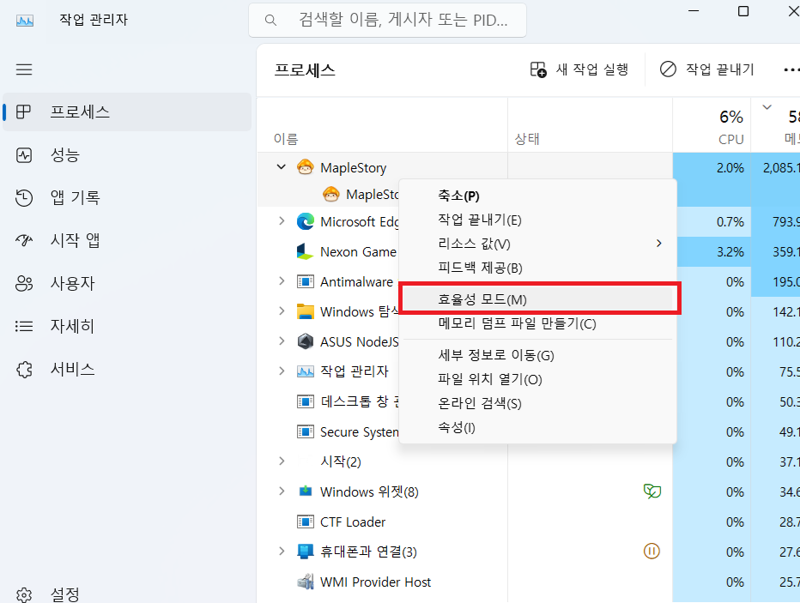
B. Task Manager(Processes) → Right-click MapleStory→ Go to details
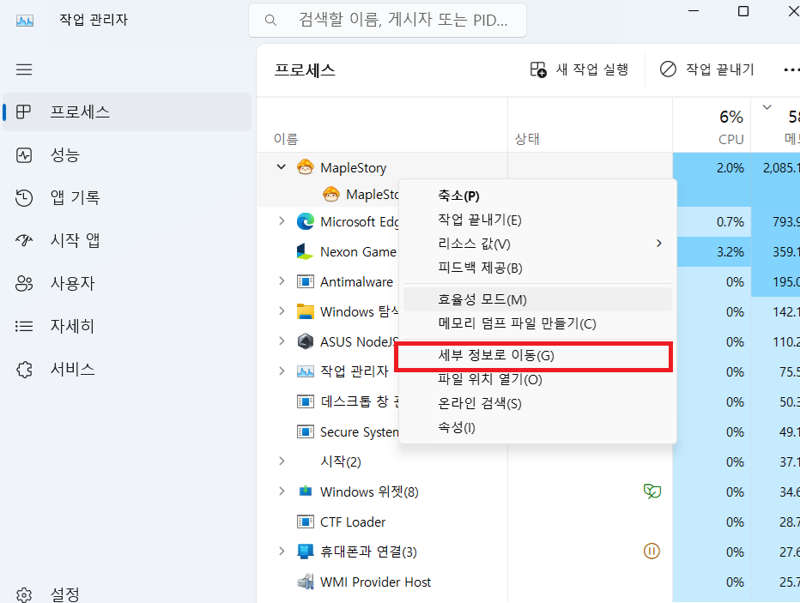
MapleStory Right-click→ Efficiency Mode (Turn On/Turn Off), Set Priority→ Realtime
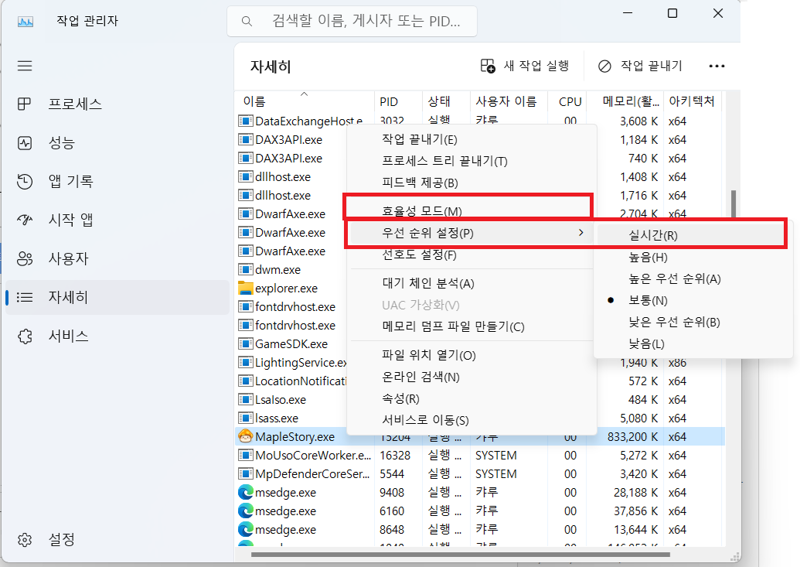
After setting as above and testing, Efficiency Mode did not turn on automatically.
2. Permanent Method (Using the game launcher for the Maple direct execution program)
A. Find the Maple execution programShortcut (Important)Create
1)Task Manager (Processes) → Right-click MapleStory→ Open file location
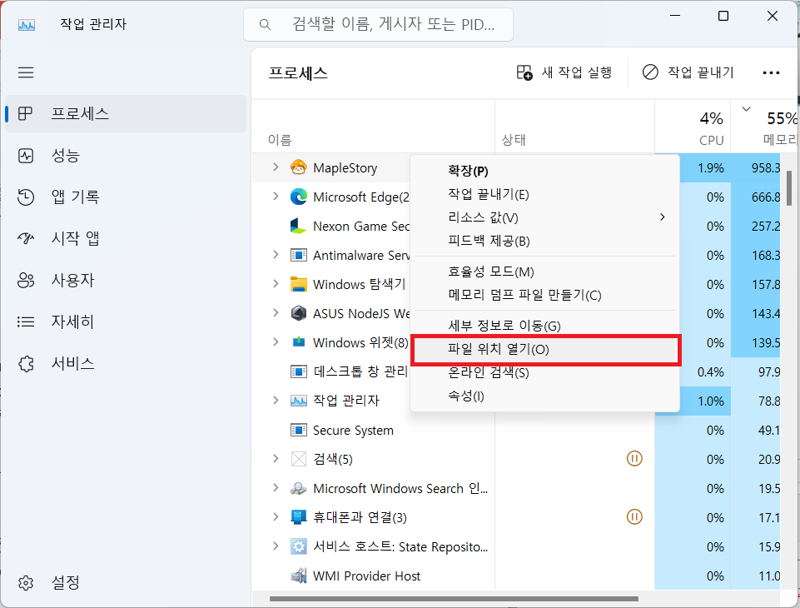
Find the Maple direct execution program.
2) MapleStory Right-click→ Show more options→Create shortcut
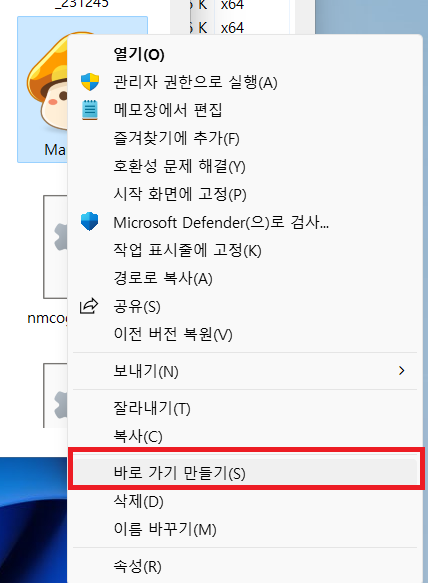
A shortcut will be created in the same folder.
Let's move the shortcut to a suitable place (desktop, etc.).
3) Right-click the shortcut → Properties
4) There will be a path in the target, enter the following immediately after the path.
(Path)GameLaunching --disable-features=UseEcoQoSForBackgroundProcess
Example: C:\Nexon\Maple\MapleStory.exeGameLaunching --disable-features=UseEcoQoSForBackgroundProcess
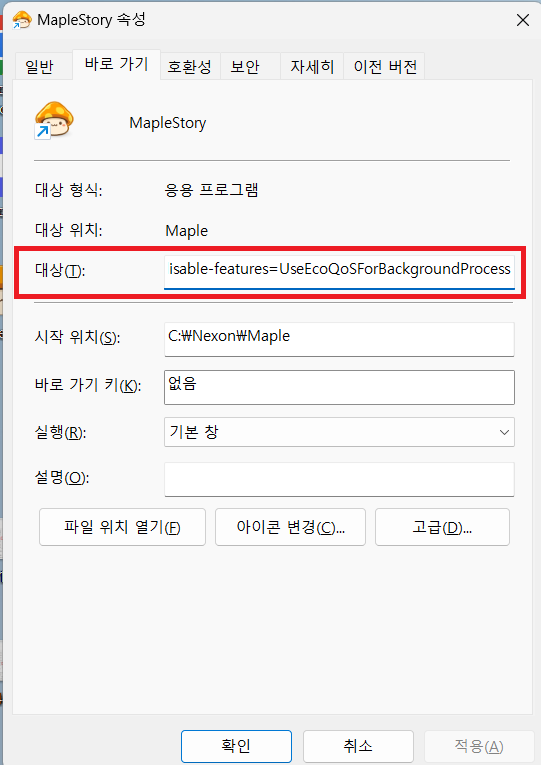
* GameLaunching: When you run Maple directly with the game launcher, a window pops up,

MapleStory.exe Using GameLaunching allows you to run it directly without a window.
*--disable-features=UseEcoQoSForBackgroundProcess:Efficiency Mode automatic execution prevention code
After setting as above and playing for about 1-2 hours, Efficiency Mode was not automatically executed.
I also felt that the lag during hunting was significantly reduced.
The disadvantage is that you cannot use Nexon Plug, so you cannot use the automatic login function.
That's all for my personal method of reducing Maple lag.
I'm ending this post with the hope that it was helpful.
메이플스토리 인벤 팁과노하우Nobelium
2024-07-06