Post
Looking for recommended addons and the best settings for The War Within? Check out 'Simulationcraft'!
Feature to find the best settings
You can even check the optimal DPS rotation for each situation
▶ Recommended addons for The War Within, 'OmniCD' for skill tracking
▶ Recommended addons for The War Within, 200% convenience! 'WeakAuras'
One of the biggest concerns while playing WoW is which gear to wear to be powerful. Simulationcraft (hereinafter SimC) is an addon that helps solve this problem. In addition, it is a site that can solve questions related to character specs, such as 'What should I choose from the weekly reward (vault)?' and 'What are the optimal settings and DPS rotation for combat situations?'
It is especially used frequently in the early season when there are many gear changes. The usage is simple, and you can set the combat situation quite specifically, such as the number of targets and combat time, allowing for detailed gear settings.
#1 We recommend installing the SimC addon for fast and easy character information copying
- You can still use it by directly entering the character without installing it, but it may be difficult to properly utilize some functions
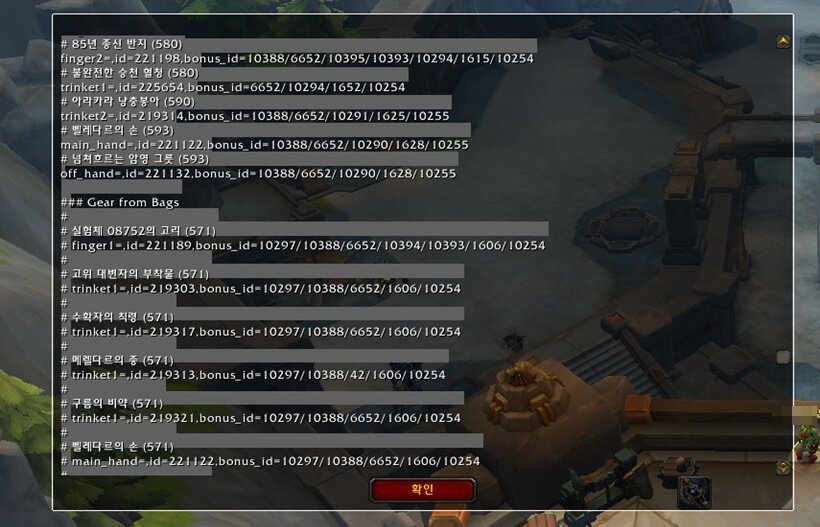
#2 Copy the profile from the in-game SimC addon
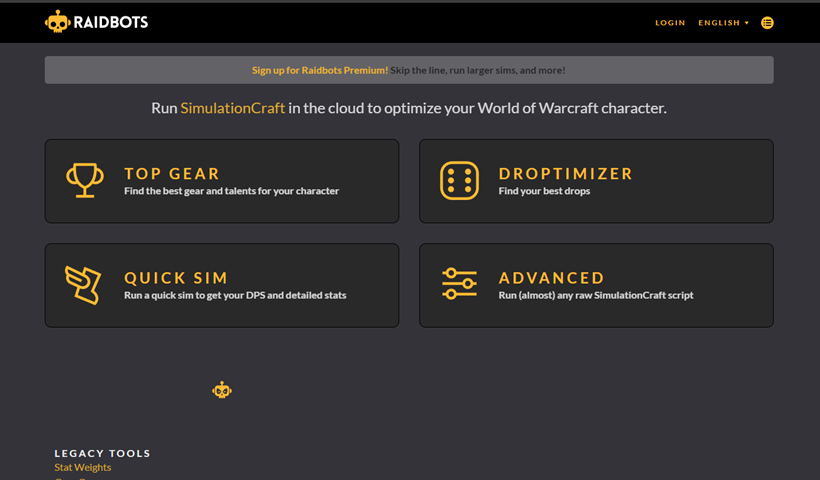
#3 Go to the Raidbots site and select the desired SimC tab
▶ Go to Raidbots site
#4 Paste the copied character profile
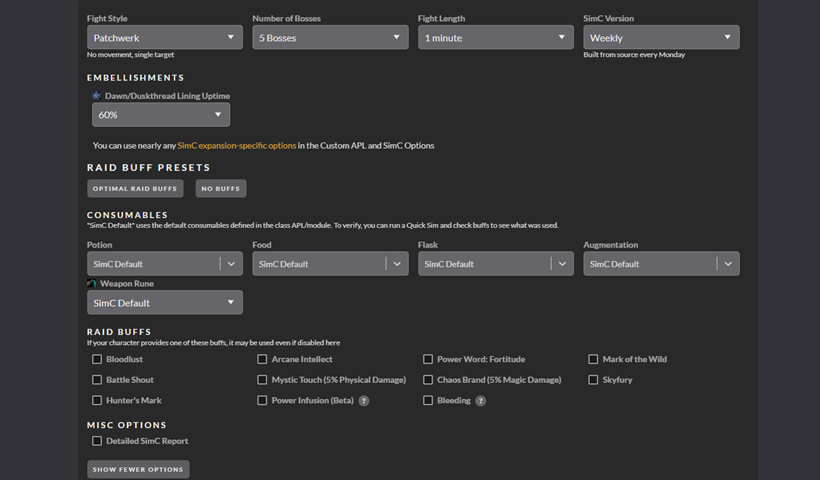
#5 If there are any specific settings you want, set them with those settings
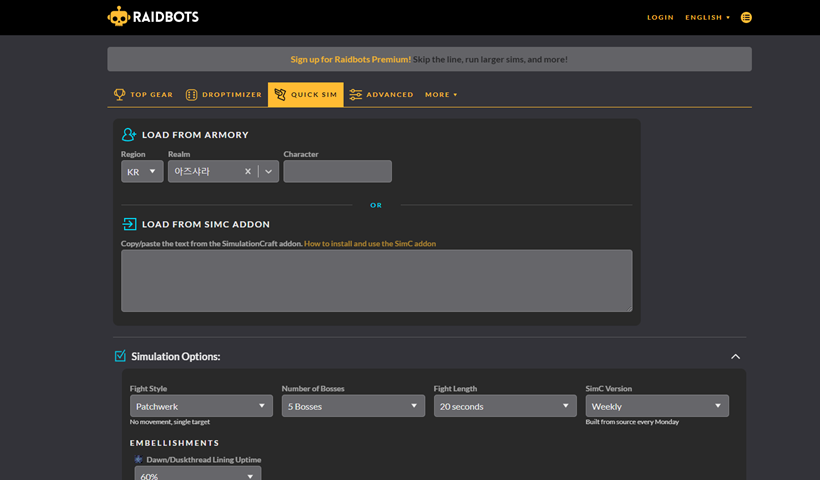
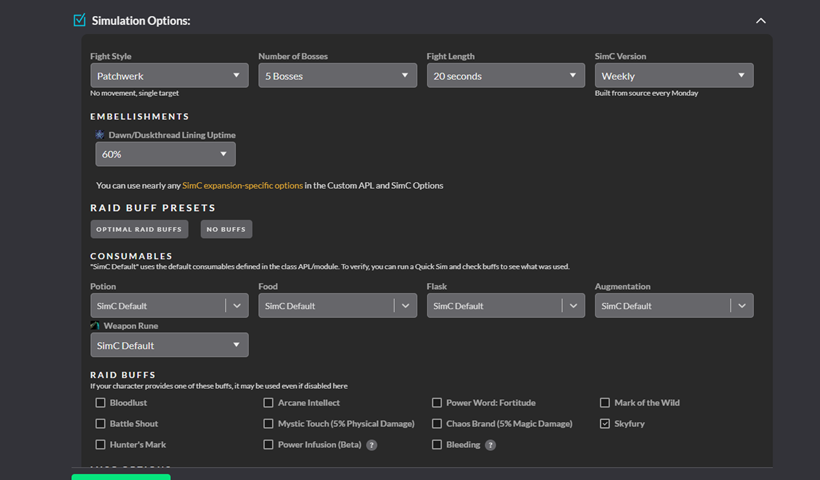
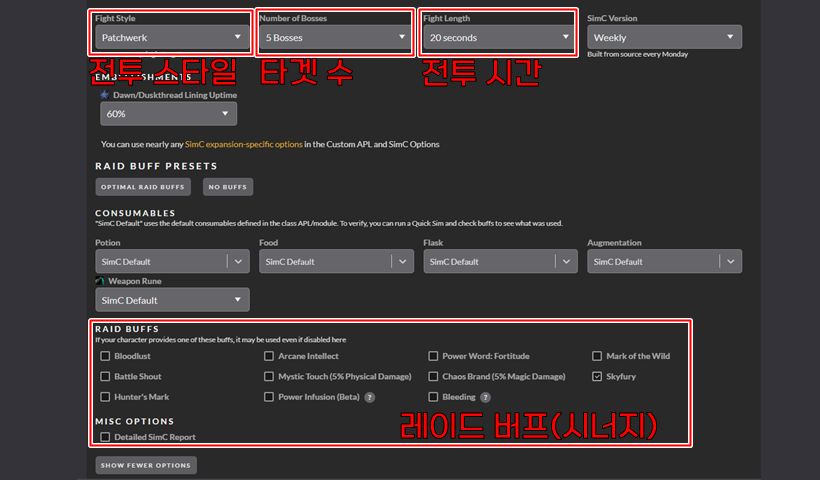
- Patchwerk : Stationary target (dummy)
- Dungeon Slice : Assuming a Mythic+ dungeon that lasts about 6 minutes
- Target Dummy : Target that always maintains 100% health, cannot use synergy and consumable items
- Execute Patchwerk : Target starting at 20% health
- Hetic Add Cleave : Target with adds that spawn periodically (5 adds appear for about 40% of the combat time)
- Light Movement : Situation where you have to move at certain intervals
- Heavy Movement : Situation where you have to move a lot at certain intervals
- Casting Patchwerk : Situation where you are facing a Patchwerk that needs to be interrupted periodically
- Cleave Add : Target with a single add that spawns (appears for about 60% of the combat time)
# Raid Buffs
- Bloodlust : Bloodlust
- Arcane Intellect : Mage synergy
- Power Word: Fortitude : Priest synergy
- Mark of the Wild : Druid synergy
- Battle Shout : Warrior synergy
- Mystic Touch : Monk synergy
- Chaos Brand : Demon Hunter synergy
- Skyfury : Shaman synergy
- Hunter's Mark : Hunter synergy
In Top Gear, you can check how to wear the gear you have to get the best settings. For reference, since vault rewards are also included, it is good to refer to if you are confused about which gear to get from the vault will help increase DPS.

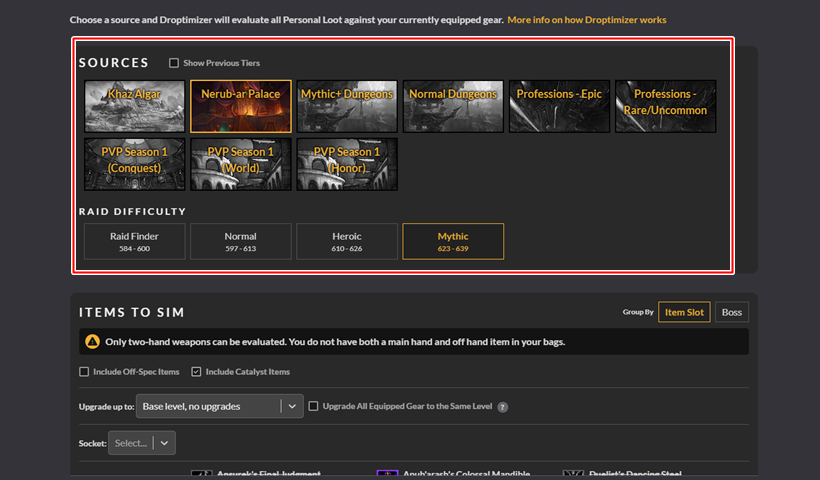
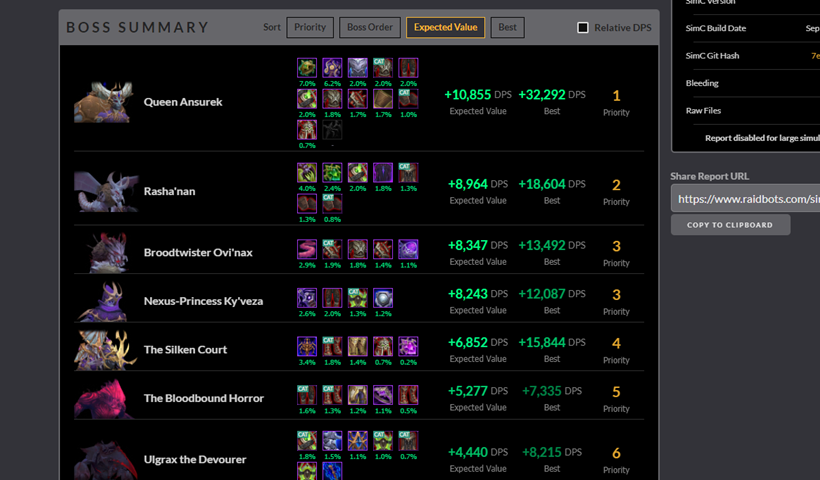
In Droptimizer, you can check in advance which gear is good to acquire for each content.
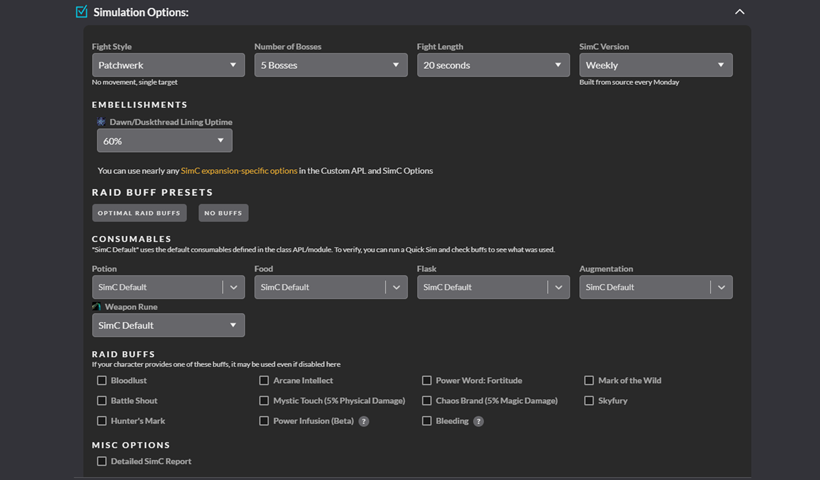
QuickSim allows you to check the optimal DPS rotation and main buff uptime for each situation.

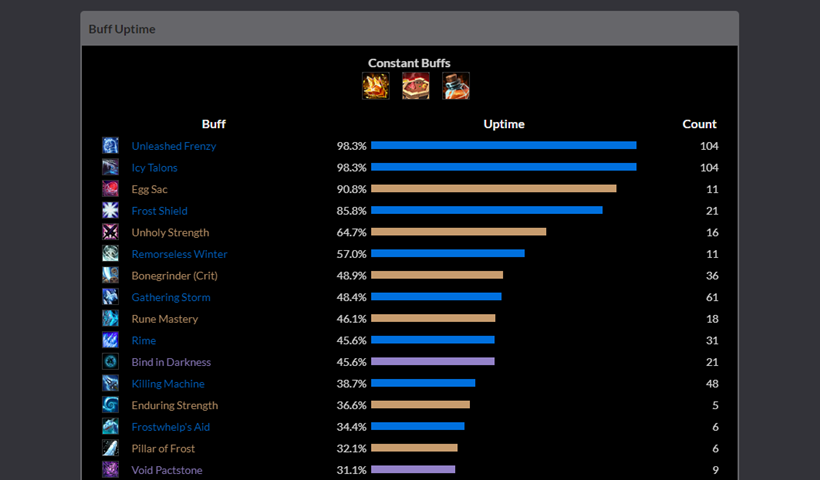
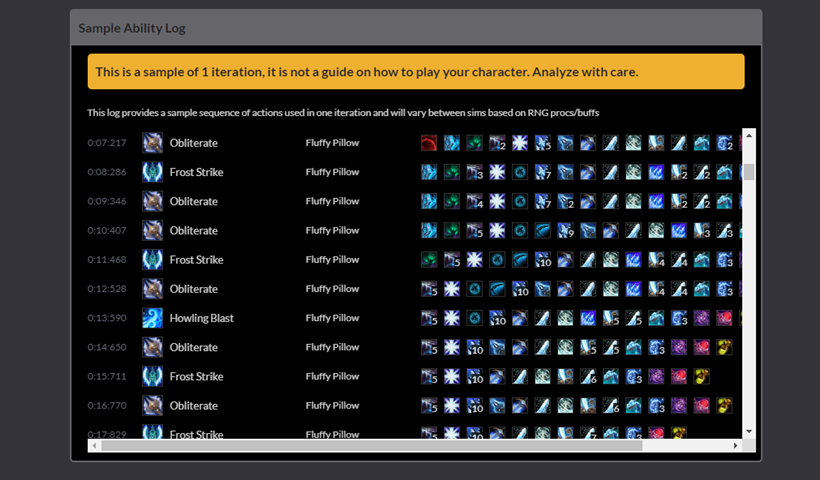
As mentioned earlier, SimC can be used in various ways. In the case of the reporter, I often use Quicksim to check the DPS rotation according to the number of targets and combat time, and to compare the buff and damage uptime of the in-game meter and SimC while hitting the dummy directly.
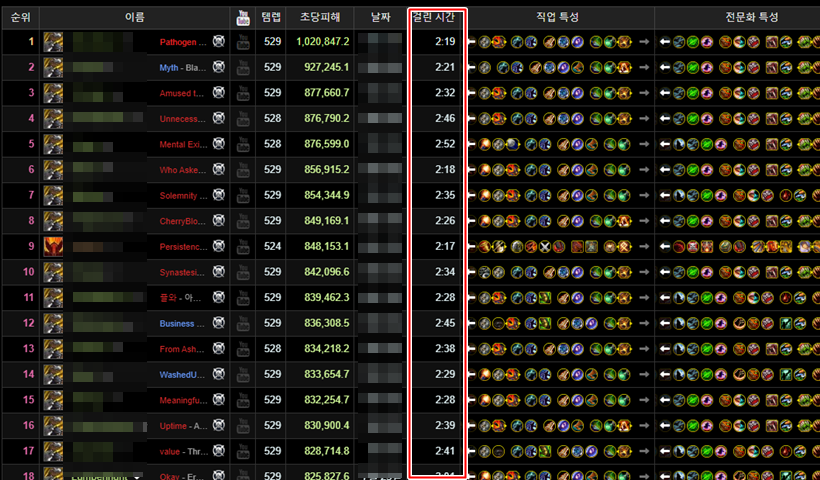
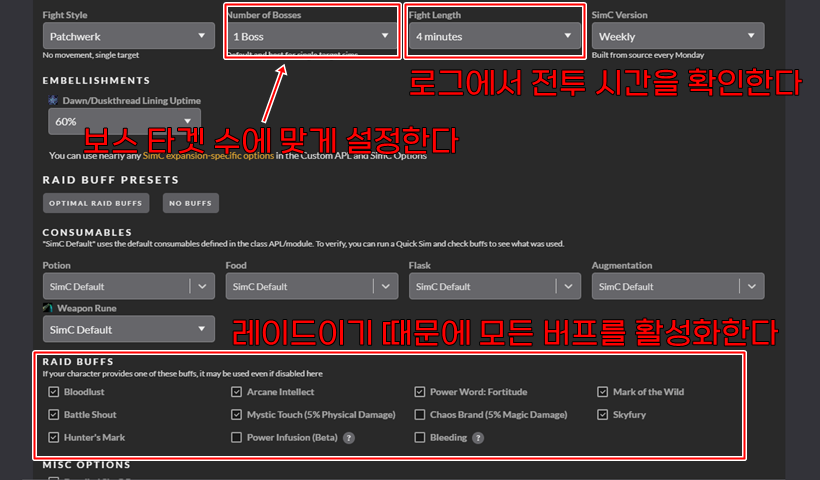
I usually exclude Bloodlust in most conditions, and I run SimC differently depending on what content I am doing. For example, if you want to check Quicksim for a raid, check the average kill time of the desired boss and set that time as the combat time.
The combat style is set to Patchwerk, and the number of targets is set to match the boss. Also, since it is Quicksim for a raid, all buffs will be present and Bloodlust will be used, so all conditions are activated.
If you want to assume an AoE situation that is mainly in Mythic+, set it differently. In Mythic+, the combat time per pull is usually about 1 minute, so assume the combat time is 1 minute or 1 minute 30 seconds. As with raids, the combat style is set to Patchwerk, and it is mainly set to 5~8 targets, and 2~3 targets are also checked if necessary.
For reference, since there is a high probability that there will be no buffs in Mythic+, and Bloodlust is not used for every pull, deactivate all buffs and proceed with Quicksim.
World of Warcraft Inven하성철 기자
2024-09-04