Post
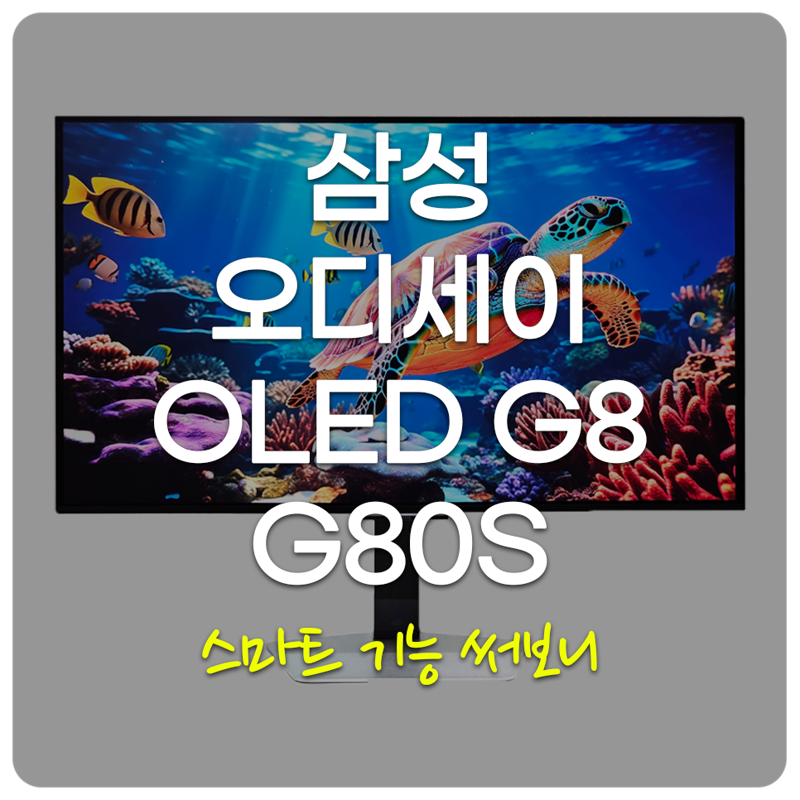
Just tried out the smart features on the Samsung Odyssey OLED G8 G80SD 4K OLED gaming monitor

Hello, this is Techlife.
I'm going to take a look at the Samsung Electronics Odyssey OLED G8 G80SD monitor, which allows you to experience vividly alive content with a 4K QD-OLED display, and see what the smart functions and features are like.
It is said that the NQ8 AI 3rd generation processor upscales low-resolution images to near 4K quality, allowing you to enjoy higher quality content even in smart TV apps or the gaming hub.
In addition, Samsung's own OS, Tizen OS, is built-in, so it can be used as a smart TV, and we will take a closer look at what functions are available.
타이젠(Tizen) OS


The Samsung Electronics Odyssey OLED G8 G80SD is a smart TV and gaming monitor with Samsung's Tizen OS built-in, allowing you to watch OTT content, enjoy cloud-based games, or connect to productivity apps such as Windows, Mac OS, and Samsung Dex to configure a work environment.
In addition to various OTT streaming services such as Netflix, YouTube, TVing, Watcha, Coupang Play, Amazon Prime, and Disney, you can also connect various IoT devices and use them as a hub, and use various functions provided by Samsung.
Samsung TV Plus

Like Google TV, it provides the 'Samsung TV Plus' function, an Internet-based broadcasting service provided by Samsung for free. You can enjoy various genres of channels and movie VOD content for free without separate payment or paid subscription, as long as you have a Samsung account. entertainment, drama, current affairs/education, and kids.
Samsung Gaming Hub


Next is the 'Samsung Gaming Hub', a streaming game platform linkage service built into the smart hub. If you only pay for the Xbox Game Pass Ultimate subscription, you can play games such as Skyrim or Forza right away by simply connecting to the cloud without having to download a separate console.
Samsung Daily+


Samsung Daily+ is a feature that provides a variety of practical apps, including exercise apps, video apps, and telemedicine apps. It includes work productivity app services such as SmartThings, Samsung Health, and Workspace, so you can access other PCs or connect to smart devices via wireless connection.
In addition, if you have a mobile device that supports Windows and Mac OS, as well as Samsung Dex, you can use Dex mode through wireless connection without connecting a cable.
Display Quality


The Samsung Electronics Odyssey OLED G8 G80SD has an ultra-wide screen ratio (21:9), a screen size of 32'(=80.3cm) inches, a resolution of 3840x2160(UHD), a color bit of 8bit+FRC, and a refresh rate of up to 240Hz when connected to DisplayPort and up to 120Hz when connected to HDMI.

[ 색상 영역 ]This is a numerical representation of the range of colors that the display can express. sRGB 100%, AdobeRGB 94%, DIC-P3 98%, and NSTC 91% were measured.

[ 감마 ]This is the measured gamma value in the default state. Gamma is a numerical value that determines the correlation between the brightness of the input signal (Gray Level) and the luminance of the image displayed on the screen.
Depending on the gamma value, you can feel the difference in the brightness tone expressed even on the same screen. Generally, the standard gamma value optimized for the human eye is 2.2, and the lower the value, the brighter it becomes, and the higher the value, the darker it becomes.

[ 색 온도 ]This is the color of light expressed as a temperature. The lower the temperature, the more reddish it is, and the higher the temperature, the more bluish it is. Displays generally use 6500K. The maximum brightness was 235.7cd/m², which was slightly insufficient, but the color temperature was uniform without much difference as the brightness was increased.


[ 색상 밝기 균일성 ]This expresses the difference in color temperature and brightness of the display as a Delta-E value, and it can be said that the fewer the number of contour lines or the straighter the line, the more uniform it is. With the screen brightness at 100%, the second quadrant is closest to the deltaE value, and the first quadrant has the largest difference.


[ 광도 밝기 균일성 ]This is the result of a uniformity test according to the brightness of the display. If the value obtained by dividing the maximum luminance by the minimum luminance is close to 1, it can be considered that the uniformity is high. Uniformity is very good at 100% brightness, and uniformity is also measured to be excellent at 50% brightness.

[ 색상 정확도 ]This is an index that indicates how much the color difference occurs between what the display actually expresses. It measures a total of 45 colors and expresses them as a Delta-E value. The lower the Delta-E value, the more accurate the color can be displayed. A Delta-E value of 3 or less can be considered to have excellent color accuracy. As a result of the measurement, an average of 1.81 was measured.

[ 시야각 ]It uses a QD-OLED(Quantum Dot-Organic Light Emitting Diodes) wide viewing angle panel to provide a viewing angle of up to 178 degrees. Even when viewed from extreme angles, I was able to feel a clear feeling without color distortion.

[ 명암비 ]This is a numerical representation of the difference between the display's maximum luminance (white) and minimum luminance (black), and is an important factor that determines image quality as it can express the degree of brightness and darkness in detail.
삼성전The contrast ratio of the Odyssey OLED G8 G80SD is 1,000,000:1, which is virtually infinite, so it is possible to express detailed, deeper, and more three-dimensional images.
[ 응답속도 / 잔상 ]The response speed of the Samsung Electronics Odyssey OLED G8 G80SD is very fast at 0.03ms based on GTG (Gray to Gray). I looked at the afterimage according to the response speed through the UFO Ghosting Test, and there were no blurry traces or noticeable reverse ghosting phenomena.
[ 로컬 디밍 / 빛샘 ]The Samsung Electronics Odyssey OLED G8 G80SD does not require a local dimming function because it does not have a backlight. In the case of Samsung OLED panels, real black (Real Black) of less than 0.0005nit is implemented, so you can see that there is no blooming around bright objects.
Additional Features


[ 게임바 ]If you press and hold the remote control's play/pause button, an interface will appear that allows you to quickly access game-related settings. You can select the screen mode according to the game genre, display the aiming point, screen ratio, mini-map zoom, sound output, and usage guide settings.
The current refresh rate, HDR activation status, and VRR operation status are displayed at the bottom. The game bar is a game-specific function and can only be used with external input devices such as PCs and console game consoles.


[ HDR ]It provides an HDR (High Dynamic Range) function that improves the contrast ratio and sharpness of the image so that details in dark areas are preserved and bright areas are not overexposed, and supports the HDR10 standard.
In the case of games that support the HDR function, the function is automatically turned on, and you can see that the colors in the HDR screen have become more colorful. (*The top picture shows HDR function activated)
Additionally, it supports a game expert picture quality function, so you can make it look like the HDR function is applied even to non-HDR content. There are two options: 'Basic Mode' and 'Advanced Mode'. It is said that the advanced mode can express the special effects of game videos more intensely.

[ VRR ]It supports AMD FreeSync Premium Pro and G-SYNC Compatible variable refresh rate technology, which maintains synchronization between the GPU and the display panel to prevent tearing, screen tearing, and image tearing.


[ 블랙 이퀼라이저 ]If you compare the pictures above and below, you can see that the brightness of the dark areas is different. If you increase the black equalizer value, the brightness in dark areas will increase in the case of FPS games, making it easier to identify enemies.


[ 조준점 표시 기능 ]There are quite a few FPS games that omit the crosshair to enhance reality, but it has a built-in function that displays a virtual aiming point on the monitor even if you don't aim accurately, allowing you to subdue enemies more quickly. It provides a total of 6 types of aiming points, and you can also change the aiming point position using the remote control.


[ 눈 보호 모드 ]In the case of monitors, blue light (400nm) levels are generated, which can cause eye fatigue, so it provides an eye protection mode that can provide optimal picture quality that is less tiring on the eyes in order to reduce this.
Even if I set the intensity to 'Weak', I definitely felt that eye fatigue was reduced when watching the monitor for a long time.I was satisfied with the fact that if I activated the 'AI Picture Quality Optimization' function, it would analyze the brightness around the monitor in real time and automatically set the optimal brightness and picture quality.
Speaker


This product is equipped with two 5W speakers, and the speaker output was not lacking at all because it is a smart TV and gaming monitor. The audio performance was good enough to be used without complaint when playing games, listening to music, and watching videos.
Additional features include an artificial intelligence (AI) sound mode. 'AI Active Pro' is a function that detects ambient noise and automatically amplifies only the voice in the video, and is also called AVA (Active Voice Amplifier). If the noise interference is higher than the TV sound for more than 3 seconds, AVA detects this and amplifies the dialogue coming from the TV to make it easier to hear than the surrounding noise, so you don't have to worry about missing the dialogue coming from the TV.
'AI Sound Optimization Pro' is a function that analyzes the content viewing environment based on the location where the product is installed and optimizes the sound. 'AI Volume Optimization' is a function that automatically adjusts the volume level to an appropriate level based on the user's viewing environment and audio input.
Ending the review

So far, you have seen the special features of the Samsung Electronics Odyssey OLED G8 G80SD monitor. It uses a QD-OLED panel with an ultra-wide screen ratio (21:9), a slim design, a 4K UHD resolution, and anti-glare, and has excellent color reproduction of 98% when DCI-P3 is actually measured, screen uniformity, a high refresh rate of 240Hz + an amazing response speed of 0.03ms, so I was satisfied because I could really immerse myself in and enjoy the game.
It is a product that I would recommend if you are looking for a versatile gaming monitor that can be used in various ways, from OTT, PC, to console game consoles, because it has AMD FreeSync Premium Pro and G-SYNC compatible certification and a built-in speaker with satisfactory performance that does not require a separate speaker, and the price is relatively low compared to competing products.
IT 인벤 유저리뷰사용기IT산업
2025-01-13