Post
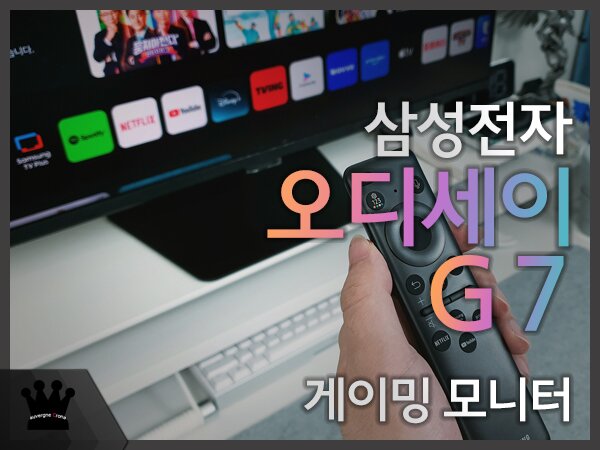
One month review of the Samsung Odyssey G7 G70D 4K gaming monitor

https://prod.danawa.com/info/?pcode=73883666
▶ Part 1Unboxing◀
▶ Part 2Usage (Smart)◀
▶ Part 3Usage (Gaming)◀

Through the Samsung Electronics Odyssey Supporters program, I've had the chance to experience the Samsung Odyssey G7 G70D in a real-world usage environment for a long month. This Odyssey G7 packs powerful high-resolution gaming performance and convenient features through the Smart Hub into a 32-inch size that's great for standalone use on a desk, boasting endless possibilities.

Samsung Electronics is differentiating its gaming series by dividing models with and without Smart Hub features, further expanding its gaming monitor lineup. In this regard, the Odyssey G7 is a gaming monitor positioned to offer higher utility, providing a sense of stability and price that can be found in familiarity, different from the OLED series. In this review, I'll be sharing my overall thoughts on the Samsung Odyssey G7 G70D after using it for about a month, along with my real-world usage experience and impressions as a supporter.

Unlike the previous 1st term, this Samsung Electronics Odyssey Supporters 2nd term was conducted after the release of NVIDIA's RTX 50 series and AMD Radeon RX 9000 series graphics cards, allowing us to provide content that could resonate with consumers looking to upgrade to a high-resolution environment along with a graphics card replacement. The performance of a powerful graphics card can be felt through the monitor that can express it, so I was personally quite curious about the Odyssey G7, which has decent specs that can harmonize from mid-range to high-end.


The product supports a refresh rate of up to 144Hz at 4K, i.e., 3,840x2,160 UHD resolution, and has received AMD's FreeSync Premium and NVIDIA's G-Sync Compatible certifications, providing the best gaming performance within the supported refresh rate range based on variable refresh rate technology. Therefore, the Samsung Odyssey G7 applies and utilizes all the features for next-generation gaming supported by the graphics card, delivering the best gaming experience that can be drawn from the user's environment.

Moreover, since an IPS panel is used, it provides a more realistic screen with a decent color gamut of sRGB 99%, a standard brightness of 350cd, and VESA DisplayHDR 400's dark area expression, allowing it to be used in various ways such as gaming and content viewing. The product also supports HDR10 and HDR10+ Gaming, providing HDR quality optimized for games that support it without having to set the monitor according to game genre, options, or scenes, so the foundation of premium HDR format was quite welcome as a gamer.

This is because Samsung's technology, which can understand output devices with different characteristics such as TVs and monitors, can maintain visual enjoyment, so even when compared as a gaming monitor, smart monitor, and TV, you can feel a very satisfactory user experience. As a result, the price can be quite attractive to users who need all of this.


In fact, unlike installing the Netflix app on a PC or watching through a browser, watching video content through the Smart Home Hub provides unparalleled comfort in terms of image quality and usability. Video content produced at 24fps or 60fps is also expressed more clearly and smoothly through the AI processor, so you can experience natural and vibrant screens.


Wireless connectivity and the Smart Hub utilizing the large screen were even more attractive in building a workstation. The Samsung Odyssey G7 G70D boasts excellent connectivity with smartphones, and since it supports Samsung Dex as well as mirroring connection through Smart View, you can immediately play videos you were watching on your mobile device on the large 32-inch monitor. Since stereo speakers are built-in, there is no need to turn on the PC or configure separate speakers, and when using Multi View, you can also adjust each volume balance.


If you need to perform multiple tasks at the same time, you can create your own usage environment more diversely with Multi View. You can easily build your own multitasking environment by combining connected devices, peripheral devices, and apps within the Smart Hub, such as PC and mobile, console games and watching YouTube videos, allowing you to use the 32-inch screen quite effectively.

Lastly, I also looked at the power consumption. The maximum power consumption is 78W, and it can be used with a power consumption of about 58W in a typical usage environment, and the standby power is also measured at 0.5W or less, so you can use the product with decent energy consumption efficiency.

The Samsung Odyssey G7 G70D is a product that can provide the best experience for users who need both a TV and a monitor, and it provides a satisfactory and differentiated user experience to anyone who spends a lot of time in front of their desk. Therefore, if you are looking for the best monitor that can maintain a natural and non-heterogeneous user experience while using various devices such as smartphones, monitors, and PCs, I recommend this product, and I hope that the content created by the supporters has been practically helpful in your choices.

[원문 보기]
IT 인벤 유저리뷰사용기루카피어
2025-04-22