Post
Battlegrounds Settings Guide for Beginners (2025 Latest Version)
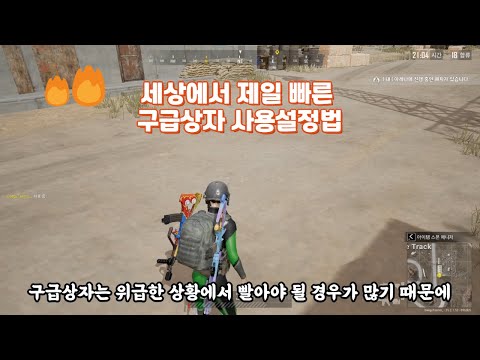
This video provides various environment setting tips for beginners in PUBG, including graphics, key settings, and gameplay. It introduces practical information to improve gameplay, such as securing first-person view, separating jump keys, setting zeroing distance shortcut keys, and first aid kit shortcut keys.
1. Graphics and Sensitivity Settings
- Set the resolution as desired, brightness to 100
- Rendering size 100, First-Person Field of View (FOV) to maximum
- Volume media effector set to medium
- Using 800 DPI
00:10 - 00:43
1. Graphics and Sensitivity Settings
- Set the resolution as desired, brightness to 100
- Rendering size 100, First-Person Field of View (FOV) to maximum
- Volume media effector set to medium
- Using 800 DPI
00:44 - 01:31
2. Key Settings: Separate Jump Key
- Jump/vault over obstacles with Spacebar, separate jump-only key to N
- Able to shoot while jumping in front of low walls, advantageous for using window vaulting skills
- Use mini-map expansion key (N) as jump-only key
01:32 - 01:51
3. Throwing Weapon and Zeroing Distance Shortcut Settings
- Set the throwing weapon and healing item wheel to not be used
- Change separate keys for throwing grenades, flashbangs, etc. to comfortable keys
01:52 - 02:26
4. Zeroing Distance Adjustment and Reset Settings
- Zeroing distance adjustment: Shift + mouse side button (used with primary function)
- Zeroing distance reset: Caps Lock (prevents being obscured by pings)
02:27 - 02:53
5. First Aid Kit and Bandage Shortcut Settings
- First aid kit: Mouse side button (for emergency situations)
- Bandage: Tilde (convenient for use while moving in a vehicle)
02:54 - 03:17
6. Vehicle Related Settings
- Engine on/off: Caps Lock
- Accelerated movement: QC
- Seat change: Set shortcut keys for all the way up to seat number 4
03:18 - 04:17
7. Game Play Settings
- Colorblind mode: Red
- Item flashing effect: Always
- Smooth recovery when pressing to switch: Disabled
- Camera changes after releasing Alt key: Set to change quickly
- Auto reload, auto replace, auto equip: Enabled
- Highlight additional ammo: Disabled (easy to identify desired parts)
- 8-cut dismount delay: Disabled (recommended to enable to prevent accidental F key presses)