Post
How to participate in the Free Fire Beta Test 2025: How to log in to the Free Fire Beta Test on Android devices without root
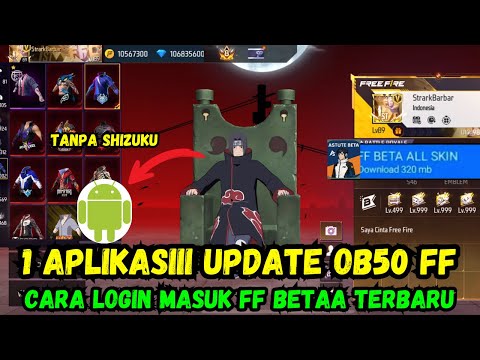
This video explains how to participate in the Free Fire Beta test on Android devices without the Zizuku app. It guides you through the steps of deleting the Free Fire Max app and downloading the provided files to access Free Fire Beta.
1. 🎮 Free Fire Beta Test Introduction and Requirements
- ✅ This tutorial explains how to participate in the Free Fire Beta test on all Android devices.
- ✅ Unlike the previous method, the Zizuku app is not required.
- ⚠️ To participate in the Free Fire Beta test, you must delete the Free Fire Max app. You do not need to delete the regular Free Fire app.
00:01 - 00:16
1. 🎮 Free Fire Beta Test Introduction and Requirements
- ✅ This tutorial explains how to participate in the Free Fire Beta test on all Android devices.
- ✅ Unlike the previous method, the Zizuku app is not required.
- ⚠️ To participate in the Free Fire Beta test, you must delete the Free Fire Max app. You do not need to delete the regular Free Fire app.
00:17 - 00:53
2. 📲 Downloading and Preparing the Necessary Files
- ✅ The necessary files can be downloaded from the WhatsApp group channel.
- ✅ The files include the application and necessary materials.
00:54 - 01:30
3. 🔥 Deleting the Free Fire Max App and Using the OBB File for Free Fire Beta Test
- ✅ If you are using the Free Fire Max app, you must delete it.
- ✅ The Free Fire Beta test uses the OBB file from Free Fire Max.
01:31 - 02:56
4. ⚙️ Extracting Files Using MT Manager or ZArchiver
- ✅ You can extract the files using MT Manager or ZArchiver.
- ✅ Use MT Manager to navigate to the download folder.
- ✅ Find and open the downloaded file.
- ✅ Change the OBB file to the Free Fire original file.
- ✅ Navigate to the Android OBB folder.
02:57 - 03:27
5. ✅ Installing and Running the Free Fire Beta App
- ✅ Install the Astute Beta Free Fire app.
- ✅ Open the app to access the Free Fire game.
03:28 - 04:11
6. ⏳ Free Fire Beta Loading and Update Process
- ✅ It may take some time to load the Free Fire Beta.
- ✅ Wait for the update process.
04:12 - 05:29
7. 🔑 Logging in with a Guest Account and Creating a New Account
- ✅ Log in using a guest account.
- ✅ Create a new folder and name it with a guest name.
- ✅ Create a new account.
- ✅ Name it as you wish and confirm.
05:30 - 06:25
8. 🆔 Free Fire ID Screenshot and Copy
- ✅ Once you enter the game, your Free Fire ID will be displayed.
- ✅ Screenshot and copy the ID.
06:26 - 07:33
9. 🌐 Unlocking the Free Fire Beta Account at unlockfbeta.com
- ✅ Open your browser and go to unlockfbeta.com.
- ✅ The link will be provided in the channel.
- ✅ Click Unlock without Discord.
- ✅ Enter your Free Fire ID.
- ✅ Click Unlock.
07:34 - 08:25
10. 🔓 Completing the Unlock Process and Accessing the Free Fire Beta Test
- ✅ Click Next until it reaches 100%.
- ✅ If an ad appears, try again.
- ✅ Once the account unlock is complete, a congratulatory message will appear.
- ✅ Access the Free Fire Beta test.
- ✅ You are now a Free Fire Beta test account.
08:26 - 09:10
11. 🎮 Playing the Free Fire Beta Test Using Free Fire Max
- ✅ Play the Free Fire Beta test using Free Fire Max.
- ✅ Log in to the game.
- ✅ You can access the Free Fire Beta test.
- ✅ You can see the latest version with added diamonds.