Post
NocFree Lite Split Keyboard Unboxing and Real-World Review: Ergonomic Design and Actual Use in Gaming/Editing
Unboxing and sharing real-world usage reviews of the NocFree Lite split keyboard. It covers ergonomic design, portability, RGB lighting effects, and experiences in gaming and editing in detail, and evaluates the value of purchase. It is especially recommended for users who care about wrist health or who travel frequently.
Recommended for: Users who travel frequently, do a lot of typing, and care about wrist health
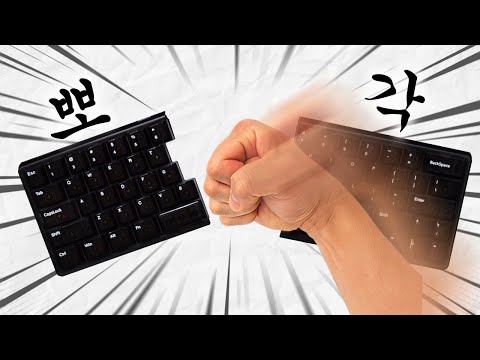
1. 📦 NocFree Lite Split Keyboard Unboxing: First Impressions and Detailed Look at Components
- ✅ Delivered in a unique shoe box-style packaging, giving a fresh feel.
- ✅ Impressive translucent plastic housing and keycaps, with a compact design that stands out.
- ✅ Minimalist design without a number pad or function keys.
| Components | Details |
|---|---|
| C2C Cable | 90-degree angled cable (for left and right connection) |
| USB C Cable | Typical USB C type cable |
| USB Dongle | Wireless connection support |
| Extra Switches & Keycaps | Switches and keycaps can be replaced |
| Keycap Remover | Keycap replacement tool |
00:00 - 01:25
1. 📦 NocFree Lite Split Keyboard Unboxing: First Impressions and Detailed Look at Components
- ✅ Delivered in a unique shoe box-style packaging, giving a fresh feel.
- ✅ Impressive translucent plastic housing and keycaps, with a compact design that stands out.
- ✅ Minimalist design without a number pad or function keys.
| Components | Details |
|---|---|
| C2C Cable | 90-degree angled cable (for left and right connection) |
| USB C Cable | Typical USB C type cable |
| USB Dongle | Wireless connection support |
| Extra Switches & Keycaps | Switches and keycaps can be replaced |
| Keycap Remover | Keycap replacement tool |
01:26 - 03:41
2. ✨ Design Features and Additional Components: Portability, Palm Rest, Switch Information
- ✅ Simple and white packaging design reminiscent of Apple products.
- ✅ Increased mobility with the provided portable pouch. Suitable for external work environments such as cafes.
- ✅ Unique design with the keyboard legs located in the center.
| Components | Features |
|---|---|
| Palm Rest | Detachable design, adjustable angle (magnetic attachment), curved design for comfort |
| Additional Switches | Low-noise switches pre-installed, additional switches provided for users who want a cool typing sound |
03:42 - 05:57
3. 💡 Actual Usage Environment Setup and RGB Effects: Connection Method and Visual Appeal
- ✅ C2C cable connection between keyboards is required even when using wirelessly.
- ✅ RGB lighting effects are maximized thanks to the translucent keycaps and housing.
- ✅ Provides a luxurious lighting effect without the awkwardness felt in cheaper RGB products.
05:58 - 07:57
4. 🎮⌨️ Real-World Usage Reviews for Gaming and Editing: Pros, Cons, and Target Audience
- ⚠️ May take time to adjust due to the nature of split keyboards.
- ✅ MapleStory: Light gameplay is possible without any issues.
- ✅ League of Legends (LoL): Convenient to use as the main keys are concentrated on the left.
- ⚠️ Subtitle Editing: High frequency of typos due to the different location of the question mark key, but improved after getting used to it.
| Category | Pros | Cons |
|---|---|---|
| Gaming | Convenient when playing LoL, creates a clean gaming environment (chat restrictions) | May not be suitable for heavy gamers |
| Editing | Helps correct posture | High frequency of typos in the beginning |
Recommended for: Users who travel frequently, do a lot of typing, and care about wrist health
07:58 - 08:41
5. 🎁 NocFree Event Information and Closing Remarks
- ✅ Portable pouch giveaway event when purchasing a keyboard until August 31st.
- ✅ Cat keycap giveaway to the first 50 people.
- ✅ See the video description for more event details.