Post
The Ultimate CPU and GPU Pairing Guide 2025: Recommendations by Budget and Performance
A guide on how to choose the best CPU and GPU combination in 2025. Explains how to build the best gaming PC by considering budget, bottlenecks, VRAM requirements, and more.
Covers everything you need to know to get the best bang for your buck.
Covers everything you need to know to get the best bang for your buck.
A common misconception is that there is always a bottleneck in the system. As PC builders, we need to understand how to maximize PC performance.
If you have an unlimited budget, you can buy the fastest CPU, GPU, SSD, etc., but most people have to set a budget. By choosing a good CPU and GPU combination, you can get the best value for your money.
Increasing VRAM can enhance your 1440p, even 1080p, gaming experience with high or ultra settings.
We provide the best CPU and graphics card buying guide based on the latest prices and availability.
We no longer recommend CPUs that only support PCIe Gen 3 (Ryzen 5500, 5600G, 5700 nonX).
The total cost of this platform is $275~$295.
For CPU-intensive games, it is recommended to upgrade the CPU platform.
The Ryzen platform has the advantage of being able to upgrade to an X3D CPU. The 14600K is a good hybrid option if you need more CPU performance.
These CPUs offer great performance for the price, especially when paired with mid-range to high-end 1440p graphics cards.
This CPU improves average FPS by about 5% compared to the previous tier.
You should be careful not to over-invest in the GPU compared to the CPU.
Ryzen 9 9800 X3D or 9950X3D provides 10-15% better gaming performance in 1440p ultra detail settings on RTX 5090.
AMD may release larger GPUs, or Nvidia may release 5070 Ti Super, 5080 Super, or 5090 Super/Ti versions.
This phenomenon occurs in many professional applications.
If you found this video helpful, please like it and subscribe for more PC content.
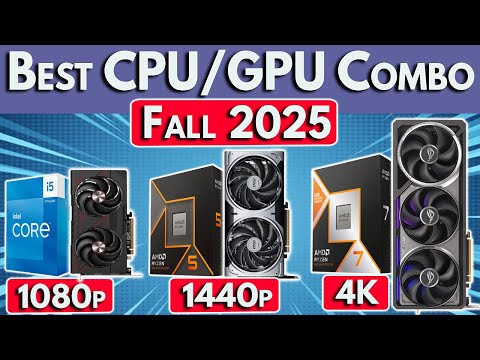
1. 🛑 Things to Consider When Choosing the Best CPU and GPU Combo in 2025
- ✅ 2025 Best CPU and GPU Combination Guide Update
- ✅ Considering RTX 50 Series and RX 9000 Series Release and Price Changes
- ✅ Providing Product Recommendations by Budget Level
- ⚠️ The combination of CPU and GPU is one of the most difficult parts of a PC build
Covers everything you need to know to get the best bang for your buck.
00:00 - 00:42
1. 🛑 Things to Consider When Choosing the Best CPU and GPU Combo in 2025
- ✅ 2025 Best CPU and GPU Combination Guide Update
- ✅ Considering RTX 50 Series and RX 9000 Series Release and Price Changes
- ✅ Providing Product Recommendations by Budget Level
- ⚠️ The combination of CPU and GPU is one of the most difficult parts of a PC build
Covers everything you need to know to get the best bang for your buck.
00:43 - 01:37
2. ⚙️ Understanding CPU vs. GPU Bottlenecks
- ✅ A bottleneck is a phenomenon where one component limits performance
- ✅ If a bottleneck occurs, upgrading that component can improve FPS
- ✅ CPU bottlenecks are more likely to occur when targeting high frame rates
- ✅ GPU bottlenecks are more likely to occur when increasing resolution (1080p → 1440p → 4K)
- ✅ Insufficient GPU VRAM can also cause bottlenecks
A common misconception is that there is always a bottleneck in the system. As PC builders, we need to understand how to maximize PC performance.
01:38 - 02:41
3. 💰 Balancing the Best CPU and GPU
- ✅ The goal of a gaming PC build is to maximize FPS within budget
- ✅ Buying the biggest, fastest graphics card is the way to maximize FPS
- ✅ Invest in a CPU only to the extent that it does not excessively limit the performance of the GPU
- ✅ The smaller the budget, the more important it is to balance the CPU and GPU
If you have an unlimited budget, you can buy the fastest CPU, GPU, SSD, etc., but most people have to set a budget. By choosing a good CPU and GPU combination, you can get the best value for your money.
02:42 - 03:24
4. 💾 Considering VRAM Bottlenecks
- ✅ 12GB of VRAM is sufficient for most 1440p games, but upscaling technologies like DLSS use more VRAM
- ✅ Enabling ray tracing further increases VRAM usage
- ✅ Upgrading from RTX 5070 12GB to RX 970 XT 16GB or RTX 5070 Ti 16GB provides additional benefits
- ✅ Especially important for budget builders considering 8GB graphics cards
Increasing VRAM can enhance your 1440p, even 1080p, gaming experience with high or ultra settings.
03:25 - 03:45
5. 🚀 Starting Recommendations for the Best CPU and GPU Combinations in 2025
- ✅ Providing all links and resources in the video description
- ✅ Providing the best CPU and graphics card buying guide every month
- ✅ Considering graphics cards that are newly available for purchase at current retailers (RTX 50 series, RX 9000 series, ARC B series)
We provide the best CPU and graphics card buying guide based on the latest prices and availability.
03:46 - 04:28
6. 💻 List of CPUs to Consider
- ✅ AMD Ryzen 9000 and 7000 Series
- ✅ 5000 Series for budget builds
- ✅ Intel Core Ultra 200 CPU
- ✅ 13th and 14th generation unlocked CPUs for mid-range builds
- ✅ 12th generation Intel CPUs for budget builds
- ⚠️ i3 CPUs are too weak to consider in 2025
We no longer recommend CPUs that only support PCIe Gen 3 (Ryzen 5500, 5600G, 5700 nonX).
04:29 - 06:11
7. 💰 Budget CPU and GPU Combinations
- ✅ You can build a gaming PC with new parts for about $650
- ✅ AMD Ryzen: Ryzen 5600, 5600X, T, XT (all the same performance, includes stock cooler)
- ✅ Intel: i5 12400F (includes stock cooler)
- ✅ Motherboard: MSI Pro B550M-VC Wi-Fi, ASRock B550M Pro RS (AMD), Gigabyte B760M DS3H, ASUS B760M-YW Wi-Fi (Intel)
- ✅ RAM: 2x16GB DDR4 3200 CL16 (about $65)
The total cost of this platform is $275~$295.
06:12 - 07:24
8. 🎮 Best GPUs for Budget Combos
- ✅ Affordable graphics cards start at around $230
- ✅ Intel Arc B570 10GB (about $240), Arc B580 12GB (about $260)
- ✅ AMD Radeon RX 6600 8GB (about $220), RX 960 XT 8GB (about $270)
- ✅ Nvidia RTX 5050 (about $250), RTX 3060 12GB (about $260)
- ✅ Maximum graphics card: RX 960 XC 16GB (about $360), RTX 5060 Ti 16GB (about $430)
For CPU-intensive games, it is recommended to upgrade the CPU platform.
07:25 - 09:44
9. 🕹️ Mid-Range CPU and GPU Combinations
- ✅ AMD: Ryzen 7600X or 9600X (about $180)
- ✅ Intel: i5 14600K and 13600K (about $190)
- ✅ Motherboard: ASRock B850MX Revision 2 Wi-Fi (about $130), MSI Pro B650MA (about $145) (AMD), ASRock B760M Reptide (about $120), MSI Pro B760-VC Wi-Fi (about $150) (Intel)
- ✅ Cooler: ID Cooling Frozen A410 SE, Cooler Master Hyper 212 Pro, Thermalright Assassin X 120 SE (AMD), Dual Tower Air Cooler (Intel)
- ✅ RAM: 2x16GB DDR5 6000 CL30 (about $85~$90)
The Ryzen platform has the advantage of being able to upgrade to an X3D CPU. The 14600K is a good hybrid option if you need more CPU performance.
09:45 - 10:34
10. 🚀 Best GPUs for Mid-Range Combos
- ✅ Minimum RX 960 XC 16GB, RTX 5060 Ti 16GB or ARC B580 12GB GPU
- ✅ Pairs well with RX 970 16GB, RX 970 XT 16GB, RTX 5070 12GB, RTX 5070 Ti 16GB graphics cards
- ✅ You can go up to RTX 5080, but it is better to move to a higher performance gaming CPU.
These CPUs offer great performance for the price, especially when paired with mid-range to high-end 1440p graphics cards.
10:35 - 12:18
11. 🔥 Upper Mid-Range CPU and GPU Combinations
- ✅ AMD: Ryzen 7700, Ryzen 7700X or Ryzen 9700X (about $250~$300)
- ✅ Intel: Core Ultra 7 265K (about $280), i7 14700K
- ✅ Motherboard: ATX size B650, B650E or B850 (AMD), B860 or Z890 (Core Ultra 7), same motherboards as previous tier (i7 14700K)
- ✅ Cooler: Dual Tower Air Cooler (AMD), Liquid Cooler (Intel)
- ✅ RAM: DDR5 6000 CL30
This CPU improves average FPS by about 5% compared to the previous tier.
12:19 - 12:52
12. 🚀 Best GPUs for Upper Mid-Range Combos
- ✅ Minimum RX 970 16GB or RTX 5070 12GB GPU
- ✅ Possible up to RX 970 XT and RTX 5080 or RTX 5090
- ⚠️ Bottleneck occurs with almost all gaming CPUs other than X3D CPUs with RTX 5090
You should be careful not to over-invest in the GPU compared to the CPU.
12:53 - 15:19
13. 👑 High-End CPU and GPU Combinations
- ✅ Best Gaming CPU: Ryzen 9 9800 X3D (9950X3D also mentioned)
- ✅ Ryzen 7 7800 X3D (price reduction)
- ✅ Motherboard: B650, X670, B850 or X870 (PCIe Gen 5 GPU slot)
- ✅ Cooler: Thermalright Peerless Assassin or ID Cooling A620 SE (8-core X3D CPU), High-Performance Liquid Cooler (Ryzen 9 9950X3D)
- ✅ RAM: DDR5 6000 CL28
Ryzen 9 9800 X3D or 9950X3D provides 10-15% better gaming performance in 1440p ultra detail settings on RTX 5090.
15:20 - 16:04
14. 🔥 Best GPUs for High-End Combos
- ✅ Minimum Radeon RX 970 16GB or RTX 5070 12GB (Ryzen 7 7800 X3D)
- ✅ Minimum RTX 5070 Ti 16GB or RX 970 XT 16GB (Ryzen 9 9800 X3D)
- ✅ Pairs well with RTX 5080 or RTX 5090
AMD may release larger GPUs, or Nvidia may release 5070 Ti Super, 5080 Super, or 5090 Super/Ti versions.
16:05 - 16:30
15. 🎬 Best CPU and GPU Combinations for Creator Workloads
- ✅ Balance is important for production or creator workloads that require more CPU performance
- ✅ Video Editing (Adobe Premiere Pro): Upgrading from 6 cores to 8 cores can help, but increasing GPU performance is also important
- ⚠️ Over-investing in the CPU can degrade GPU performance, resulting in lower overall performance
This phenomenon occurs in many professional applications.
16:31 - 17:03
16. Wrap-up
- ✅ Providing all CPU and GPU links mentioned in the video
- ✅ Check out the PC build guide video playlist and other how-to videos
If you found this video helpful, please like it and subscribe for more PC content.