Post
iPhone 12 iOS 26 Performance Review: Still Viable in 2025?This video reviews the performance of the iPhone 12 running iOS 26, assessing its viability in 2025. It covers boot time, UI smoothness, app loading speeds, gaming performance, battery life, and camera capabilities. The reviewer concludes that while the iPhone 12 remains usable for basic tasks, its age shows in demanding applications and multitasking.
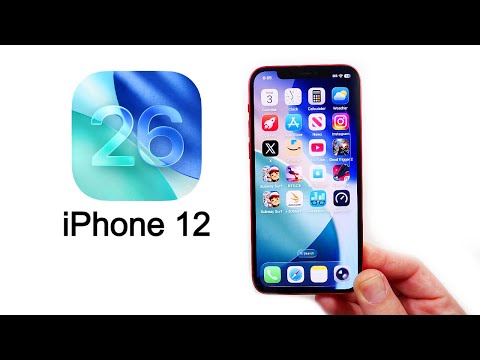
1. 📱 Introduction: iPhone 12 on iOS 26
- ✅ The video introduces a performance review of the iPhone 12 running iOS 26.
- ✅ The aim is to evaluate the phone's performance in 2025 with the latest iOS update.
00:00 - 00:28
1. 📱 Introduction: iPhone 12 on iOS 26
- ✅ The video introduces a performance review of the iPhone 12 running iOS 26.
- ✅ The aim is to evaluate the phone's performance in 2025 with the latest iOS update.
00:29 - 01:35
2. 🚀 Boot Time and iOS 26 Build Confirmation
- ✅ The iPhone 12 boots up in approximately 19-20 seconds.
- ✅ The device is running iOS 26 Public Beta 6, build number 23A5336A.
- ✅ The 'A' in the build number indicates it's still a beta version, but near completion.
01:36 - 02:32
3. ✨ Lock Screen Animation and UI Performance
- ✅ The lock screen animation appears visually pleasing with minimal stutter.
- ✅ General homepage scrolling and springboard performance are comparable to newer iPhones.
- ✅ The control center's bounce effect remains smooth.
02:33 - 03:23
4. ⚙️ Control Center Customization and General OS Responsiveness
- ⚠️ Adding controls to the control center can be slightly jumpy, especially on the first open after a cold boot.
- ✅ Widget operation and resizing perform well.
- ✅ The general OS and UX are performing well, even on the older iPhone 12.
03:24 - 04:16
5. 🖼️ Visual Effects and Home Screen Performance
- ✅ Liquid glass effects perform smoothly.
- ✅ Base home screen performance is similar to newer iPhones.
- ⚠️ The 60Hz panel is noticeable compared to promotion displays.
04:17 - 04:39
6. 🌡️ Battery Health and Device Temperature
- ✅ The battery health is at 100% capacity.
- ⚠️ The phone's temperature is initially at 95-96°F.
- ⚠️ The phone tends to get warm when launching multiple applications.
04:40 - 05:29
7. 📱 App Launching and Performance
- ✅ Apple-based applications run smoothly.
- ⚠️ The A14 Bionic chip is not as snappy as it once was.
- ✅ Basic tasks are still easily handled.
05:30 - 06:08
8. 🔋 Battery Life and Third-Party App Performance
- ⚠️ Battery life is about half a day with heavy use, requiring frequent charging.
- ✅ Third-party applications generally work fine.
- ⚠️ YouTube launches a bit slower.
06:09 - 07:04
9. 🎮 Gaming Performance
- ✅ Once an application is launched, there's almost no perceptible difference compared to newer phones.
- ⚠️ Gaming performance shows its age, especially with graphically demanding games like Destiny and Call of Duty.
- ⚠️ Expect heat and lower frame rates in demanding games.
07:05 - 07:31
10. 🕹️ Casual Gaming and App Switching
- ✅ Casual games are playable without significant issues.
- ⚠️ Apps may not load as well when switching between applications.
07:32 - 08:03
11. 🐌 App Reloading and RAM Limitations
- ⚠️ The Apple Store takes a moment to load pages with many images.
- ⚠️ The iPhone 12 feels noticeably slower than newer models when loading content-heavy pages.
- ✅ Performance is better compared to iPhones with 1-2 GB of RAM.
08:04 - 08:36
12. 📱 Usability and Battery Drain
- ✅ Free Fire is playable without major issues.
- ✅ The iPhone 12 remains usable and functional, even as a dated device.
- ⚠️ Battery life is not phenomenal; launching 12 apps results in a 2% battery drop.
08:37 - 09:10
13. 🔥 Temperature Increase with App Usage
- ⚠️ The phone's temperature jumps to 110-112°F after launching multiple apps.
- ⚠️ The iPhone 12 tends to warm up more than newer phones when pushed.
- ⚠️ Overheating can lead to increased battery drain.
09:11 - 10:26
14. 🤹 RAM Management and App Switching
- ✅ The iPhone 12 features 4 GB of RAM (3.6 GB usable).
- ✅ Applications hold reasonably well in memory, but some reload when switching.
- ⚠️ Reload issues occur, especially with graphically intensive applications.
- ⚠️ 6 GB of RAM or more is recommended for better multitasking.
- ✅ Animations are faster on iOS 26, but don't fully compensate for older performance.
10:27 - 11:27
15. ✍️ Real-World Usage Demo
- ⚠️ Keyboard loading can be slow.
- ⚠️ Scrolling through content can exhibit delays.
- ✅ No crashing or major bugs were observed.
11:28 - 12:47
16. 📊 3D Mark Benchmark Results
- ⚠️ 3D Mark benchmark shows choppiness in frames.
- ⚠️ Wildlife Extreme score is 1692, with an average frame rate of 10.1 FPS.
- ⚠️ The device throttles back, resulting in lag and a low frame rate of 3 FPS.
- ⚠️ Performance is better than only 29% of all devices.
- ✅ Upgrading to a newer device will result in faster performance.
12:48 - 13:12
17. ⚖️ Benchmarks vs. Real-World Use
- ✅ Benchmarks don't tell the whole story; real-world use is still acceptable for casual tasks.
- ⚠️ The phone slows down with heavy multitasking and app switching.
- ✅ The iPhone 12 performs fine when focused on one app at a time.
13:13 - 13:47
18. 📈 Geekbench 6 Benchmark Scores
- ✅ Geekbench 6 scores are not terrible.
- ✅ Single-core score: 2045 (higher than the average iPhone 12).
- ✅ Multi-core score: Better than average.
- ✅ Scores are not too far behind iPhone 13 and 14 models.
13:48 - 14:34
19. 📸 Camera Performance
- ✅ Camera launches quickly.
- ✅ Photo quality is still acceptable in 2025.
- ✅ Video recording supports 4K 60 and 1080p 60.
- ⚠️ Limited zoom range due to only two lenses.
14:35 - 16:00
20. ✅ Final Verdict and Recommendations
- ✅ iOS 26 runs slightly nicer with improved animations.
- ✅ The update feels like a significant change, especially from older iOS versions.
- ⚠️ The phone can feel slow when juggling multiple apps.
- ✅ Upgrading is recommended for better battery life and camera.
- ✅ Most iPhone 12 users can still get through another year if they choose to wait.