Post
Free Fire: Best Sensitivity Settings and Tips for Headshots
This video provides various settings and tips to improve your headshots in Free Fire. It includes hacker sensitivity settings, optimal fire button size, and how to adjust general sensitivity.
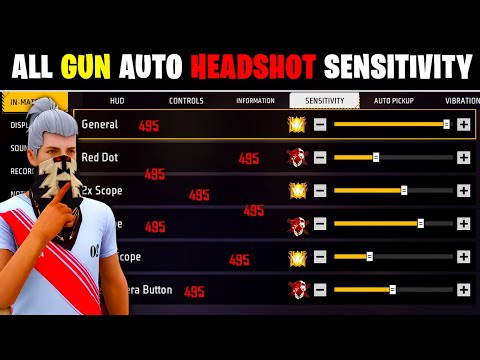
1. 🎯 How to Hit Headshots in Free Fire
- ✅ Introduction to hitting headshots
- ✅ This video provides tips on setting up headshot sensitivity.
00:00 - 00:10
1. 🎯 How to Hit Headshots in Free Fire
- ✅ Introduction to hitting headshots
- ✅ This video provides tips on setting up headshot sensitivity.
00:11 - 02:46
2. 🎮 Hacker Headshot Trick: Improve Accuracy
- ✅ Practice this trick in the training grounds.
- ✅ Using guns like UMP or MP5 makes it easier to hit headshots.
- ✅ Don't over-shoot, fire in bursts of 2-4 bullets.
- ✅ Be careful not to shake the aim too much when shooting.
- ✅ You can increase your headshot hit rate through consistent practice.
02:47 - 04:33
3. ⚙️ Hacker Sensitivity Settings: Available on All Devices
- ✅ This setting can be used on all devices from 2GB RAM to 16GB RAM, iPhone, PC, etc.
- ✅ Set all sensitivity settings to 0.
| Setting | Value |
|---|---|
| Free Camera Button | 22 |
| Sniping Scope | 144 |
| Forest Scope | 162 |
| 2x Scope | 121 |
| Red Dot | 187 |
04:34 - 06:44
4. 🤸 General Sensitivity Settings and Movement Improvement
- ✅ General sensitivity is very important because it affects all other sensitivity settings.
- ✅ Find the optimal general sensitivity by practicing rotating with your fist in the training grounds.
- ✅ It is recommended to set it to 168.
- ✅ Make sure it rotates 11 times.
06:45 - 08:25
5. 🔥 Optimal Fire Button Size and Location
- ✅ It is difficult to hit headshots if the fire button size is too large or too small.
- ✅ It is recommended to set the fire button size to 44.
- ✅ Place the fire button at the very bottom of the screen.
- ✅ Clear other buttons around the fire button to ensure smooth dragging.