Post
Albion Online Newbie Guide: Item Information and Shortcut Tips
Introducing item information (quality, tier, item power) and useful shortcut usage (sort, stack, item movement, split) for Albion Online beginners.
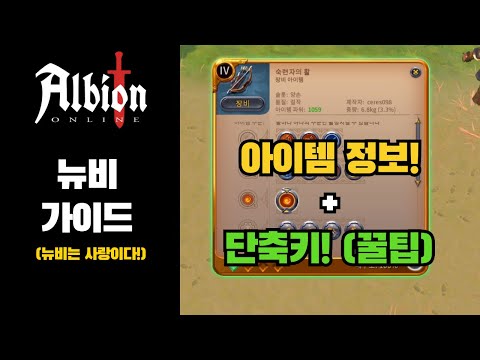
1. How to Check Albion Online Item Information 🔍
- ✅ You can check various information such as quality, enchantment, durability, and quantity in the item window.
- ✅ The diamond shape indicates enchantment, and the number indicates the enchantment level (e.g., 4.1).
- ✅ The number at the bottom right of the item icon indicates the number of that item.
00:10 - 01:13
1. How to Check Albion Online Item Information 🔍
- ✅ You can check various information such as quality, enchantment, durability, and quantity in the item window.
- ✅ The diamond shape indicates enchantment, and the number indicates the enchantment level (e.g., 4.1).
- ✅ The number at the bottom right of the item icon indicates the number of that item.
01:24 - 03:32
2. Understanding Item Quality (Tier) and Item Power 🌟
- ✅ Item qualities are divided into Normal, Good, Outstanding, Excellent, and Masterpiece.
- ✅ Item Power differs by about 20% depending on the quality.
- ✅ Masterpiece items are difficult to obtain, but a low-tier Masterpiece item may have higher Item Power than a high-tier Excellent item.
- ✅ As the tier increases, additional stats are added to each item, which affects Item Power.
- ⚠️ Depending on market conditions, higher tier items may be cheaper than lower tier Masterpiece items, so it is recommended to compare prices before purchasing.
| 품질 | 설명 |
|---|---|
| 일반 | Basic Quality |
| 좋은 | Improved Quality |
| 뛰어난 | Superior Quality |
| 우수함 | Very Superior Quality |
| 걸작 | Masterpiece |
03:33 - 05:44
3. Utilizing Useful Albion Online Shortcuts 🚀
- ✅ Sort: Sorts scattered items.
- ✅ Stack: Combines items of the same type.
- ✅ Shift + Click: Quickly moves items from the bank or inventory.
- ✅ Right Click: Equips an item from the inventory or unequips an item to the inventory.
- ✅ Shift + Drag: Divides an item in half.
- ✅ Alt + Click: When putting items in the bank, puts the item in an empty slot without combining it.
05:48 - 06:08
4. Closing and Thank You for Watching 👋
- ✅ We've learned about item-related tips.
- ✅ Thank you for watching.