Post
A16 iPad (11th Gen) Review: A Smart Alternative to a MacBook?The video reviews the A16 11th Gen iPad after six months of use, highlighting its capabilities as a budget-friendly alternative to a MacBook. It covers hardware features, iPadOS 26 enhancements, accessory compatibility, and limitations, ultimately recommending it for users seeking a versatile and cost-effective device.
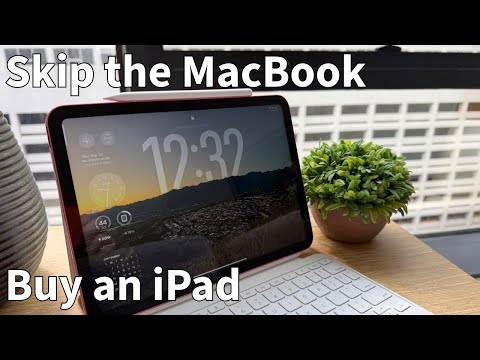
1. 🚀 The A16 iPad: A Powerful MacBook Alternative?
- ✅ The A16 iPad paired with a keyboard and trackpad can outperform Chromebooks and low-end PCs.
- ✅ With the right accessories, it can eliminate the need for a MacBook for many users.
- ✅ iPadOS 26 enhances the device with improved window control and file management.
00:00 - 00:49
1. 🚀 The A16 iPad: A Powerful MacBook Alternative?
- ✅ The A16 iPad paired with a keyboard and trackpad can outperform Chromebooks and low-end PCs.
- ✅ With the right accessories, it can eliminate the need for a MacBook for many users.
- ✅ iPadOS 26 enhances the device with improved window control and file management.
00:50 - 01:46
2. 💰 Cost and Key Features of the A16 iPad
- ✅ Priced at $349 (or $329 with student discount), the A16 iPad is a budget-friendly option.
- ✅ It supports Microsoft apps and comes preloaded with Apple's iWork Suite (Pages, Numbers, Keynote) for free.
- ✅ Compatible with Apple Pencil USBC for note-taking.
- ⚠️ Requires knowing how to use the device well to maximize its potential.
01:47 - 03:33
3. 🎨 Hardware Overview: Design, Display, and Performance
- ✅ Available in fun colors like pink, blue, and yellow, as well as traditional silver.
- ✅ Features an 11-inch display with good brightness and decent anti-glare properties.
- ✅ Powered by the A16 chip, providing ample power for everyday tasks and gaming.
- ✅ Includes 128GB of storage, sufficient for most users, especially with cloud storage.
03:34 - 04:36
4. ⌨️ Accessories: Keyboard and Apple Pencil Compatibility
- ✅ Compatible with the Apple keyboard, which features a slim, folio design with a kickstand.
- ✅ The keyboard magnetically attaches and doesn't require batteries.
- ✅ Supports Apple Pencil USBC with magnetic attachment.
04:37 - 06:06
5. ✨ iPadOS 26: Productivity Enhancements
- ✅ iPadOS 26 brings windowing capabilities to the base iPad, allowing users to run apps side by side.
- ✅ Improved file management with color-coded folders and image support.
- ✅ Folders can be added to the dock for easy access.
06:07 - 07:08
6. ✍️ Note-Taking and Handwriting Capabilities
- ✅ The ability to write on the iPad by hand is a significant advantage over MacBooks.
- ✅ Useful for students and professionals alike, such as sketching dashboard designs.
- ✅ The iPad corrects handwriting and checks spelling, even in handwritten notes.
07:09 - 08:28
7. ⚠️ Shortcomings: Secondary Display and Apple Intelligence
- ⚠️ The base model iPad mirrors its display to a secondary display instead of functioning as a true second display.
- ⚠️ Mirroring results in black edges on the sides of the screen.
- ⚠️ Does not support Apple Intelligence natively, but can still use AI tools like ChatGPT.
08:29 - 09:27
8. 👍 Final Thoughts: A Budget-Friendly Recommendation
- ✅ The A16 iPad is a useful and handy device at an excellent price point.
- ✅ Recommended over cheap PCs or Chromebooks for budget-conscious users.
- ✅ The keyboard's kickstand design offers advantages, such as easy removal.