Post
Battlefield 6: Option Settings Guide from a 11,000 Hour Veteran
This is a guide for the optimal option settings for Battlefield 6. It is based on PC and aims for high frame rates and effective gameplay. It explains various options in detail, including mouse/keyboard settings, graphics settings, HUD settings, and sound settings, and was produced with EA support.
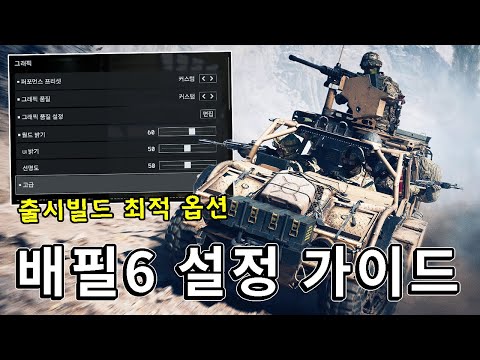
1. ⚙️ Battlefield 6 Option Settings Guide Introduction and Accessibility Settings
- ✅ Provides option setting guide based on PC
- ✅ Aims for high frame rates and effective gameplay
- ✅ Accessibility, Gameplay, Campaign, and Controller tabs can be skipped
- ✅ Recommended to turn off hint options
00:00 - 00:50
1. ⚙️ Battlefield 6 Option Settings Guide Introduction and Accessibility Settings
- ✅ Provides option setting guide based on PC
- ✅ Aims for high frame rates and effective gameplay
- ✅ Accessibility, Gameplay, Campaign, and Controller tabs can be skipped
- ✅ Recommended to turn off hint options
00:51 - 03:18
2. 🖱️⌨️ Mouse and Keyboard Settings: Optimizing Infantry Settings
- ✅ Set infantry sensitivity according to personal preference
- ✅ Uniform Soldier Aiming: Optimize sensitivity according to magnification (178 default recommended)
- ✅ Infantry Field of View: 103 (similar to top games) or 120 (wide view) recommended
- ✅ Infantry Crouch: Hold recommended, toggle to run
- ✅ Sliding: Change to Alt key, set to hold to crouch
- ✅ Turn off landing camera rotation
- ✅ C4 Throwing Settings (Right-click to throw, Left-click to detonate)
- ✅ Enter/Exit Vehicle: Set to mouse wheel
- ✅ Crouch Hold: Set to Alt key (sliding control)
- ✅ Class Auxiliary Equipment: Caps Lock recommended
- ✅ In-game Microphone: Change to Ctrl key (if not in use)
- ✅ Fire Mode Switch/Zeroing: Mouse side key recommended
03:19 - 05:36
3. 🧰 Mouse and Keyboard Settings: Equipment Settings and Gunner Sensitivity Adjustment
- ✅ Set sensitivity based on the gunner, then adjust detailed sensitivity for each piece of equipment
- ✅ Mouse Aim Sensitivity (Gunner Sensitivity): Set to about half of the infantry sensitivity
- ✅ Mouse Vertical Aim Ratio: Set to 100% (match left/right and up/down sensitivity)
- ✅ Zoom Ratio: Adjust to 100%
- ✅ Fix Turret Aim When Rotating: Recommended to turn on (for beginners)
- ✅ Equipment Field of View: Set to maximum
- ✅ Tank Aim Sensitivity: Set to 200 for low-sensitivity users
- ✅ Vehicle Boost: Set to hold
- ✅ Fighter/Helicopter Mouse Invert: Set according to preference
- ✅ Aircraft Control Sensitivity: Set high (recommend around 160)
- ✅ Helicopter Control Assist: Turn off (inconvenient)
- ✅ Fighter 3rd Person Camera Rotation: Turn off camera roll (preference)
- ✅ Aerial Equipment Operation Guide: Separate video to be provided later
05:37 - 07:46
4. 🖼️ Graphics Quality Settings: Tips for an Optimized Visual Experience
- ✅ Graphics Quality: Low recommended (easy to spot enemies)
- ✅ Screen Space AONI: Turn off
- ✅ QHD Resolution, 4060: Average 100 frames with DLSS Quality
- ✅ Graphics Advanced Options: DLSS Quality recommended (frame rate increase effect)
- ✅ DLSS Balance: Compromise if frame rate is insufficient
- ✅ Frame Generation: Definite effect (be careful of screen tearing)
- ✅ Future Frame Rendering: Do not use (stuttering)
- ✅ Motion Blur: Turn off
- ✅ Camera Shake: Minimize
- ✅ Visual Filter: Turn off
- ✅ Vertical Sync: Turn off (if computer performance allows)
07:47 - 09:21
5. 🎯 HUD Settings: Optimizing Information Visibility and User Interface
- ✅ Horizontal HUD Padding: Set to maximum (UI centralized)
- ✅ Kill Log: Change to All (acquire information)
- ✅ Minimap: Change to Large, increase viewing distance (250 recommended)
- ✅ Field of View Rotation: Turn off (fixed minimap, improves sense of direction)
- ✅ Indoor Zoom: Turn off (inconvenient)
- ✅ Icon Tab: Adjust detailed icon size/transparency
- ✅ Aim Opacity: Lower (minimize interference)
- ✅ Enemy Icons: Enlarge to 150% (improve visibility)
- ✅ Crosshair/Markers: Add color, increase hit marker size
09:22 - 10:00
6. 🔊 Sound and System Settings: Immersion and Performance Improvement
- ✅ Sound Mix: Basic recommended (helps gameplay)
- ✅ Voice Chat Key: Change to Ctrl, turn off in-game microphone
- ✅ Tinnitus Sound Effects: Set volume to 0 (interferes with sound play)
- ✅ System Tab: Delete campaign (if storage is insufficient)
- ✅ Anonymous Mode: Set in the Creator tab
10:01 - 11:07
7. Wrap-up and Soonps Sponsorship Information
- ✅ Additional research needed for Fling Look, aerial equipment operation, etc.
- ✅ You can support with likes, comments, subscriptions, and super chats
- ✅ EA Official Creator Support Function: Enter SPS code (no discount benefits yet)
- ✅ Battlefield activities will continue