Post
NBA 2K26 Mobile: How to Install JD Mod Menu V3 Jumpman 27 (Offline)
This video shows how to download and install NBA 2K26 on mobile with JD Mod Menu V3 Jumpman 27. This includes steps on downloading the APK and OBB file, extracting the OBB file using ZArchiver, and using the double installation method to ensure the game works.
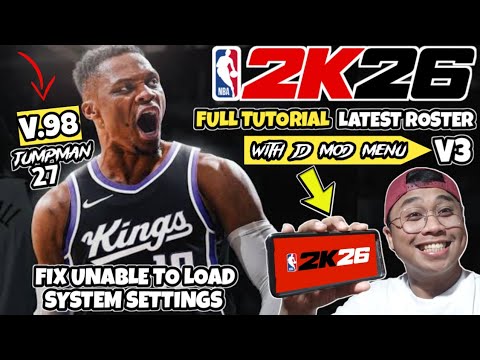
1. 🏀 Introduction to NBA 2K26 Mod and Rosters
- ✅ Showing NBA 2K26 with updated roster.
- ✅ Showing teams like West Brook Kings, Brooklyn Moray Nuggets, and Hiburton Jana Fishers Moray Pelicans.
00:00 - 00:14
1. 🏀 Introduction to NBA 2K26 Mod and Rosters
- ✅ Showing NBA 2K26 with updated roster.
- ✅ Showing teams like West Brook Kings, Brooklyn Moray Nuggets, and Hiburton Jana Fishers Moray Pelicans.
00:15 - 00:42
2. 🔗 Downloading APK and OBB Files
- ✅ The links for downloading the APK and OBB files are in the pinned comment section.
- ✅ Click the link to direct to the vlog spot.
00:43 - 01:25
3. ⬇️ Navigating to Vlog Spot and Downloading Files
- ✅ Scroll down the vlog spot to find the APK and OBB files.
- ✅ Download the APK (Jumpman 27) and OBB files.
- ✅ The links are direct and no unlock unlock.
01:26 - 01:57
4. 📁 Extracting the OBB File Using ZArchiver
- ✅ Open ZArchiver and go to the download folder.
- ✅ Find the downloaded NBA 2K26 Jumpman 27 APK and OBB file.
- ✅ Extract the OBB file by clicking “extract here”.
01:58 - 02:32
5. ⚠️ Reminder About Password
- ✅ There are no passwords for NBA 2K videos on this channel.
- ✅ The password is only for PPSP emulator games on the main channel.
02:33 - 02:43
6. 🙏 Supporting the Modders
- ✅ Support modders like JD, JM Gamer YT.
02:44 - 03:21
7. ⏳ Waiting for OBB File Extraction
- ✅ Wait after extracting the OBB file.
- ✅ After extracting, you will see two OBB files (main and patch).
03:22 - 03:40
8. 📱 Installing the APK and Double Installation Method
- ✅ Install the NBA 2K26 Jumpman 27 APK.
- ✅ There are times when the installation does not work, so the double installation method will be shown.
03:41 - 03:54
9. 🛡️ Installing From Unsafe Source
- ✅ Since it is not in the Google Play Store, “unsafe app blocked” will appear.
- ✅ Click “more details” and then “install anyway”.
03:55 - 04:28
10. ❌ First Opening of the App and Error Message
- ✅ After installing, click “done”.
- ✅ Open the app.
- ✅ The error message “the app is not properly installed. Please install it again” will appear.
- ✅ Click “okay”.
04:29 - 05:24
11. ✂️ Moving OBB Files to the Correct Folder
- ✅ Go back to ZArchiver.
- ✅ Open the Cam.tito sports folder.
- ✅ Multiselect the two OBB files.
- ✅ Cut the files.
- ✅ Go to device storage > Android > OBB > cam.torts.
- ✅ Paste the files.
05:25 - 05:44
12. ✅ Confirming the Transfer of OBB Files
- ✅ Make sure the two OBB files (main and patch) are here.
05:45 - 06:10
13. 🔄 Testing If the Game Works
- ✅ Test if the game is working.
- ✅ If it still doesn't work, the double installation method will be used.
- ✅ Open NBA 2K26.
- ✅ Showing the mod menu version 3.
06:11 - 06:42
14. 🔄 Double Installation Method
- ✅ If it doesn't work, use double installation.
- ✅ Go back to ZArchiver.
- ✅ Reinstall the NBA 2K26 mod menu.
06:43 - 07:07
15. 🚀 Opening the Game After Double Installation
- ✅ After reinstalling, click “done”.
- ✅ Open the app.
- ✅ Showing that the game is now working.
07:08 - 07:19
16. ⚙️ How to Remove the JD Mod Menu
- ✅ Showing how to remove the JD mod on the side of the screen.
07:20 - 07:41
17. 🎮 Gameplay and Unlimited Busy
- ✅ Showing NBA 2K26.
- ✅ Tap the screen to continue.
- ✅ Unlimited busy now.
- ✅ Click the 2K knob.
07:42 - 08:00
18. 💾 Loading the Roster
- ✅ Click “load or save” and then “load”.
- ✅ Load the NBA 2K26 jump 127 default.
08:01 - 08:47
19. 📋 Viewing the Updated Rosters
- ✅ Click the option and go to manage roster.
- ✅ Showing the updated rosters such as 76ers, Milwake White Chicago Bulls, and West Brook Kings.
08:48 - 10:28
20. 🏀 Quick Game: Sacramento Kings vs Oklahoma City Thunder
- ✅ Play a quick game.
- ✅ Sacramento Kings vs Oklahoma City Thunder.
- ✅ Showing the graphics of the game with JD mod.
10:29 - 15:29
21. 🎮 Gameplay and Goodbye
- ✅ Showing the gameplay.
- ✅ Saying goodbye and thanking for watching.