Post
ASUS ROG Strix OLED XG32UCWMG Review: The first glossy 4K WOLED monitor!
The ASUS ROG Strix OLED XG32UCWMG is the first 4K WOLED gaming monitor with a glossy coating, featuring clear picture quality and excellent black representation. It supports a high refresh rate of 240Hz and various gaming features, and maintains excellent performance even in bright environments. While it has advantages and disadvantages compared to QD-OLED, it can be an attractive option for users who prefer a glossy screen.
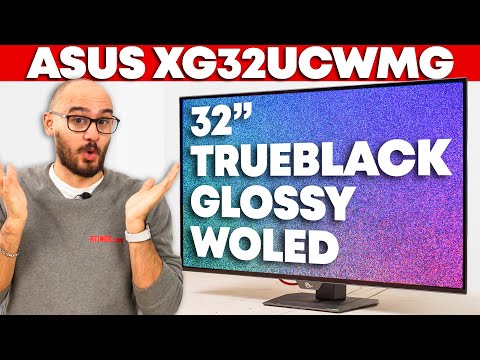
1. ✨ Glossy vs. Matte: The Uniqueness of the ASUS ROG Strix XG32UCWMG
- ✅ When choosing a monitor, the choice between glossy and matte coating depends on personal preference.
- ✅ The ASUS ROG Strix XG32UCWMG is the first 4K WOLED monitor with a glossy coating.
- ✅ It can be considered as an alternative to matte monitors with the same panel.
00:00 - 00:51
1. ✨ Glossy vs. Matte: The Uniqueness of the ASUS ROG Strix XG32UCWMG
- ✅ When choosing a monitor, the choice between glossy and matte coating depends on personal preference.
- ✅ The ASUS ROG Strix XG32UCWMG is the first 4K WOLED monitor with a glossy coating.
- ✅ It can be considered as an alternative to matte monitors with the same panel.
00:52 - 01:52
2. 🖥️ Design, Stand, Inputs, and OLED Care Features
- ✅ It has an overall premium appearance and excellent build quality.
- ✅ The stand is mostly made of plastic, but provides stable support with a metal base.
- ✅ It offers ergonomic adjustment features, but does not support portrait mode.
- ✅ It provides various ports including a USB hub and KVM switch.
- ⚠️ The USB-C port only supports 15W power, so a separate adapter is required for laptop charging.
- ✅ It provides a feature that turns off the screen when the user leaves their seat and turns it back on when they return using a proximity sensor.
- ✅ Provides OLED care settings (pixel cleaning, screen move) to reduce the risk of burn-in.
01:53 - 02:55
3. 🖼️ Advantages of Glossy Coating: Text Clarity and Black Representation
- ✅ Images and text appear much clearer on the glossy coating than on matte displays.
- ✅ Text clarity is highest in 4K mode, and lower in 1080p mode.
- ✅ It absorbs light well, but can be distracting in environments where light is directly reflected.
- ✅ 'True Black Glossy' coating maintains deep, dark blacks even in bright environments.
- ✅ Maintains a lower black level than matte WOLED and compensates for the disadvantages of QD-OLED, where the black level rises and appears purple in bright environments.
02:56 - 04:25
4. 🔆 SDR and HDR Brightness, Color Gamut, and Volume
- ✅ Brightness in SDR is quite high unless uniform brightness settings are used.
- ⚠️ Glare protection is poor in bright rooms.
- ✅ In HDR, small highlights stand out, but highlights in large areas are darker.
- ✅ Using the 'Adjustable HDR' setting is the brightest, but the EOTF is high, causing most content to appear brighter than intended.
- ✅ 'True Black 400' mode limits brightness and prioritizes accuracy.
- ✅ The HDR color gamut mostly covers the DCI-P3 and Rec.2020 color spaces, but there are some inaccuracies in whites, etc.
- ⚠️ Bright colors are not as vivid as QD-OLED.
04:26 - 05:14
5. 🎨 Pre/Post Calibration and SDR Color Gamut
- ✅ SDR colors are accurate even before calibration, but not perfect.
- ⚠️ The sRGB-only picture mode does not have accurate gamma tracking.
- ✅ Setting the display color space to sRGB in user mode provides a more accurate image.
- ✅ White balance and gamma issues can be resolved through calibration.
- ⚠️ WOLED panels may experience gamma changes at low refresh rates, causing blacks to appear washed out.
05:15 - 06:27
6. 🎮 Gaming Performance: VRR, Frame Rate Boost, and BFI
- ✅ Provides performance suitable for various games using 4K 240Hz or 1080p 480Hz signals.
- ✅ Resolution and refresh rate can be adjusted via the frame rate boost function.
- ✅ Supports all common VRR formats via HDMI 2.1 and DisplayPort 1.4 bandwidth.
- ✅ DSC (Display Stream Compression) is used to implement 240Hz in 4K.
- ✅ DSC is not required in 8-bit signals in 1080p 480Hz mode.
- ✅ The main advantage of 1080p mode is that it provides a smoother feel with a higher refresh rate.
- ✅ Response time is very fast with almost no afterimages.
- ⚠️ The BFI (Black Frame Insertion) function only works at 4K 120Hz or 1080p 240Hz and cannot be used simultaneously with VRR and HDR, making it less useful.
06:28 - 07:14
7. ⚠️ VRR Flicker, Input Lag, and Console Compatibility
- ⚠️ VRR flicker may occur when the frame rate changes significantly, and is more noticeable in dark or bright scenes.
- ⚠️ The OLED anti-flicker setting reduces flicker by limiting the minimum refresh rate, but is not a fundamental solution.
- ✅ Provides a pleasant gaming experience with low input lag.
- ✅ Mostly compatible with the latest game consoles such as PS5 or Xbox Series X.
- ✅ Supports up to 120Hz in 4K mode.
07:15 - 08:45
8. 🆚 Comparative Analysis with Other Displays
- ✅ Provides similar basic performance to other OLED monitors with dual mode functionality.
- ✅ The glossy coating targets a niche market with no competing products.
- ✅ The coating method is the main difference when compared to the ASUS PG32 UCDP.
- ✅ The XG32 UCWMG's glossy coating provides clear images and maintains low black levels in bright environments.
- ✅ The PG32 UCDP may be a better choice in bright environments due to its high light absorption rate.
- ✅ A good alternative if you want to avoid the purple tint issue of QD-OLED.
- ⚠️ Colors are not as vivid as QD-OLED.
- ⚠️ Some features such as Dolby Vision are lacking.
08:46 - 09:06
9. ⚖️ Final Conclusion: ASUS ROG Strix XG32UCWMG, Is It Worth Buying?
- ✅ There is no perfect monitor or panel type, and each has its drawbacks.
- ✅ The ASUS ROG Strix XG32UCWMG is a fantastic OLED monitor at a competitive price.
- ✅ A good choice for users who want a glossy 4K WOLED.