Post
Free Fire: Best Sensitivity Settings Guide for Headshots (After OB51 Update)
Introduces the optimal sensitivity settings and in-game settings to get better headshots in Free Fire after the OB51 update. Guides you on how to improve your gameplay through various scope settings, general sensitivity settings, and hacker settings.
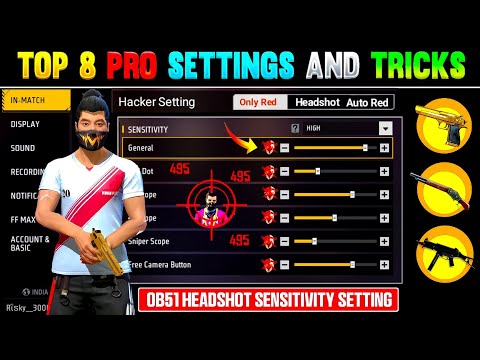
1. 🎯 Free Fire Headshot Secrets Revealed: How to Hit Red Numbers Without Hacks
- ✅ Introducing how to get headshots with settings only, without hacks or glitches
- ✅ Users level 77 and above can also play with settings only, without hacks
- ✅ Suggesting how to play like a hacker by optimizing sensitivity settings
| Setting | Description |
|---|---|
| Optimal Sensitivity Settings | Optimize sensitivity settings to easily get headshots like a hacker |
00:00 - 01:19
1. 🎯 Free Fire Headshot Secrets Revealed: How to Hit Red Numbers Without Hacks
- ✅ Introducing how to get headshots with settings only, without hacks or glitches
- ✅ Users level 77 and above can also play with settings only, without hacks
- ✅ Suggesting how to play like a hacker by optimizing sensitivity settings
| Setting | Description |
|---|---|
| Optimal Sensitivity Settings | Optimize sensitivity settings to easily get headshots like a hacker |
01:20 - 02:24
2. ⚙️ Basic Sensitivity Settings: Reduce Lag and Increase Headshot Probability
- ✅ Sensitivity settings available for all mobile devices with 2GB to 16GB RAM
- ✅ iPhone users can also use the same sensitivity settings
- ✅ How to reduce lag and increase headshot probability
| Setting | Value |
|---|---|
| General Sensitivity | 0 (Adjust as needed) |
| Free Look | 70 |
02:25 - 03:36
3. 🔄 How to Use Free Look: Master 360 Degree Headshots While Crouching
- ✅ Set the Free Look button to 70 for smooth rotation
- ✅ Use Free Look while crouching to get 360 degree headshots
- ✅ How to identify enemy locations and accurately get headshots
| Setting | Effect |
|---|---|
| Free Look Sensitivity 70 | Smooth screen rotation and quick field of view acquisition |
03:37 - 04:55
4. 🎯 Sniper Scope Settings: Set to 140 and Increase Headshot Accuracy
- ✅ Set sniper scope sensitivity to 140
- ✅ How to accurately aim at the enemy's head after zooming in
- ✅ How to use the quick shot button
| Setting | Effect |
|---|---|
| Sniper Scope Sensitivity 140 | Increased aiming accuracy and headshot probability |
04:56 - 06:12
5. 🔭 4x Scope Settings: Master Long-Range Headshots (173 Setting)
- ✅ Set 4x scope sensitivity to 173
- ✅ How to easily get headshots with SVB, Dragon at long range
- ✅ Role and usage of 4x scope
| Setting | Effect |
|---|---|
| 4x Scope Sensitivity 173 | Improved long-range headshot accuracy |
06:13 - 07:25
6. 2️⃣ 2x Scope Settings: Optimize SMG Headshots Like UMP, MP5 (195 Setting)
- ✅ Set 2x scope sensitivity to 195
- ✅ Increase headshot probability when using SMGs such as UMP, MP5, MP40
- ✅ How to get headshots without aiming
| Setting | Effect |
|---|---|
| 2x Scope Sensitivity 195 | Improved headshot accuracy when using SMGs |
07:26 - 08:34
7. 🔴 Red Dot Settings: Master Close Combat Headshots (141 Setting)
- ✅ Set red dot sensitivity to 141
- ✅ Increase headshot probability when using close-range weapons such as M1887 Shotgun, Desert Eagle
- ✅ How to get headshots without a scope
| Setting | Effect |
|---|---|
| Red Dot Sensitivity 141 | Improved close combat headshot accuracy |
08:35 - 11:46
8. ⚙️ Mastering General Sensitivity Settings: Finding Optimal Sensitivity in the Training Grounds (185 Setting)
- ✅ Explanation of the impact of general sensitivity settings on all other sensitivity settings
- ✅ How to find the optimal sensitivity by punching the wall with your fist in the training grounds
- ✅ Practice aiming to rotate more than 13 times in the training grounds after setting to 185
| Setting | Effect |
|---|---|
| General Sensitivity 185 | Smooth camera movement and improved control |
11:47 - 14:40
9. 🎮 Hacker Settings: Improve Gameplay with Control Settings
- ✅ How to play like a hacker through control settings
- ✅ How to quickly use gloo walls and grenades by setting the throwable weapon slot to double slot
- ✅ How to control movement using tap mode
- ✅ New visual effects and auto-aim settings
| Setting | Effect |
|---|---|
| Throwable Weapon Double Slot | Quickly use gloo walls and grenades |
| Tap Mode | Precise movement control |
14:41 - 16:15
10. 🔥 Optimal Fire Button Size: Set to 38 and Remove Unnecessary Buttons
- ✅ Set the fire button size to 38
- ✅ Keep the screen clean by removing unnecessary buttons
- ✅ How to easily drag aim by setting the fire button position low
| Setting | Effect |
|---|---|
| Fire Button Size 38 | Accurate drag aim and increased headshot probability |