Post
Easy Way to Download and Install the Latest Free Fire Beta Testing OB51 with Mediafire Link
This video provides a step-by-step tutorial on how to download and install the latest version of Free Fire Beta Testing OB51 via a Mediafire link. It also explains the latest features available in this beta version, such as visible skins, the ability to play push rank with friends, and an interface that looks like GM (Grand Master).
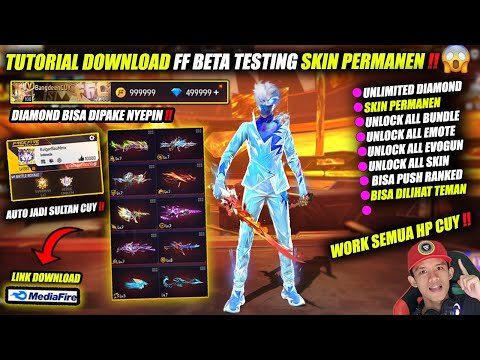
1. 🎮 Introduction and Latest Features of Free Fire Beta Testing OB51
- ✅ This tutorial is aimed at beginners who want to try Free Fire Beta Testing.
- ✅ This latest version allows players to use all the cool skins.
- ✅ The OB51 update allows players to team up (play together) and push rank with friends.
- ✅ You can now send friend requests and do lobbies.
00:00 - 00:46
1. 🎮 Introduction and Latest Features of Free Fire Beta Testing OB51
- ✅ This tutorial is aimed at beginners who want to try Free Fire Beta Testing.
- ✅ This latest version allows players to use all the cool skins.
- ✅ The OB51 update allows players to team up (play together) and push rank with friends.
- ✅ You can now send friend requests and do lobbies.
00:47 - 02:23
2. ⬇️ Step 1: Download Files and Uninstall FF Max
- ✅ Download the FF Beta and OBB files from the provided Mediafire link.
- ✅ Uninstall FF Max (if any) from your device.
- ✅ Use the ZArchiver application to open the downloaded files.
- ✅ Install the FF Beta file.
02:24 - 03:42
3. ⚙️ Step 2: Extract and Move the OBB File
- ✅ Extract the downloaded OBB file.
- ✅ Long press on the extraction result (about 3 seconds) until the options appear.
- ✅ Select copy.
- ✅ Go to device memory > Android > OBB.
- ✅ Paste the OBB file in that folder.
03:43 - 05:34
4. 🔑 Step 3: Unlock Beta Access via Website
- ✅ Open a browser (Chrome or default).
- ✅ Visit the unlockffbeta.com website (no spaces).
- ✅ Follow the instructions on the website (usually a non-robot verification).
- ✅ Once done, close the website.
05:35 - 06:30
5. 🎉 Step 4: Login and Enjoy FF Beta Testing
- ✅ Open the installed FF Beta application.
- ✅ Login using a Guest account.
- ✅ Enjoy the latest features, such as unlocked skins and a GM-like appearance.
06:31 - 10:35
6. ✨ Exploration of the Latest FF Beta Features and Appearance
- ✅ Weapon skins are good and can be seen by friends.
- ✅ The latest bundles are available and can be obtained.
- ✅ You can add friends and play together.