Post
[Gaming SSD] WD BLACK SN850X SSD Review
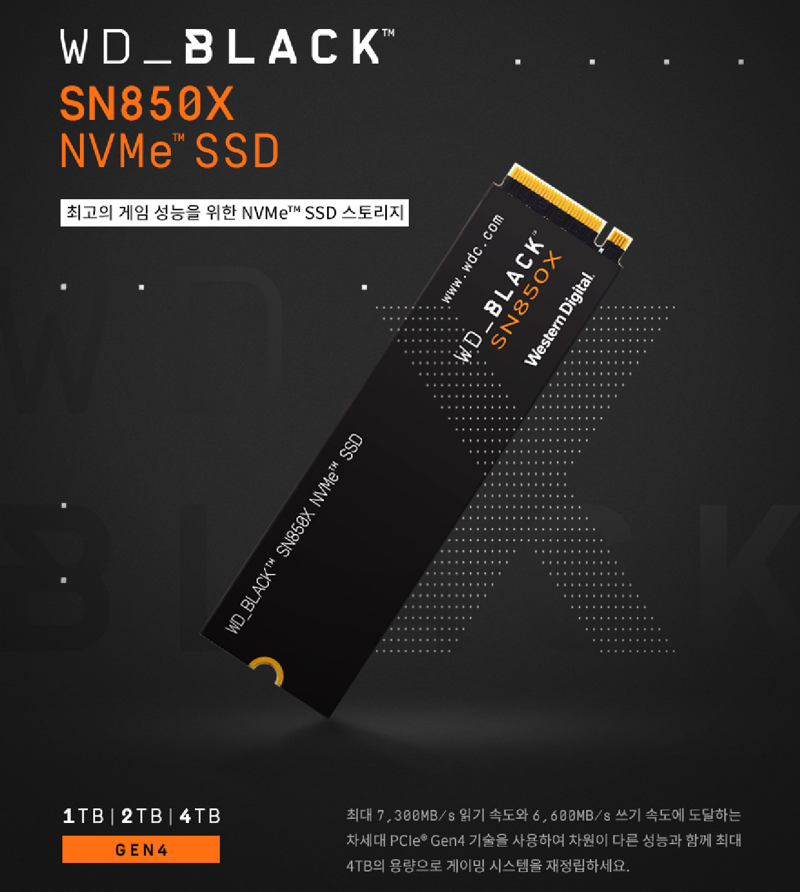
A review of the WD BLACK SN850X SSD, the ultimate GEN4 (PCIe 4.0) storage device from Western Digital.
1. Product Introduction
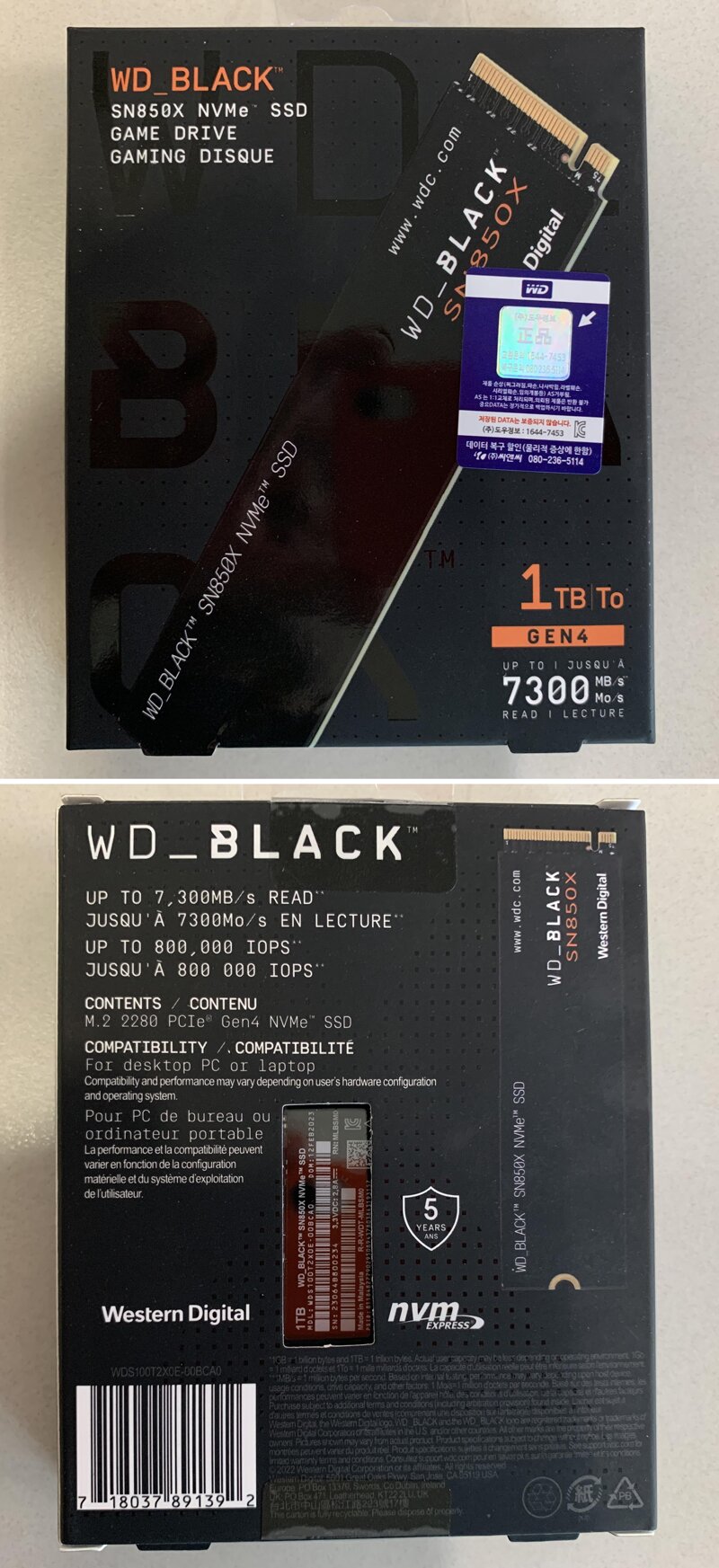
The front of the package has a genuine product sticker that allows you to receive AS for 5 years.
On the back, you can check the basic specifications such as maximum read speed of 7,300MB/s and write speed of 6,300MB/s, befitting the WD BLACK SN850X SSD product, which is the highest-end lineup among GEN4 (PCIe 4.0) products.
There are three types of capacity: 1TB, 2TB, and 4TB, and the product I am introducing is the WD BLACK SN850X SSD 1TB.
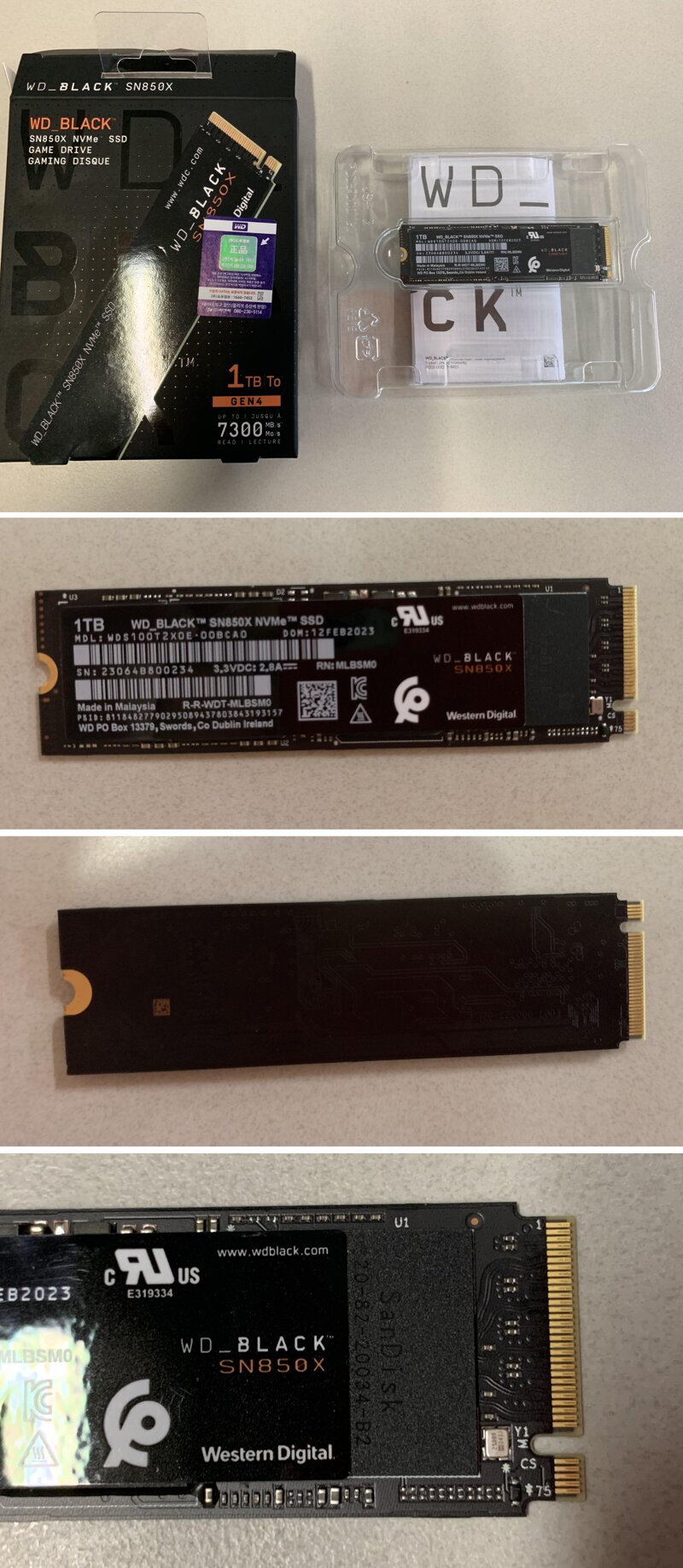
It consists of a controller / DRAM / NAND flash on a black circuit board, and you can check information such as serial number, DC 3.3V, 2.8A on the sticker.
The SN850 SanDisk 20-82-10034-A1 controller is confirmed to have Micron for DRAM and SanDisk TLC for NAND.
The SanDisk 20-82-20034-B2 controller included in the SN850X is improved/modified.
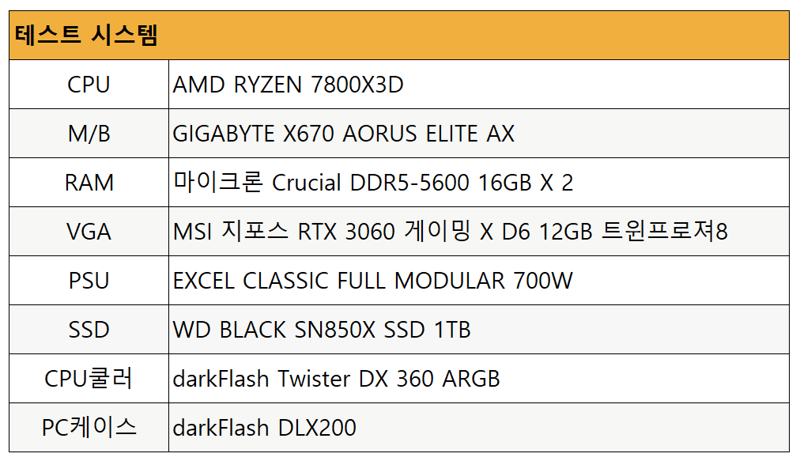
2. Assembly and Test Environment
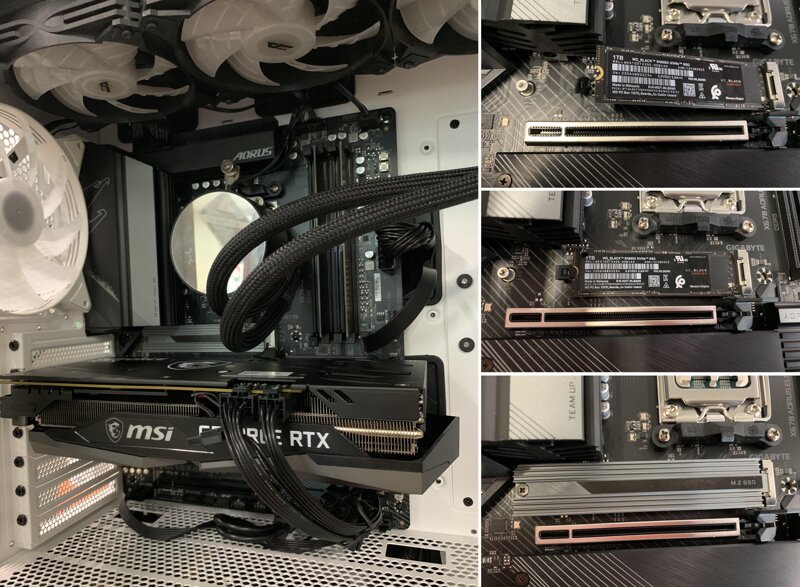
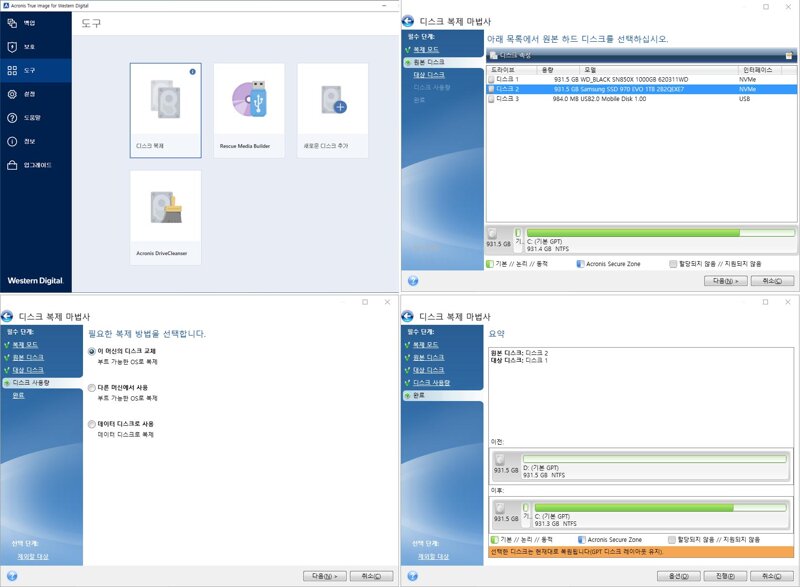
Using Acronis Ture Image for Western Digital, a migration tool, I cloned from the Samsung 970 EVO I was using to the WD BLACK SN850X SSD. Both products had the same capacity, so I was able to proceed easily without any special settings.
Installing Windows, installing and updating drivers, and downloading and installing all the programs and games I use would take a terrible amount of time, but I felt so comfortable because it was quickly cloned with the provided migration tool.
3. Benchmark
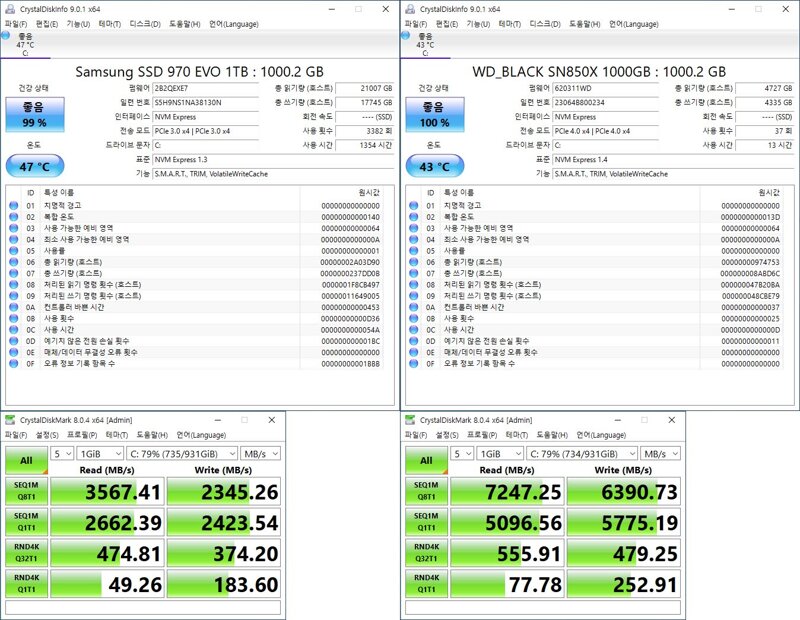
As soon as I changed the system, I performed a benchmark test with Crystal Disk Mark.
I was satisfied with using the Samsung 970 EVO product, but I can feel the performance because the speed is more than doubled.
Sequential (Seg), 4K byte random read/write speed and copy speed are amazing.
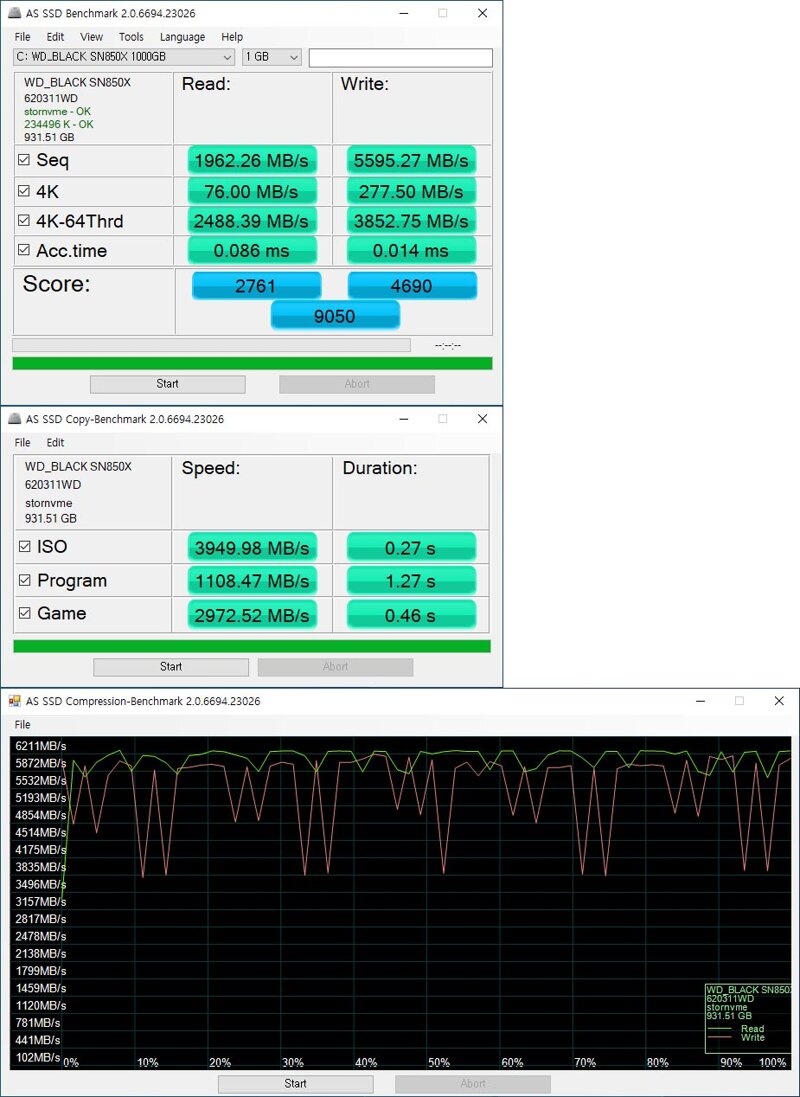
You can see that the read and write speeds are improved up to a file size of 128KB, and the speeds are the same above that.
As a result of checking the phenomenon that the speed slows down as the remaining capacity of the SSD is insufficient through a dirty test, the speed slows down to less than 50% from 31% or less of the remaining capacity.
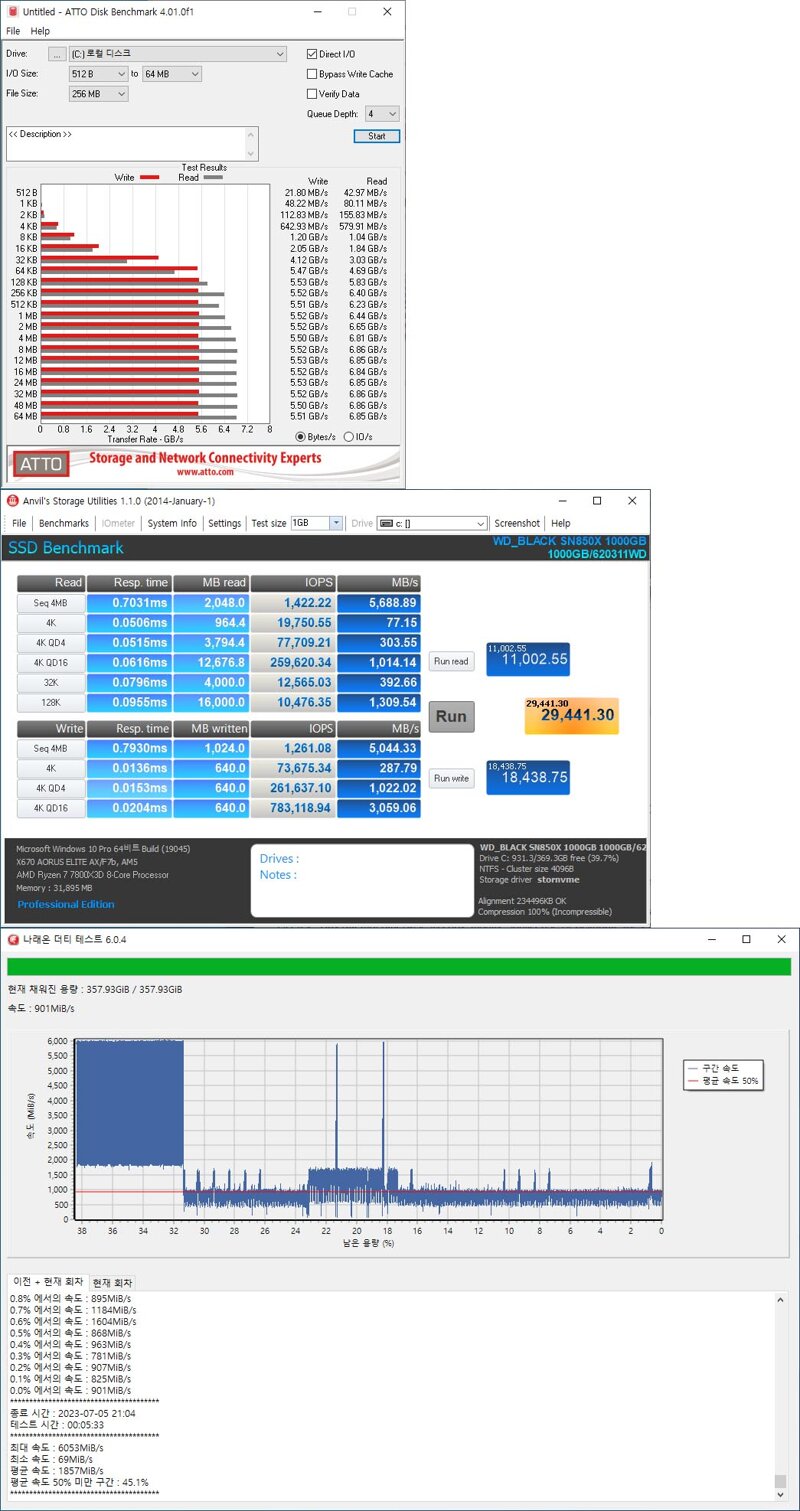
You can monitor the model / firmware version / driver status / security / capacity / temperature / remaining life, etc. using the official support software WD_BLACK Dashboard from the WD website.
You can check the disk read and write performance of your computer in a chart, and it also provides performance optimization functions.
You can also enjoy improved PC performance with the latest version of Game Mode 2.0.
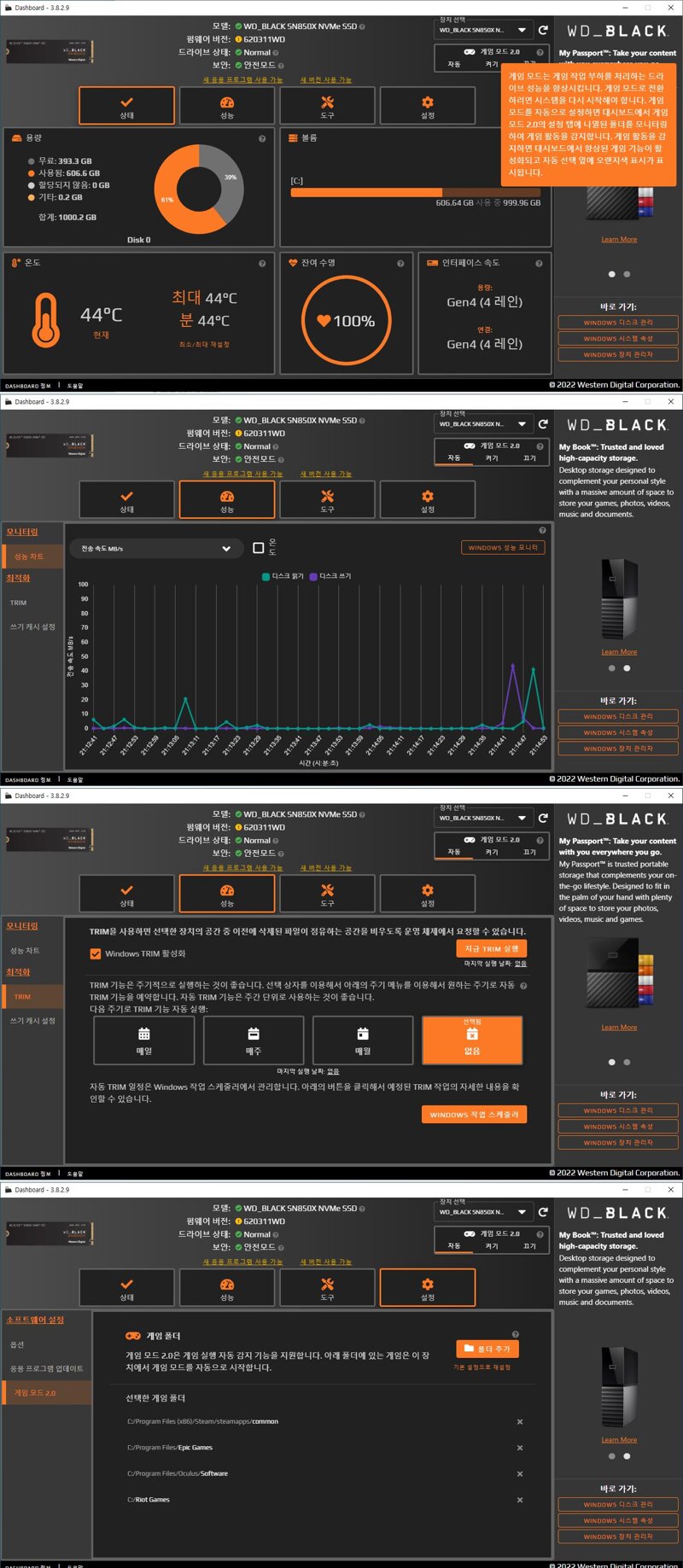
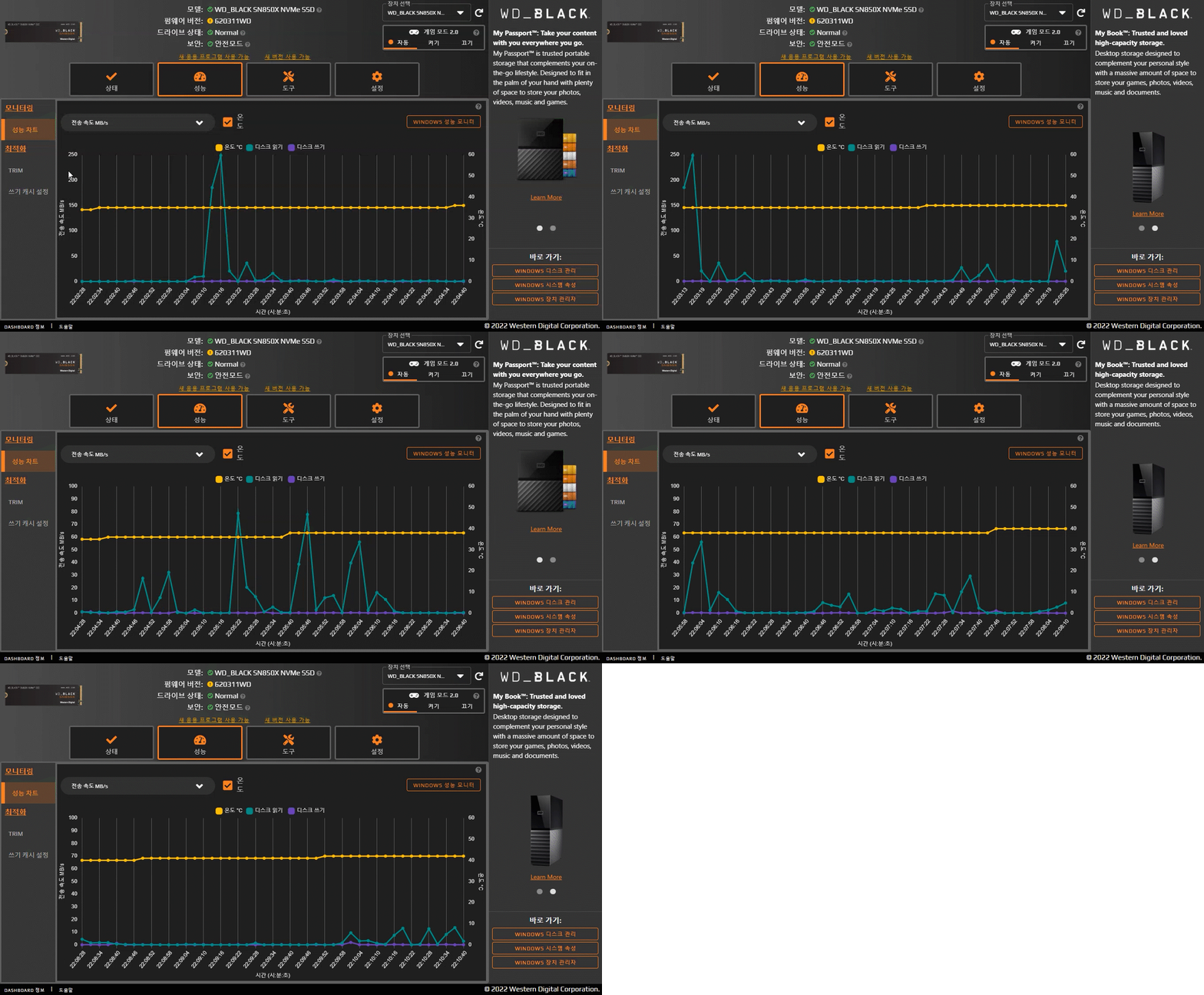
I monitored read, write, and temperature changes while playing Dead Island 2.
Normally, it was around 35~37, and it was maintained around 40 degrees while playing the game. The temperature rose a little when there was a scene transition during the game, but it quickly returned to around 40 degrees, so no throttling occurred.
There will be temperature differences depending on the cooling of the case, and especially in summer, I think there will be temperature differences depending on whether the air conditioner is turned on and the ventilation of the case when playing for a long time, but the temperature did not exceed 65 degrees even if a lot of load was applied during the game.

게임은 무료 게임을 꼭 다운 이용/다운해야 하며, 유료게임을 다운한다면 돈을 내고 사용하자
4. Conclusion
While using the WD BLACK SN850X, which provides the best gaming environment with a fast speed of up to 7,300MB/s, I realized that the scene transitions during game play were smoother. I think I feel it a lot because the SSD I used before was PCIe 3.0, and I think the effect will be even greater for users who use SATA products.
I had a good experience monitoring the performance with WD_BLACK Dashboard to see how much it affects, and I was impressed by the fact that it provides performance optimization as well as improved PC performance with the latest version of Game Mode 2.0.
Purchase link :https://prod.danawa.com/info/?pcode=17788487
IT 인벤 유저리뷰사용기밀랍미녀
2023-07-06