Post
ASUS ROG Strix XG27AQWMG: Review of the new reference OLED monitor under €550
In-depth review of the ASUS ROG Strix XG27AQWMG, a 27-inch OLED gaming monitor with a fourth-generation LG panel. The monitor offers excellent performance, a wide color gamut, and deep blacks thanks to the TrueBlack Glossy coating. Despite some shortcomings such as the lack of a USB-C port and KVM functionality, the value for money is exceptional, making it the best OLED in its price range.
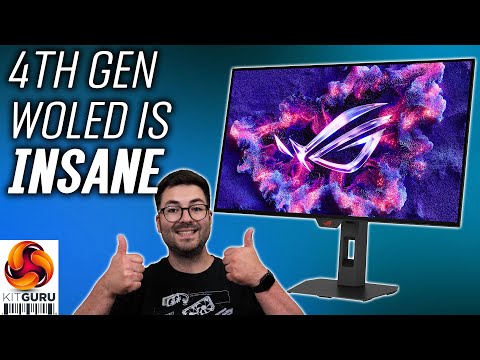
1. 🔍 Introduction to the ASUS ROG Strix XG27AQWMG: A new contender in the OLED monitor market
- ✅ Presentation of the ASUS ROG Strix XG27AQWMG, a monitor with a fourth-generation OLED panel from LG.
- ✅ The monitor promises significant improvements over previous generations.
- ✅ Equipped with 'TrueBlack Glossy' coating for deep blacks and 'zero-haze' finish.
00:00 - 00:35
1. 🔍 Introduction to the ASUS ROG Strix XG27AQWMG: A new contender in the OLED monitor market
- ✅ Presentation of the ASUS ROG Strix XG27AQWMG, a monitor with a fourth-generation OLED panel from LG.
- ✅ The monitor promises significant improvements over previous generations.
- ✅ Equipped with 'TrueBlack Glossy' coating for deep blacks and 'zero-haze' finish.
00:54 - 01:48
2. ⚙️ Technical specifications and price: A 1440p 280Hz OLED with excellent value for money
- ✅ Uses LG's 'Primary RGB Tandem' technology, with a four-layer stack for greater brightness, wider color gamut, and longer lifespan.
- ✅ 1440p resolution and 280Hz refresh rate.
- ✅ Price of around £520 in the UK, competitive compared to other 240Hz QD-OLED monitors.
02:04 - 03:13
3. 🎨 Design, construction and connectivity: Gaming aesthetics and some limitations
- ✅ Typical gaming design with dark gray chassis and ROG logo illuminated with RGB LEDs.
- ✅ Ergonomic stand with height adjustment (110mm), tilt, swivel and pivot.
- ⚠️ Connectivity limited to two DisplayPort 1.4 and one HDMI 2.1, without USB-C or KVM functionality.
03:14 - 03:48
4. 🖥️ OSD and software: Customization and control at your fingertips
- ✅ Complete and well-organized OSD, typical of ASUS ROG monitors.
- ✅ Navigation via joystick and configurable shortcut key.
- ✅ 'Display Widget Center' software for controlling settings via software.
03:49 - 05:17
5. ⚫ TrueBlack Glossy coating: Deep blacks and superior contrast in bright environments
- ✅ The TrueBlack Glossy coating offers deeper blacks than QD-OLEDs, especially in bright environments.
- ✅ QD-OLEDs tend to appear grayer in bright lighting conditions due to the lack of a polarizing layer.
- ⚠️ The glossy coating may reflect direct light more.
05:18 - 06:03
6. 🔍 Fringing and burn-in: Aspects to consider in OLED technology
- ✅ Possible 'fringing' around text due to the subpixel layout and 1440p resolution, improved compared to first-generation models.
- ✅ Risk of burn-in, mitigated by the four-layer structure of the panel and ASUS's anti-burn-in features.
- ✅ ASUS's 3-year warranty that also covers burn-in.
06:15 - 08:33
7. 📊 Panel performance: Brightness, uniformity and color accuracy
- ✅ Brightness of almost 325 nits for a full white screen, higher than previous generation models.
- ✅ Minimum brightness of 27 nits.
- ✅ 'Uniform Brightness' setting for constant brightness regardless of window size.
- ✅ Excellent panel uniformity.
- ✅ Wide color gamut, greater than the sRGB space, with coverage of 99.7% DCI-P3, 95.8% Adobe RGB and 83.8% Rec. 2020.
- ✅ Excellent factory calibration, with uniform color balance and accurate gamma.
08:34 - 09:27
8. 🎨 sRGB mode and calibration: Exceptional color accuracy
- ✅ sRGB emulation mode ('sRGB cal') to avoid oversaturation.
- ✅ Exceptional color accuracy in sRGB mode, with Delta E values less than 1.
- ✅ The sRGB mode is so accurate that it is not necessary to further calibrate the monitor.
09:28 - 11:11
9. 🎮 Response times and gaming: Motion clarity and additional technologies
- ✅ Very fast response times and no ghosting, typical of OLED panels.
- ✅ Motion clarity improves with increasing refresh rate (up to 280Hz).
- ✅ ELMBB (Black Frame Insertion) technology to further improve motion clarity at 140Hz, but disabling adaptive sync.
11:12 - 12:06
10. 🕹️ Real gaming experience: Top-notch immersion and visual quality
- ✅ Excellent gaming experience thanks to the combination of fast response times, high refresh rate, high brightness, wide color gamut and deep blacks.
- ✅ 1440p panel easy to manage even with high frame rates.
- ✅ G-Sync support for more demanding games.
12:07 - 14:28
11. HDR: High brightness and color accuracy
- ✅ Several HDR modes available, including 'HDR Gaming' and 'DisplayHDR 500 True Black'.
- ✅ The 'HDR Gaming' mode reaches peak brightness of almost 1600 nits.
- ✅ The 'True Black' mode offers greater accuracy, with peaks of 833 nits.
- ✅ Excellent color accuracy in HDR thanks to the wide color gamut.
14:29 - 17:05
12. 🏁 Conclusions: The OLED to beat in the under €550 price range
- ✅ The ASUS ROG Strix XG27AQWMG is an exceptional monitor thanks to LG's fourth-generation OLED panel.
- ✅ Offers significant improvements in brightness, color gamut and durability compared to previous models.
- ✅ The TrueBlack Glossy coating adds an extra level of immersion.
- ⚠️ Some features such as USB-C and KVM are missing.
- ✅ Excellent value for money, making it the best OLED in its price range.