Post
Fortnite Chapter 7: New Best Controller Settings and Sensitivity Guide
This video introduces controller settings and sensitivity optimized for controller users in Fortnite Chapter 7. It is applicable to both Xbox and PS5 consoles, and provides detailed settings and tips for aim improvement and fast editing.
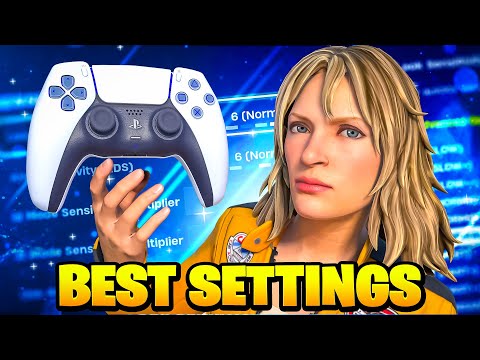
1. 🎮 Finding the Best Controller Settings for Chapter 7 & Intro to 1v1 Map
- ✅ Efforts to find the best controller settings after the start of Chapter 7
- ✅ Settings applicable to console, PC, and mobile controller users
- ✅ Improved aim and control consistency
- ✅ Introduction to the 1v1 map 'Sideflipz Build Fights' that provides low delay (search for 'Sideflips' in the creative search bar)
00:00 - 00:58
1. 🎮 Finding the Best Controller Settings for Chapter 7 & Intro to 1v1 Map
- ✅ Efforts to find the best controller settings after the start of Chapter 7
- ✅ Settings applicable to console, PC, and mobile controller users
- ✅ Improved aim and control consistency
- ✅ Introduction to the 1v1 map 'Sideflipz Build Fights' that provides low delay (search for 'Sideflips' in the creative search bar)
01:00 - 02:28
2. ⚙️ Detailed Controller Settings Guide: Build, Edit, Sensitivity, Deadzone Settings
- ✅ Controller Builder Pro: Turn on Build Immediately
- ✅ Turn on Controller Auto-Run
- ✅ Edit Hold Time: 0 seconds
- ✅ Camera Reset Access: Both
- ✅ Build Mode Sensitivity: 1.9
- ✅ Edit Mode Sensitivity: 1.9
- ✅ 1st Person Mode Sensitivity: 1.54
- ✅ Use Advanced Options: On (enable additional settings)
| Setting | Value |
|---|---|
| Horizontal View Speed | 41 |
| Vertical View Speed | 41 |
| Horizontal Rotation Boost | 0% |
| ADS Horizontal/Vertical Sensitivity | 16% |
| ADS Rotation Boost | 0% |
| Scope Speed Multiplier When Aiming | 1.25 |
| View Damping Time | 0 seconds |
| View Input Curve | Linear |
| Precision Aim Assist | 100% |
| Left/Right Stick Deadzone | 8% (adjust if there is stick drift) |
- ✅ Use Foot Controller: Off
02:29 - 03:29
3. ⌨️ Detailed Guide to Controller Binding and Editing Settings
- ✅ Controller Binding Preset: Custom
- ✅ Controller Platform: Xbox
- ✅ A Button: Crouch
- ✅ Sprint: Paddle Button
- ✅ Mode Switch: B Button (Paddle)
| Action | Button |
|---|---|
| Select | RT |
| Confirm | LT |
| Reset | Right Bumper |
| Edit | Left Stick (using double edit binds) |
- ✅ Press Left Stick, RT, and LT simultaneously when editing
- ✅ Use Edit on Release (optional, explanation of speed difference)
03:33 - 04:18
4. 🎨 Other Game Settings: Color Blind Mode, Performance Mode, FPS Settings
- ✅ Color Blind Mode: Deuteranope 5
- ✅ Use Performance Mode
- ✅ 240 FPS (PC)
- ✅ Textures and Other Settings: Low (for FPS improvement)
- ✅ Simple Edits and Turbo Building: On
- ✅ Auto Format: Both
- ✅ Field of View (FOV): 100 degrees
- ✅ Replays: On (when producing videos)
- ✅ Energy Saving Options: Off
- ✅ Keyboard/Gyro Settings: Not Used
04:19 - 07:35
5. 🎮 Gameplay Demo After Applying Settings
- ✅ Demonstration of gameplay footage with the new controller settings applied