Post
Galaxy Tab S11 Ultra: Advantages and Disadvantages Compared to Laptops
After using the Galaxy Tab S11 Ultra for 4 months, it compares and analyzes 6 advantages and 6 disadvantages compared to laptops to present users with suitable options. It covers in detail the advantages of display, S Pen, portability, battery, heat generation, and camera, and the disadvantages of document work, keyboard, file management, expandability, stand, and price.
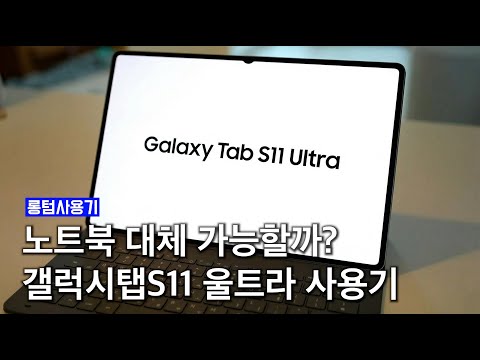
1. 🤔 Galaxy Tab S11 Ultra, Can it be a Laptop Alternative?
- ✅ The Galaxy Tab S11 Ultra, with its 14.6-inch large screen and powerful performance, makes you wonder if it can replace a laptop.
- ✅ I'll introduce the pros and cons I felt while using the Galaxy Tab S11 Ultra as my main device for a week.
00:02 - 00:31
1. 🤔 Galaxy Tab S11 Ultra, Can it be a Laptop Alternative?
- ✅ The Galaxy Tab S11 Ultra, with its 14.6-inch large screen and powerful performance, makes you wonder if it can replace a laptop.
- ✅ I'll introduce the pros and cons I felt while using the Galaxy Tab S11 Ultra as my main device for a week.
00:32 - 01:47
2. ✨ 6 Key Advantages of the Galaxy Tab S11 Ultra
- Display: With 1600 nits brightness, 120Hz refresh rate, and HDR10+ support, it provides superior picture quality compared to laptops.
- S Pen: Excellent portability and intuitiveness make it useful for memos, signatures, and document work. It is especially effective for quick note-taking during meetings.
- Portability: Thin and light, making it easy to carry, and thanks to the long battery life, it can be used without a charger.
| Advantage | Description |
|---|---|
| Display | 1600 nits brightness, 120Hz refresh rate, HDR10+ support |
| S Pen | Portability, intuitiveness, useful for memos and signatures |
| Portability | Thin and light, long battery life |
- Battery: You can use it without worrying about charging thanks to the generous battery performance that lasts all day and 45W fast charging support.
- Heat & Noise: It is quiet because there is no cooling fan, and there is little heat, making it good for everyday use.
- Camera: Equipped with rear wide-angle and ultra-wide-angle cameras, it is useful for scanning documents, etc., and is more productive than laptops with only front-facing cameras for video calls.
| Advantage | Description |
|---|---|
| Battery | Long battery life, 45W fast charging |
| Heat & Noise | Low heat, no noise |
| Camera | Rear camera, useful for document scanning |
03:41 - 06:12
3. ⚠️ 6 Key Disadvantages of the Galaxy Tab S11 Ultra
- Document Work: It is difficult to provide the same experience as a PC environment due to the limitations of MS Office apps and compatibility issues with in-house security programs.
- Dedicated Keyboard: The keyboard cover, which must be purchased separately, does not have good key feel, has limited angle adjustment, and is unstable to use on the lap.
- File Management: File moving and management are more inconvenient compared to the Windows environment, and there are restrictions on the use of external drives.
| Disadvantage | Description |
|---|---|
| Document Work | MS Office app limitations, security program compatibility issues |
| Dedicated Keyboard | Key feel, angle adjustment, stability issues |
| File Management | Inconvenient file moving and management, external drive restrictions |
- Connecting Additional Devices: Since there is only one USBC port, it is difficult to connect to other devices such as portable monitors, and a separate adapter is required.
- Stand Required: Because of the large screen, it is difficult to hold and use by hand, so a stand is essential, adding to the burden of carrying it around.
- Price: The high price of 1.85 million won including the keyboard makes you consider purchasing a low-power laptop.
| Disadvantage | Description |
|---|---|
| Connecting Additional Devices | Lack of USBC ports, adapter required |
| Stand Required | Increased burden of carrying around |
| Price | High price, considering laptop alternative |
07:43 - 08:15
4. 🎯 Who is the Galaxy Tab S11 Ultra Suitable For?
- Recommended For: Suitable for those who have frequent meetings and use a lot of memos/annotations, those who mainly do web-based work, and those who need a light sub-device.
- Not Recommended For: A laptop is a better choice for those who need large-capacity Excel, professional tools, heavy editing work, frequent long typing, and those for whom file management or connecting external devices is important.
08:16 - 08:57
5. ⚖️ Conclusion: The Galaxy Tab S11 Ultra is Closer to a Luxury Item
- ✅ It is generally reasonable to use a laptop as the main device and a tablet as the sub-device.
- ✅ The Galaxy Tab S11 Ultra can be seen as closer to a luxury item than practicality due to its high specifications and price.