Post
Heartopia: Complete beginner's guide and free tricks 😌
This guide provides all the necessary steps to start playing Heartopia, from installation to how to add friends and redeem free codes. You will learn how to customize your avatar, complete missions, and build your first house. Ideal for new players!
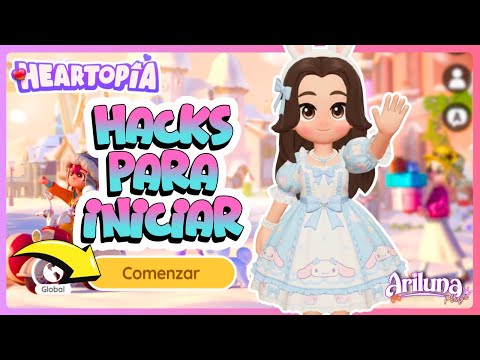
1. 🎮 Introduction to Heartopia and how to install the game
- ✅ Heartopia is a game similar to the Sims and Roblox, with farm elements.
- ✅ Available for App Store, Google Play, and Windows.
- ✅ For PC, it is recommended to install through the Tab Tab application or directly from hartopia.xd.com.
The guide provides an overview of the game and where to download it.
00:00 - 00:42
1. 🎮 Introduction to Heartopia and how to install the game
- ✅ Heartopia is a game similar to the Sims and Roblox, with farm elements.
- ✅ Available for App Store, Google Play, and Windows.
- ✅ For PC, it is recommended to install through the Tab Tab application or directly from hartopia.xd.com.
The guide provides an overview of the game and where to download it.
00:43 - 02:29
2. 🌐 Server selection and user creation in Heartopia
- ✅ It is crucial to select the same server as your friends to play together.
- ✅ If you create a user on one server (e.g. Global) and then open another (e.g. Americas), you will start from scratch on the new server.
- ✅ The available servers include Global, Asia, Americas, Oceania, Taiwan, and Hong Kong.
Choosing the server is essential to connect with friends and maintain your progress.
02:35 - 03:34
3. ✨ Initial character customization and avatar editor
- ✅ The game conducts an initial survey to create a random character, but you can customize it.
- ✅ Full character editing is unlocked around level 3 or 4.
- ✅ You can change skin tone and haircut.
Customizing your avatar is an important step to make the game more your own.
03:35 - 04:48
4. 🎨 Avatar customization options: Hair, eyes, and clothing
- ✅ Variety of haircuts and colors available.
- ✅ Diverse eye shapes and internal options to customize the look.
- ✅ Limited clothing options at the beginning, but enough to start.
Explore the customization options to create a unique avatar.
04:49 - 06:08
5. 🏡 First steps in the game: Initial missions and how to interact
- ✅ The missions are located at the top of the screen.
- ✅ To interact with characters, click on the conversation bubble above them.
- ✅ The first mission is to talk to Anni, who welcomes you to Heartopia.
Learn how to complete missions and advance in the game.
06:09 - 07:33
6. 🏘️ Choosing your first house and unlocking features
- ✅ Variety of house models available to choose from at the beginning.
- ✅ After choosing your house, you must talk to Bob to unlock furniture and construction options.
- ✅ The map is located in the upper left corner and shows resources and important locations.
Select your home and start exploring the world of Heartopia.
07:34 - 08:15
7. 🗺️ Exploring the map, inventory, and reward mailbox
- ✅ The map shows resources like wood and stones, as well as other players.
- ✅ The phone shows your tasks and progress.
- ✅ The backpack represents your warehouse or inventory.
- ✅ The mailbox contains welcome emails and rewards that you must claim.
Manage your resources and claim your rewards to advance.
08:16 - 09:56
8. 🎁 How to redeem free codes in Heartopia
- ✅ To redeem codes, go to the phone, then to settings and select "kanje code".
- ✅ The guide provides a link with codes still available.
- ✅ Code examples: DCT HXD, Thank you 4U, Let's party.
Take advantage of the free codes to get additional rewards.
09:57 - 11:45
9. 🤝 Add friends, explore advanced features and purchases
- ✅ To add friends, search for their users on the global server.
- ✅ You can accept up to 100 friend requests.
- ✅ Advanced features include emotes, vehicles, and construction mode.
- ✅ Items on sale can be purchased with coins earned in the game.
Connect with friends and explore the advanced features of the game.