Post
Heartopia: 10 Pro Tips for Building the House of Your Dreams
This video offers 10 essential tips to improve your building skills in Heartopia, from using blueprints and camera adjustments to creating custom furniture and unique wall designs. Learn how to optimize your building experience and design the house of your dreams with these professional tricks.
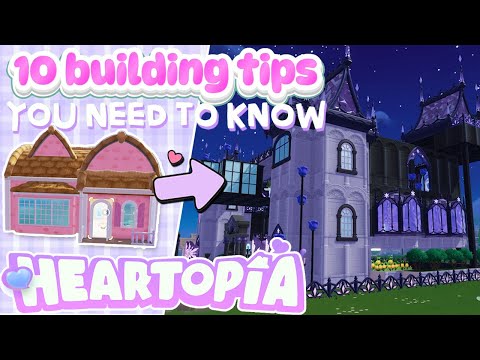
1. 🏠 Introduction and the Importance of Saving Blueprints in Heartopia
- ✅ The video will present 10 tips for building like a pro in Heartopia.
- ✅ The creator transformed her basic house into a stunning one in less than a day.
- ✅ It is crucial to save your house as a blueprint once you reach DG level 8 to avoid losing progress in case of errors.
00:00 - 00:26
1. 🏠 Introduction and the Importance of Saving Blueprints in Heartopia
- ✅ The video will present 10 tips for building like a pro in Heartopia.
- ✅ The creator transformed her basic house into a stunning one in less than a day.
- ✅ It is crucial to save your house as a blueprint once you reach DG level 8 to avoid losing progress in case of errors.
00:27 - 00:44
2. 📱 How to Save Your House as a Blueprint
- ✅ Access the blueprints through the tab on your cell phone within the game.
- ✅ Select an empty space and click 'Import' to save your current house.
- ✅ Confirm the creation of the blueprint to ensure you have a backup of your design.
00:45 - 01:25
3. 💾 Benefits of Saving Multiple Blueprints
- ✅ Save one blueprint intact and another to experiment with changes.
- ✅ This allows you to revert to a previous state if the changes don't turn out as you expected.
- ✅ Saving blueprints regularly will save you time and frustration during the building process.
01:26 - 01:42
4. 👁️🗨️ Navigating Camera Views in Build Mode
- ✅ Use the character view for a close and personal perspective.
- ✅ Switch to the aerial view to get a complete view of your house.
- ✅ On PC, right-click and hold to rotate and look around in the aerial view.
01:43 - 01:57
5. ⬆️ Adjusting the Visibility of Floors
- ✅ Use the button to remove the top layer of the current floor.
- ✅ Combine this with the slider to move up and down between floors.
- ✅ This allows you to see and adjust the interior of your house even with upper floors and complete ceilings.
01:58 - 03:18
6. ☀️ Adjusting the Time and Weather for Better Visualization
- ✅ The time of day does not affect construction, but it does affect the appearance of colors.
- ✅ Use the sun and cloud icon to change the time of day and see how the colors look in different lighting.
- ✅ Adjust the weather to see how rain, snow, or a sunny day affect the colors of your construction.
03:19 - 04:11
7. 🛠️ Duplicating Elements to Save Time
- ✅ Although there is no duplicate button, you can copy existing elements.
- ✅ In the aerial view, select a wall or floor panel that you want to duplicate.
- ✅ Attach the copied element to the desired area to quickly replicate textures and colors.
04:12 - 05:38
8. 💡 Creating Custom Furniture with Construction Tools
- ✅ Use construction tools to create furniture if you have a limited budget.
- ✅ Create built-in shelves by placing floor pieces on the walls.
- ✅ Use columns to create large tables and custom bookshelves.
05:39 - 07:32
9. 🎨 Customizing Wallpaper with Low Walls
- ✅ Build low walls to customize the wallpaper.
- ✅ Combine different wallpapers in low, medium, and high sections to create unique designs.
- ✅ This allows you to have custom borders and patterns that are not available in full panels.
07:33 - 10:09
10. 🐠 Building a Double-Sided Built-In Aquarium
- ✅ Build platforms with low walls and floor pieces.
- ✅ Add two rows of half walls to create an enclosed space.
- ✅ Place large aquariums inside the space and use square wooden windows to create a glass wall.
- ✅ This allows you to see the aquarium from both sides of the wall.
10:10 - 12:29
11. 🌱 Creating a Built-In Display for Vivarium
- ✅ Use low wall segments to create a base for the display.
- ✅ Add shelves made of floor pieces.
- ✅ Use thin metal pillars to frame the edges and cover the joints.
- ✅ This creates an elegant and built-in display for your vivariums.
12:30 - 13:05
12. 👋 Farewell and Invitation to Share Ideas
- ✅ Viewers are encouraged to subscribe for more Heartopia guides.
- ✅ The community is invited to share their own building tips and ideas.
- ✅ Offers to answer questions in future videos or in the comments.