Post
NBA 2K26 V98 Latest Update: Tutorial on Applying Android Mobile Offline Roster
This is a tutorial on how to apply the latest updated version of the NBA 2K26 V98 Android mobile offline roster. It details the process of installing and applying the latest mod from Mechi Katsume, and introduces various roster and court updates.
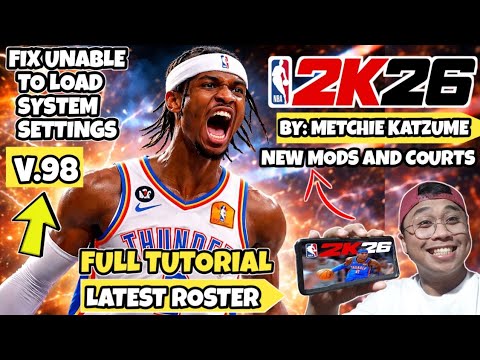
1. 🏀 Introduction to NBA 2K26 V98 Updated Roster Types
- ✅ Various rosters available: Slam Dunk Recolor, Anime Ball Roster, All Time Greats, Classic Roster, etc.
- ✅ Includes the latest updated roster and FIBA color roster
- ✅ Custom courts: Various court updates such as B3 Sans Two Wizards court
| Roster Type | Description |
|---|---|
| Slam Dunk 리컬러 | Slam Dunk themed recolored roster |
| Anime 볼 로스터 | Anime style ball roster |
| All Time Grates | Roster of the greatest players of all time |
| Classic 로스터 | Classic player roster |
| 최신 업데이트 로스터 | Latest player update roster |
| FIBA 컬러 로스터 | FIBA themed color roster |
00:00 - 00:36
1. 🏀 Introduction to NBA 2K26 V98 Updated Roster Types
- ✅ Various rosters available: Slam Dunk Recolor, Anime Ball Roster, All Time Greats, Classic Roster, etc.
- ✅ Includes the latest updated roster and FIBA color roster
- ✅ Custom courts: Various court updates such as B3 Sans Two Wizards court
| Roster Type | Description |
|---|---|
| Slam Dunk 리컬러 | Slam Dunk themed recolored roster |
| Anime 볼 로스터 | Anime style ball roster |
| All Time Grates | Roster of the greatest players of all time |
| Classic 로스터 | Classic player roster |
| 최신 업데이트 로스터 | Latest player update roster |
| FIBA 컬러 로스터 | FIBA themed color roster |
00:37 - 02:45
2. 📲 Preparing to Install NBA 2K26 Mobile Version: Downloading and Extracting Files
- ✅ Download the latest updated APK and OBB files (see comments for links)
- ✅ Use the ZArchiver app to extract the APK and OBB files
- ✅ Password for extracting the APK file: Pinoy HX 223
- ⚠️ No password required for OBB files
02:48 - 04:06
3. ⚙️ How to Install APK and Apply OBB Files
- ✅ Install the extracted APK file
- ✅ Select and cut the two OBB files
- ✅ Paste the OBB files into the Android → OBB → com.t2ksports.nba2k26 folder
04:09 - 05:09
4. 📁 Moving OBB Files and Preparing to Run the Game
- ✅ Extract the OBB files using ZArchiver, then copy them to the Android/OBB/com.t2ksports.nba2k26 folder
- ✅ Run the game after the OBB files are copied
05:10 - 06:22
5. 🎮 Running NBA 2K26 and Installing Additional APK (If Necessary)
- ✅ If an error occurs after running the game, reinstall the APK file via ZArchiver
- ✅ Relaunch the game after reinstalling
06:23 - 07:50
6. 💰 Checking In-Game BC and Applying Roster
- ✅ Check for unlimited BC (Virtual Currency) in the game
- ✅ Load and save the roster in 2K Options
- ✅ Check and apply various rosters (Slam Dunk, Anime, Classic, etc.)
07:51 - 08:55
7. 🏀 Checking Updated Roster and Court
- ✅ Check various team rosters such as the Chicago Bulls and Boston Celtics
- ✅ Check the latest roster and court updates
08:56 - 15:47
8. 🕹️ Game Play Test: Oklahoma City Thunder vs Houston Rockets
- ✅ Quick game play of Oklahoma City Thunder vs Houston Rockets
- ✅ Check updated uniforms and players
- ✅ Game play video and commentary