Post
iOS 26.3.1, 3-day review: Should I update?The iOS 26.3.1 update showed significant improvements in battery life, network performance, and overall stability compared to previous versions. Notably, its excellent thermal control allows for comfortable use even in hot weather at 37°C, and system data optimization has increased available storage space. If you're experiencing issues with your current iOS, this update is highly recommended.
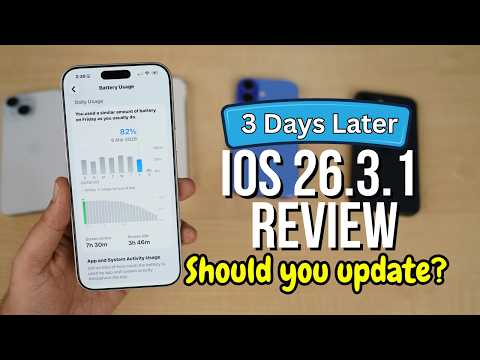
1. ✨ iOS 26.3.1 Update: A 3-Day In-Depth Review
· This is a detailed review based on 3 days of usage experience after installing the iOS 26.3.1 update.
· I updated on Thursday morning and used it extensively through Thursday, Friday, and Saturday.
· I updated on Thursday morning and used it extensively through Thursday, Friday, and Saturday.
00:00 - 00:33
1. ✨ iOS 26.3.1 Update: A 3-Day In-Depth Review
· This is a detailed review based on 3 days of usage experience after installing the iOS 26.3.1 update.
· I updated on Thursday morning and used it extensively through Thursday, Friday, and Saturday.
· I updated on Thursday morning and used it extensively through Thursday, Friday, and Saturday.
00:34 - 03:50
2. 🔋 Amazing Battery Performance and Efficiency
· Battery performance in this update is very positive.
· Idle battery drain is 0%, an improvement over the 1% drain in the previous 26.3 version.
· Battery health remained at 100% with no degradation.
· After charging to 100% on Friday midnight, I used it for approximately 38.5-39 hours with 1% remaining.
· Screen-on time reached a record high of 8 hours on the 17 Pro Max.
· Thanks to Apple's optimization and thermal control, battery life has significantly improved.
· Even when charging from 20%, you can expect 6.5-7 hours of screen-on time.
· Idle battery drain is 0%, an improvement over the 1% drain in the previous 26.3 version.
· Battery health remained at 100% with no degradation.
· After charging to 100% on Friday midnight, I used it for approximately 38.5-39 hours with 1% remaining.
· Screen-on time reached a record high of 8 hours on the 17 Pro Max.
| Category | Details |
|---|---|
| Idle Battery Drain | 0% (Previous 26.3 was 1%) |
| Battery Health | Maintained at 100% |
| Total Usage Time | Approx. 38.5~39 hours (at 1% remaining) |
| Screen On Time | Total 8 hours (17 Pro Max record high) Friday: 7 hours 30 minutes (82% battery used) Saturday: 36 minutes |
| Main App Usage (Friday) | Instagram: 32% battery, 2 hours 16 minutes X/Twitter: 1 hour 45 minutes WhatsApp: 1 hour 15 minutes (including background) Phone Calls: 1 hour 15 minutes YouTube: 11 minutes |
| Home & Lock Screen | 6% battery drain (including widgets) |
| Always-On Display | 1% battery drain |
· Even when charging from 20%, you can expect 6.5-7 hours of screen-on time.
03:51 - 04:43
3. 💾 Storage Optimization
· Storage management also showed improvement after the update.
· Free space, which was approximately 613GB before the update, initially decreased by 1GB right after the update but has now increased to 621GB.
· System data was about 26GB at the time of the update but has decreased to 18.81GB after 3 days of use. It is expected to further decrease to 15GB in the future.
· Overall, the increase in available free space is a positive change.
· Free space, which was approximately 613GB before the update, initially decreased by 1GB right after the update but has now increased to 621GB.
· System data was about 26GB at the time of the update but has decreased to 18.81GB after 3 days of use. It is expected to further decrease to 15GB in the future.
| Category | Details |
|---|---|
| Free Space Before Update | Approx. 613GB |
| Free Space After Update | 621GB (initially decreased by 1GB, then increased) |
| System Data | At time of update: Approx. 26GB Current: 18.81GB (expected to decrease to 15GB in the future) |
04:44 - 05:45
4. 📶 Stable Network Connection, AirDrop Bug Persists
· Network performance is generally good. No issues with call drops, failed calls, or Wi-Fi calling were found.
· Bluetooth connectivity also works smoothly with Apple Watch, AirPods, AirPods Max, and third-party headphones.
· However, the AirDrop bug still exists. It doesn't work when set to 'Contacts Only'; AirDrop is only possible when set to 'Everyone for 10 minutes'. This requires further verification through a clean installation.
· Bluetooth connectivity also works smoothly with Apple Watch, AirPods, AirPods Max, and third-party headphones.
· However, the AirDrop bug still exists. It doesn't work when set to 'Contacts Only'; AirDrop is only possible when set to 'Everyone for 10 minutes'. This requires further verification through a clean installation.
05:46 - 06:32
5. 🚀 Improved Performance and Effective Thermal Control
· App launch speeds are fast, and overall performance is excellent.
· There are almost no heating issues. The phone does not overheat even when charging with a 20W charger (overheating may occur with higher wattage chargers).
· Even with the ambient temperature currently reaching 37°C, the phone does not overheat, which is satisfying.
· Thanks to the vapor chamber, the 17 Pro Max did not experience screen brightness reduction during outdoor shooting. Older iPhones might have heating issues in summer, so it's advisable to refer to battery management tips.
· There are almost no heating issues. The phone does not overheat even when charging with a 20W charger (overheating may occur with higher wattage chargers).
· Even with the ambient temperature currently reaching 37°C, the phone does not overheat, which is satisfying.
· Thanks to the vapor chamber, the 17 Pro Max did not experience screen brightness reduction during outdoor shooting. Older iPhones might have heating issues in summer, so it's advisable to refer to battery management tips.
06:33 - 06:58
6. 🐞 Bugs Found: AirDrop and Minor UI Issues
· The AirDrop bug remains unresolved.
· A minor UI bug was found once, very rarely (about 1 in 1000 times), where the sender's image appeared distorted.
· Other than these, no serious major bugs were experienced, and it generally operates very smoothly.
· A minor UI bug was found once, very rarely (about 1 in 1000 times), where the sender's image appeared distorted.
· Other than these, no serious major bugs were experienced, and it generally operates very smoothly.
06:59 - 07:21
7. ⚠️ Tips to Prevent Green Screen Issues
· Older iPhone users, especially those with the 13 and 14 series, are at risk of experiencing green screen issues during updates.
· It is important to fully charge your phone and let it cool down sufficiently before proceeding with the update.
· If these preventive measures are taken, there is no significant need to worry about green screen issues with this update.
· It is important to fully charge your phone and let it cool down sufficiently before proceeding with the update.
· If these preventive measures are taken, there is no significant need to worry about green screen issues with this update.
07:22 - 08:10
8. ✅ iOS 26.3.1 Update, Should You Do It?
· iOS 26.3.1 is a much improved version over 26.3 and previous iOS 26 updates.
· The 3-day usage experience was very positive, with improvements in stability, network performance, and battery life.
· If your current iOS version is very stable and you have no issues, there's no need to update.
· However, if you are experiencing problems with your current iOS, this update is likely to resolve them.
· Overall, updating to iOS 26.3.1 would be a good decision.
· The 3-day usage experience was very positive, with improvements in stability, network performance, and battery life.
· If your current iOS version is very stable and you have no issues, there's no need to update.
· However, if you are experiencing problems with your current iOS, this update is likely to resolve them.
· Overall, updating to iOS 26.3.1 would be a good decision.