Post
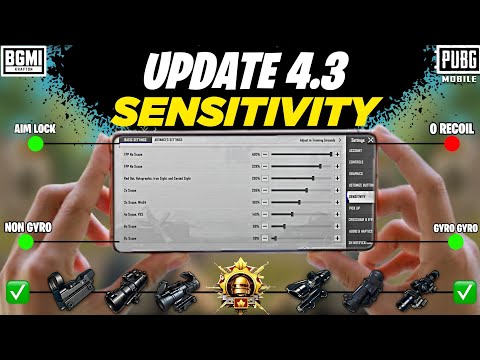
PUBG Mobile 4.3 Update: Perfect Zero Recoil Sensitivity and Optimization Settings GuideFor players struggling with game settings changed after the PUBG Mobile 4.3 update, this guide details the best zero recoil sensitivity and all game settings. From basic controls to graphics, audio, and gyroscope sensitivity, it provides expert setting tips to enhance your gameplay.
1. 🎮 Introducing 4.3 Update and Optimized Settings
· After the 4.3 update, overall in-game settings such as basic settings, sensitivity, controls, graphics, and audio have significantly changed.
· Many players are struggling to find the changed setting locations or optimize them.
· This guide will detail all settings for PUBG Mobile and BGMI, providing the best zero recoil sensitivity settings to help improve your gameplay.
· The settings have been verified through days of testing on numerous gaming devices.
· Many players are struggling to find the changed setting locations or optimize them.
· This guide will detail all settings for PUBG Mobile and BGMI, providing the best zero recoil sensitivity settings to help improve your gameplay.
· The settings have been verified through days of testing on numerous gaming devices.
00:15 - 01:26
1. 🎮 Introducing 4.3 Update and Optimized Settings
· After the 4.3 update, overall in-game settings such as basic settings, sensitivity, controls, graphics, and audio have significantly changed.
· Many players are struggling to find the changed setting locations or optimize them.
· This guide will detail all settings for PUBG Mobile and BGMI, providing the best zero recoil sensitivity settings to help improve your gameplay.
· The settings have been verified through days of testing on numerous gaming devices.
· Many players are struggling to find the changed setting locations or optimize them.
· This guide will detail all settings for PUBG Mobile and BGMI, providing the best zero recoil sensitivity settings to help improve your gameplay.
· The settings have been verified through days of testing on numerous gaming devices.
04:23 - 07:49
2. 🕹️ Basic and Advanced Control Settings
· With the 4.3 update, the control settings interface has become more intuitive, making it easy to check the function of each item and whether it's enabled/disabled.
· Basic Controls and Advanced Controls are optimized similarly to the settings used by pro players.
· Properly setting FPP, TPP, and Sprint Sensitivity will make character movement smoother, resolve stuttering or jiggling issues, and improve headshot accuracy.
· It is recommended to disable all settings related to Recording & Spreading to prevent in-game lag or ping issues.
· Basic Controls and Advanced Controls are optimized similarly to the settings used by pro players.
· Properly setting FPP, TPP, and Sprint Sensitivity will make character movement smoother, resolve stuttering or jiggling issues, and improve headshot accuracy.
· It is recommended to disable all settings related to Recording & Spreading to prevent in-game lag or ping issues.
08:01 - 09:37
3. 🖼️ Optimal Graphics Settings Guide
· Graphics settings are similar to before, but there are some visual changes, such as color adjustments.
· Always select Custom Graphics, and set the Combo to Smooth.
· Set the Frame Rate to the highest supported by your device (Ultra, Extreme, Extreme Plus, etc.).
· The following Advanced Graphics Settings are recommended:
· Lobby graphics can be freely set according to personal preference.
· Always select Custom Graphics, and set the Combo to Smooth.
· Set the Frame Rate to the highest supported by your device (Ultra, Extreme, Extreme Plus, etc.).
· The following Advanced Graphics Settings are recommended:
| Category | Details |
|---|---|
| Anti-aliasing | High-end devices: 4X Low-end devices: Disable |
| Other Advanced Settings | Disable all (to prevent automatic graphics changes) |
| Style | Colorful |
| Brightness | Max (in-game) |
| Colorblind Mode | Green and Red (last option) |
09:38 - 11:04
4. 👂 Audio Settings for Enemy Location Detection
· Audio settings are crucial for detecting enemy footsteps and locations.
· Set CFX Quality to the highest supported by your device (Ultra), and if there's a download option, you should download it first.
· The following audio settings are recommended:
· Using these settings will allow you to hear enemy sounds more clearly and pinpoint their direction accurately.
· Set CFX Quality to the highest supported by your device (Ultra), and if there's a download option, you should download it first.
· The following audio settings are recommended:
| Category | Value |
|---|---|
| Master Volume | Max |
| CFX Volume | Max |
| Gun Sound | 85 |
| Vehicle Sound | 85 |
11:05 - 12:17
5. 🎯 Camera and ADS Sensitivity Settings (Recoil Control Core)
· It is important to set Camera Sensitivity and ADS Sensitivity as shown on the screen.
· In particular, ADS Sensitivity plays a crucial role in controlling weapon recoil, so if it's disabled, you must enable it and apply the recommended settings.
· You will notice that recoil control becomes much easier when ADS sensitivity is set correctly.
· Also set Free Look Sensitivity as shown on the screen to optimize your field of view.
· In particular, ADS Sensitivity plays a crucial role in controlling weapon recoil, so if it's disabled, you must enable it and apply the recommended settings.
· You will notice that recoil control becomes much easier when ADS sensitivity is set correctly.
· Also set Free Look Sensitivity as shown on the screen to optimize your field of view.
12:18 - 13:34
6. 📱 Gyroscope Sensitivity Settings (For Gyro Players)
· Players who do not use the gyroscope can skip this section and apply only the previous sensitivity settings.
· Gyroscope Sensitivity and ADS Gyroscope Sensitivity must be set precisely as shown on the screen.
· Gyroscope sensitivity significantly impacts recoil control and precise aiming, so it's important to apply the suggested settings exactly.
· Since there's currently an issue with sensitivity share codes not working correctly, you must manually enter the settings shown on the screen.
· Gyroscope Sensitivity and ADS Gyroscope Sensitivity must be set precisely as shown on the screen.
· Gyroscope sensitivity significantly impacts recoil control and precise aiming, so it's important to apply the suggested settings exactly.
· Since there's currently an issue with sensitivity share codes not working correctly, you must manually enter the settings shown on the screen.