Post
Inazuma Eleven: Victory Road Save Editor Usage Guide (Skip the Grind)If you're tired of the endless grind in Inazuma Eleven: Victory Road, this guide is the answer. We'll show you in detail how to easily manage items, spirits, stats, and more using a save editor to optimize your gameplay. Skip unnecessary repetitive tasks and enjoy the game even more.
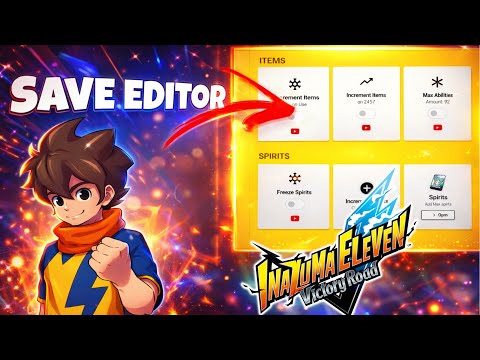
1. Introduction to Skipping the Grind in Inazuma Eleven: Victory Road 🎮
· The endless grind to get what you want in Inazuma Eleven: Victory Road can diminish the fun of the game.
· This video introduces how to use a save editor to skip unnecessary grinding and optimize your game files.
· This video introduces how to use a save editor to skip unnecessary grinding and optimize your game files.
00:00 - 00:20
1. Introduction to Skipping the Grind in Inazuma Eleven: Victory Road 🎮
· The endless grind to get what you want in Inazuma Eleven: Victory Road can diminish the fun of the game.
· This video introduces how to use a save editor to skip unnecessary grinding and optimize your game files.
· This video introduces how to use a save editor to skip unnecessary grinding and optimize your game files.
00:21 - 01:51
2. Save Editor and Anti-Cheat Bypass Installation Guide 🛠️
· This guide explains how to download and install the save editor and Easy Anti-Cheat Bypasser.
| Category | Details |
|---|---|
| Save Editor Download | · Download the latest version (1.7.4) from the link in the description · Unzip with software like WinRAR |
| Anti-Cheat Bypasser Download | · Download 'Easy Anti-Cheat Bypasser' from the link in the description |
| Check Game Folder | · Common path: C:\Program Files (x86)\Steam\steamapps\common\Inazuma Eleven Victory Road |
| File Backup (Required) | · Back up all files in the Victory Road folder to prepare for any contingencies |
| Bypasser Installation | · Copy/paste the downloaded Easy Anti-Cheat Bypasser into the game's main folder |
| Execution | · Run the save editor and the game simultaneously |
01:52 - 03:27
3. Infinite Item Usage and Spirit Summoning 🔄
· Item Freeze (Freeze Items): Activating this function in the save editor prevents items from being consumed when used. For example, you can open Bonus Star Packs indefinitely for infinite draws, and it also applies to shop items.
· Spirit Freeze (Free Spirits): Activating this function prevents spirits from being consumed when summoned, allowing you to summon all spirits indefinitely.
· Spirit Freeze (Free Spirits): Activating this function prevents spirits from being consumed when summoned, allowing you to summon all spirits indefinitely.
03:28 - 04:31
4. Item Quantity Increase on Use and Shop Purchase Multiplier 💰
· Increase Item on Use (Increase Item on Use): Activating this function causes the quantity of an item to increase when you use it. For example, using an enhancement item will give you more items.
· Store Multiplier (Store Multiplier): Activating this function and purchasing items from the shop will grant you an enormous quantity (e.g., 4,984 items). You can instantly fill your inventory to its maximum (999 items).
· Store Multiplier (Store Multiplier): Activating this function and purchasing items from the shop will grant you an enormous quantity (e.g., 4,984 items). You can instantly fill your inventory to its maximum (999 items).
04:32 - 05:35
5. Maximize Stats and Unlock All Spirits 🌟
· Max Stats (Max Abilities): Enter your desired value (e.g., 80) and activate it to set all special moves and passive abilities to that value.
· Toggle All Spirits (Toggle All Spirits): Activating this function unlocks and grants you all hero spirits in the game. (If you already possess them, they might show as 2.)
· The 'Increase Spirits' and 'Player Spirits' functions are not covered in this video.
· Toggle All Spirits (Toggle All Spirits): Activating this function unlocks and grants you all hero spirits in the game. (If you already possess them, they might show as 2.)
· The 'Increase Spirits' and 'Player Spirits' functions are not covered in this video.
05:46 - 07:28
6. Unlimited Purchase of Spirits and General Shop Items 🛍️
· Free Buy for Spirit Market (Free Buy for Spirit Market): Activating this function allows you to purchase all items in the Spirit Market indefinitely. Although the quantity shows as 999 upon purchase, they are not actually consumed.
· Free Buy for Shop Items (Free Buy for Shop Items): Activating this function allows you to purchase general shop items even without Victory Stones. Victory Stones might be consumed upon purchase, but you can still buy even if your balance is 0.
· The 'Unlimited Heroes and Legends' function is not covered in this video.
· Free Buy for Shop Items (Free Buy for Shop Items): Activating this function allows you to purchase general shop items even without Victory Stones. Victory Stones might be consumed upon purchase, but you can still buy even if your balance is 0.
· The 'Unlimited Heroes and Legends' function is not covered in this video.
07:29 - 08:43
7. Player Level Adjustment and Super-Fast Spirit Enhancement 🚀
· Player Level (Player Level): Enter your desired level (e.g., 50 or 99) and apply it to change all players' levels to that value. Reopen the team menu to confirm the applied levels.
· Enhance 9999 with one spirit (Enhance 9999 with one spirit): Activating this function allows you to enhance a character to its maximum (9999) using only one spirit.
· Enhance 9999 with one spirit (Enhance 9999 with one spirit): Activating this function allows you to enhance a character to its maximum (9999) using only one spirit.
08:44 - 09:14
8. Advanced Features Using Cheat Engine Preview 💡
· Functions not covered in this video, such as 'Player Spirits', 'Passive Values', 'Special Techniques', and 'Custom Passives', must be implemented using Cheat Engine.
· These advanced features will be covered in more detail in the next video.
· These advanced features will be covered in more detail in the next video.