Post
HumanitZ Admin Commands Complete Guide: Essential Console Commands to Master Your ServerIf you want to have complete control over your game world by running a single-player or multiplayer server in HumanitZ, admin commands are essential. This guide will walk you through how to activate admin commands and properly use core console commands for item spawning, player management, zombie control, and more.
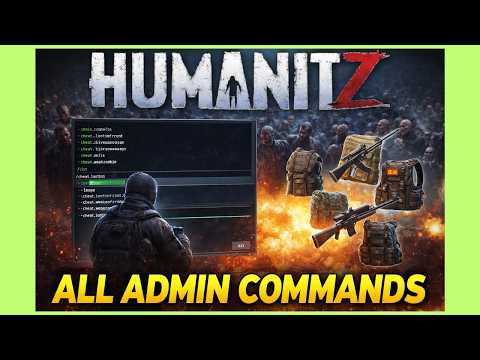
1. 🎮 Activating HumanitZ Admin Commands and Flight Mode
· In HumanitZ, admin commands are powerful tools that allow you to manipulate the game in real-time.
· In single-player, admin commands are enabled by default.
· To activate flight mode, type /superadmin into the chat or command window. Press the spacebar to ascend and the control key to descend.
· To exit flight mode, type /superadmin again, but be careful as you may take fall damage.
· On a multiplayer server, you can gain admin privileges by entering the command adminaccess [password].
· In single-player, admin commands are enabled by default.
· To activate flight mode, type /superadmin into the chat or command window. Press the spacebar to ascend and the control key to descend.
· To exit flight mode, type /superadmin again, but be careful as you may take fall damage.
· On a multiplayer server, you can gain admin privileges by entering the command adminaccess [password].
00:01 - 01:31
1. 🎮 Activating HumanitZ Admin Commands and Flight Mode
· In HumanitZ, admin commands are powerful tools that allow you to manipulate the game in real-time.
· In single-player, admin commands are enabled by default.
· To activate flight mode, type /superadmin into the chat or command window. Press the spacebar to ascend and the control key to descend.
· To exit flight mode, type /superadmin again, but be careful as you may take fall damage.
· On a multiplayer server, you can gain admin privileges by entering the command adminaccess [password].
· In single-player, admin commands are enabled by default.
· To activate flight mode, type /superadmin into the chat or command window. Press the spacebar to ascend and the control key to descend.
· To exit flight mode, type /superadmin again, but be careful as you may take fall damage.
· On a multiplayer server, you can gain admin privileges by entering the command adminaccess [password].
01:57 - 04:54
2. 🛠️ Core Admin Commands and Admin Panel Usage
· Entering the God command activates invincibility mode, making you unkillable; entering it again deactivates it.
· Entering the admin W command opens the admin panel, which allows you to efficiently manage the server.
· The main functions of the admin panel are as follows:
· Entering the admin W command opens the admin panel, which allows you to efficiently manage the server.
· The main functions of the admin panel are as follows:
| Category | Details |
|---|---|
| Player Management | Teleport to another player Teleport another player to yourself Kick, ban, kill players |
| Mode Toggles | Activate/Deactivate Super Admin Mode Activate/Deactivate God Mode |
| Item Spawning | Instantly spawn various backpacks |
| Environment Control | Accelerate time Change season (Spring, Autumn, etc.) Change weather patterns (Clear, Rain, etc.) Toggle Day/Night |
| AI and Events | Spawn AI and NPCs Spawn zombie events (Event number refers to elapsed days; more days mean more enemies) |
| Other Utilities | Recover inventory upon death Level up Restore all health Unclaim ownership of all vehicles Send private messages to specific players on the server |
04:55 - 06:46
3. 📚 Additional Admin Command Information and Resources
· You can also test the function of teleporting to spawn points via the admin panel.
· If you need more admin commands, it's recommended to refer to the Steam community guide linked in the video description.
· Although that guide was updated before version 1.0, most commands still work.
· Since the 1.0 release, the admin console menu has become much more detailed, so you can experiment with various commands by using both the in-game panel and external guides.
· If you need more admin commands, it's recommended to refer to the Steam community guide linked in the video description.
· Although that guide was updated before version 1.0, most commands still work.
· Since the 1.0 release, the admin console menu has become much more detailed, so you can experiment with various commands by using both the in-game panel and external guides.