Post
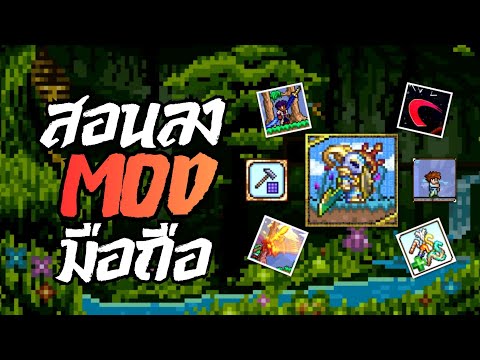
Terraria Mobile Mod Installation Guide: Let's create your own game with TL Pro!This video introduces how to install and apply various mods in the mobile version of Terraria. It provides detailed guidance on finding desired mods through a Discord server and easily applying them to the game using the TL Pro app. Now you can enjoy a richer Terraria experience on mobile by adding new items and features.
1. 🎮 Getting Mod Information on Discord
· This video introduces how to install mods in the mobile version of Terraria.
· First, connect to the 'Lemon Studio' Discord server to check mod information.
· On Discord, you can find mod-related news through various channels such as Developer Updates, Media Sharing, TL Pro Mods, After Moon Mods, and AU Outro Mods.
· Specifically, you can find mods like Murasama and English Utility Vendor in the 'AU Outro Mod' channel.
· It mainly covers mods suitable for mobile environments, and large-scale mods like Calamity are not included.
· First, connect to the 'Lemon Studio' Discord server to check mod information.
· On Discord, you can find mod-related news through various channels such as Developer Updates, Media Sharing, TL Pro Mods, After Moon Mods, and AU Outro Mods.
· Specifically, you can find mods like Murasama and English Utility Vendor in the 'AU Outro Mod' channel.
· It mainly covers mods suitable for mobile environments, and large-scale mods like Calamity are not included.
00:00 - 02:19
1. 🎮 Getting Mod Information on Discord
· This video introduces how to install mods in the mobile version of Terraria.
· First, connect to the 'Lemon Studio' Discord server to check mod information.
· On Discord, you can find mod-related news through various channels such as Developer Updates, Media Sharing, TL Pro Mods, After Moon Mods, and AU Outro Mods.
· Specifically, you can find mods like Murasama and English Utility Vendor in the 'AU Outro Mod' channel.
· It mainly covers mods suitable for mobile environments, and large-scale mods like Calamity are not included.
· First, connect to the 'Lemon Studio' Discord server to check mod information.
· On Discord, you can find mod-related news through various channels such as Developer Updates, Media Sharing, TL Pro Mods, After Moon Mods, and AU Outro Mods.
· Specifically, you can find mods like Murasama and English Utility Vendor in the 'AU Outro Mod' channel.
· It mainly covers mods suitable for mobile environments, and large-scale mods like Calamity are not included.
02:20 - 04:44
2. 📥 Downloading Desired Mods
· Select and download the desired mod files from the Discord 'AU Outro Mod' channel.
· As an example, the process of downloading 'Murasama Fix Weapon' and 'English Utility Vendor' mods is shown.
· It's important to check for the latest version of the files when downloading, and be aware of the potential risk of virus infection during file downloads.
· After the download is complete, verify in the file manager that the mod files have been saved correctly.
· As an example, the process of downloading 'Murasama Fix Weapon' and 'English Utility Vendor' mods is shown.
· It's important to check for the latest version of the files when downloading, and be aware of the potential risk of virus infection during file downloads.
· After the download is complete, verify in the file manager that the mod files have been saved correctly.
04:45 - 07:57
3. 🛠️ Mod Installation and In-Game Verification using TL Pro
· Run the TL Pro app, and if it's your first time using it, set the language to English.
· Navigate to the 'Resource Pack' section within TL Pro and import the downloaded mod files.
· After confirming that the imported mods are successfully installed, select the mods to activate in the 'Mods' section and press 'Apply' to enable them.
· Once all settings are complete, launch Terraria through TL Pro.
· In-game, verify that the installed mods are working correctly, such as the Murasama sword, the ability to wear items on your back, and additional items in NPC shops.
· Some mods may have bugs, so caution is advised. For viewers' convenience, verified mods will be shared on Google Drive.
· Navigate to the 'Resource Pack' section within TL Pro and import the downloaded mod files.
· After confirming that the imported mods are successfully installed, select the mods to activate in the 'Mods' section and press 'Apply' to enable them.
· Once all settings are complete, launch Terraria through TL Pro.
· In-game, verify that the installed mods are working correctly, such as the Murasama sword, the ability to wear items on your back, and additional items in NPC shops.
· Some mods may have bugs, so caution is advised. For viewers' convenience, verified mods will be shared on Google Drive.