Post
Baldur's Gate 3 and other Steam games on your Android phoneFind out how to play Baldur's Gate 3 and other demanding PC games directly on your Android phone. This guide introduces two key apps, GameHub and Game Native, that allow streaming games from Steam to mobile devices.
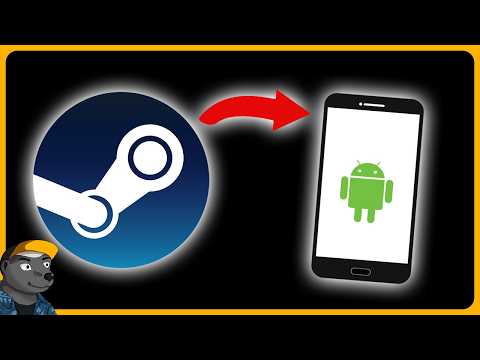
1. 🎮 How to Play Steam Games on Android
· Playing Baldur's Gate 3 on a phone is possible thanks to Steam and cloud saves.
· The game displays on-screen controls, but external controllers, keyboards, and mice can also be connected.
· The phone can be connected to a TV for a larger screen, although with potentially lower image quality.
· The game displays on-screen controls, but external controllers, keyboards, and mice can also be connected.
· The phone can be connected to a TV for a larger screen, although with potentially lower image quality.
00:00 - 00:40
1. 🎮 How to Play Steam Games on Android
· Playing Baldur's Gate 3 on a phone is possible thanks to Steam and cloud saves.
· The game displays on-screen controls, but external controllers, keyboards, and mice can also be connected.
· The phone can be connected to a TV for a larger screen, although with potentially lower image quality.
· The game displays on-screen controls, but external controllers, keyboards, and mice can also be connected.
· The phone can be connected to a TV for a larger screen, although with potentially lower image quality.
00:41 - 01:40
2. 🚀 Two Apps for Emulating Steam Games on Android
· There are two main apps for running Steam games on Android devices: GameHub and Game Native.
· Both apps allow access to your Steam library, cloud saves, and achievements.
· The apps need to be downloaded from their official websites and installed as apps from unknown sources.
· Both apps allow access to your Steam library, cloud saves, and achievements.
· The apps need to be downloaded from their official websites and installed as apps from unknown sources.
01:41 - 02:53
3. ⚠️ GameHub: Potential Issues and Controversy
· GameHub from GameSir is one option, but it doesn't work for the author.
· There are concerns about data security due to the company's Chinese origin and potential misuse of code from other emulators.
· Although the app doesn't work, it doesn't request suspicious permissions.
· There are concerns about data security due to the company's Chinese origin and potential misuse of code from other emulators.
· Although the app doesn't work, it doesn't request suspicious permissions.
02:54 - 04:45
4. ✅ Game Native: A Safer Alternative with Many Options
· Game Native is the second app, with no known controversies surrounding it.
· It supports achievements, cloud saves, and your entire Steam library.
· Installation requires enabling apps from unknown sources, which might be scary for some users.
· The app offers many settings that can be confusing for beginners.
· It supports achievements, cloud saves, and your entire Steam library.
· Installation requires enabling apps from unknown sources, which might be scary for some users.
· The app offers many settings that can be confusing for beginners.
04:46 - 06:42
5. ⚙️ Game Native Settings and Performance
· Game Native has pre-set configurations for various games that try to automatically adjust the resolution.
· This can lead to black bars around the screen if the game runs at a different aspect ratio than the phone's display.
· Game performance depends on the phone's power; the latest Snapdragon chips provide the best results.
· Older and less demanding games, including indie titles, should run well even on older phones.
· This can lead to black bars around the screen if the game runs at a different aspect ratio than the phone's display.
· Game performance depends on the phone's power; the latest Snapdragon chips provide the best results.
· Older and less demanding games, including indie titles, should run well even on older phones.
06:43 - 08:53
6. 🎮 Experience with Demanding Games (Baldur's Gate 3, Cyberpunk)
· Baldur's Gate 3 runs on the phone with occasional stuttering and visual glitches, like flickering textures.
· Cyberpunk 2077 is playable but with a very low frame rate (FPS), making it almost unplayable.
· Future driver updates and advanced settings might improve performance.
· There are videos showing how to run GTA V or newer Resident Evil games on similar devices.
· Cyberpunk 2077 is playable but with a very low frame rate (FPS), making it almost unplayable.
· Future driver updates and advanced settings might improve performance.
· There are videos showing how to run GTA V or newer Resident Evil games on similar devices.
08:54 - 10:19
7. 👍 Ideal Games for Mobile Gaming via Steam
· Games older than 10 years, like Dishonored or The Witcher, work without issues.
· All 2D games, pixel art games, isometric RPGs, and roguelike games (e.g., The Binding of Isaac, Slay the Spire) work great.
· These games are ideal for playing on the go or while waiting.
· The ability to play old favorite games on your phone is a great game changer.
· All 2D games, pixel art games, isometric RPGs, and roguelike games (e.g., The Binding of Isaac, Slay the Spire) work great.
· These games are ideal for playing on the go or while waiting.
· The ability to play old favorite games on your phone is a great game changer.
10:20 - 11:12
8. ☁️ Cloud Saves and Synchronization
· An internet connection is required to synchronize cloud saves.
· The synchronization process is automatic and seamless, similar to the Steam Deck.
· Being able to continue playing on your phone where you left off on your PC is very convenient and fascinating.
· The synchronization process is automatic and seamless, similar to the Steam Deck.
· Being able to continue playing on your phone where you left off on your PC is very convenient and fascinating.
11:13 - 12:33
9. 🔧 Advanced Settings and Drivers in Game Native
· In Game Native, you need to experiment with settings for each game to make it work optimally.
· The app offers various drivers for optimizing performance on specific phone hardware.
· Using different drivers can affect the performance of different games; for example, the Turnip driver worked well for Baldur's Gate 3 but not for Cyberpunk.
· The app offers various drivers for optimizing performance on specific phone hardware.
· Using different drivers can affect the performance of different games; for example, the Turnip driver worked well for Baldur's Gate 3 but not for Cyberpunk.
12:34 - 13:56
10. 💡 Community and Future Development
· For more complex games, it might be better not to try them on your phone if you don't enjoy experimenting with settings.
· There's a large online community (YouTube, forums) where people share their settings for various games.
· The development of mobile processors and apps like Game Native continues, indicating future performance improvements.
· The author recommends following the channel for more videos and possibly supporting the creation.
· There's a large online community (YouTube, forums) where people share their settings for various games.
· The development of mobile processors and apps like Game Native continues, indicating future performance improvements.
· The author recommends following the channel for more videos and possibly supporting the creation.