Post
Free Fire Skin Mod Application Complete Guide: Available for both Android & iOS!This guide shows you how to freely apply any skin you want in Free Fire. It works on both Android and iOS devices and includes various tips for applying skins to make your gameplay more fun.
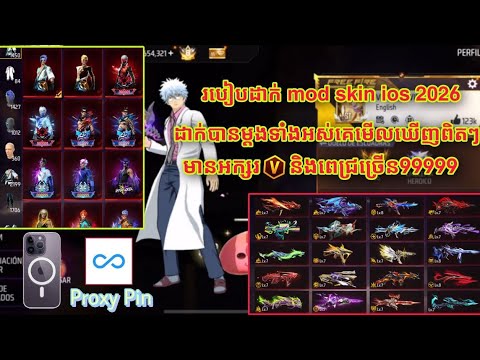
1. 🎮 Intro to Skin Mods & What You Can Apply
· This video explains how to apply skin mods in Free Fire.
· This guide is for those who don't know how to apply skin mods yet.
· Skin mods can be applied on both Android and iOS devices.
· You can apply all outfits and weapon skins that appear in the game.
· This guide is for those who don't know how to apply skin mods yet.
· Skin mods can be applied on both Android and iOS devices.
· You can apply all outfits and weapon skins that appear in the game.
00:00 - 00:25
1. 🎮 Intro to Skin Mods & What You Can Apply
· This video explains how to apply skin mods in Free Fire.
· This guide is for those who don't know how to apply skin mods yet.
· Skin mods can be applied on both Android and iOS devices.
· You can apply all outfits and weapon skins that appear in the game.
· This guide is for those who don't know how to apply skin mods yet.
· Skin mods can be applied on both Android and iOS devices.
· You can apply all outfits and weapon skins that appear in the game.
00:26 - 00:58
2. 👕 Precautions When Applying Outfit & Weapon Skins
· Applied skins are only visible to you and not to other players.
· However, some special skins (e.g., skins purchased with diamonds) can be seen by other players.
· Mods that disrupt game balance, like '999 bullets per shot mods,' are unsafe and not recommended.
· However, some special skins (e.g., skins purchased with diamonds) can be seen by other players.
· Mods that disrupt game balance, like '999 bullets per shot mods,' are unsafe and not recommended.
00:59 - 01:33
3. ✨ Preview & Select Various Skins
· The video previews a variety of outfit and weapon skins.
· You can select and apply the skins you want.
· Rare skins like 'Ruby' are also included.
· You can select and apply the skins you want.
· Rare skins like 'Ruby' are also included.
01:34 - 02:27
4. ⏳ Skin Mod Time Limits & Reapplication Guide
· Skin mods have a time limit, usually lasting for 1 hour.
· After the time expires, the skins will disappear, and you'll need to reapply them.
· If you're not satisfied with the applied skin, you can reapply it.
· After the time expires, the skins will disappear, and you'll need to reapply them.
· If you're not satisfied with the applied skin, you can reapply it.
02:28 - 04:44
5. ⚙️ File Installation & Setup for Skin Mods
· To apply skin mods, you need to install specific files (e.g., 'com.dts.freefireth').
· In the settings menu, find and install the file through 'File Manager' or a similar app.
· During installation, you might need to enable additional settings like 'Unknown sources.'
· After installation, check in the game to see if the skins have been applied.
· In the settings menu, find and install the file through 'File Manager' or a similar app.
· During installation, you might need to enable additional settings like 'Unknown sources.'
· After installation, check in the game to see if the skins have been applied.
04:45 - 05:54
6. 📸 Applying Mods for Screenshots & Video Recording
· After applying skin mods, you can take screenshots or record videos.
· You can use specific apps (e.g., VN) to record footage of your skinned gameplay.
· After applying skins, create your desired scenes in the game and record them.
· You can use specific apps (e.g., VN) to record footage of your skinned gameplay.
· After applying skins, create your desired scenes in the game and record them.
05:55 - 06:53
7. ✅ Skin Mod Application Complete & Final Check
· Once the skin mod application process is complete, verify in-game that the skins have been applied correctly.
· Equip the applied skins and enjoy the game.
· Watching ads may be included as part of the mod application process.
· Equip the applied skins and enjoy the game.
· Watching ads may be included as part of the mod application process.
06:54 - 07:54
8. 🤩 Gameplay with Applied Skins & Satisfaction
· This is gameplay footage after applying the skin mods.
· Enjoy the game with characters wearing various skins and express satisfaction.
· Mods that affect gameplay, like the '999 bullets per shot mod,' are also mentioned. (Note: Such mods are not recommended.)
· Enjoy the game with characters wearing various skins and express satisfaction.
· Mods that affect gameplay, like the '999 bullets per shot mod,' are also mentioned. (Note: Such mods are not recommended.)