Post
Diablo 4 Horadric Cube Complete Usage Guide: From Item Crafting to FusionWant to make item farming and character progression more efficient in Diablo 4? This guide covers everything you need to know to upgrade your gameplay by utilizing the core features of the Horadric Cube, including item crafting, aspect extraction, unique item recycling, set amulet option changes, and various fusion systems.
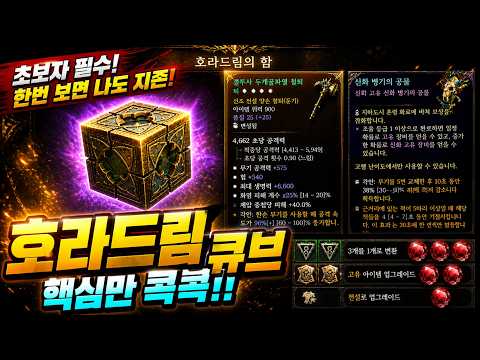
1. ✨ Basic Item Crafting and Option Modification
· You can craft items by adding desired affixes to magic (blue) or rare (yellow) items obtained during hunting.
· Use the 'Scrying' item found in the 'Consumables' tab to imbue desired options like skills, core stats, resistances, or attack properties.
· You can remove unwanted affixes using 'Remove Affix,' but be cautious as this may also remove starred affixes.
· You can increase the value of desired options by replacing them at the 'Enchantress.'
· For armor, if you want to remove a life affix and add another stat, select the defensive affix in the 'Remove Affix' tab to randomly remove life or defense.
· Afterward, imbue desired core stats or resource affixes through 'Add Affix,' and finally complete the desired options through 'Enchanting.'
· Completed gear can have its affix values further increased through 'Tempering,' and specific affixes like maximum life can be re-rolled using 'Chance to Replace.'
· Finally, you can complete it into a legendary item with the desired affixes.
· Use the 'Scrying' item found in the 'Consumables' tab to imbue desired options like skills, core stats, resistances, or attack properties.
· You can remove unwanted affixes using 'Remove Affix,' but be cautious as this may also remove starred affixes.
· You can increase the value of desired options by replacing them at the 'Enchantress.'
· For armor, if you want to remove a life affix and add another stat, select the defensive affix in the 'Remove Affix' tab to randomly remove life or defense.
· Afterward, imbue desired core stats or resource affixes through 'Add Affix,' and finally complete the desired options through 'Enchanting.'
· Completed gear can have its affix values further increased through 'Tempering,' and specific affixes like maximum life can be re-rolled using 'Chance to Replace.'
· Finally, you can complete it into a legendary item with the desired affixes.
00:21 - 03:23
1. ✨ Basic Item Crafting and Option Modification
· You can craft items by adding desired affixes to magic (blue) or rare (yellow) items obtained during hunting.
· Use the 'Scrying' item found in the 'Consumables' tab to imbue desired options like skills, core stats, resistances, or attack properties.
· You can remove unwanted affixes using 'Remove Affix,' but be cautious as this may also remove starred affixes.
· You can increase the value of desired options by replacing them at the 'Enchantress.'
· For armor, if you want to remove a life affix and add another stat, select the defensive affix in the 'Remove Affix' tab to randomly remove life or defense.
· Afterward, imbue desired core stats or resource affixes through 'Add Affix,' and finally complete the desired options through 'Enchanting.'
· Completed gear can have its affix values further increased through 'Tempering,' and specific affixes like maximum life can be re-rolled using 'Chance to Replace.'
· Finally, you can complete it into a legendary item with the desired affixes.
· Use the 'Scrying' item found in the 'Consumables' tab to imbue desired options like skills, core stats, resistances, or attack properties.
· You can remove unwanted affixes using 'Remove Affix,' but be cautious as this may also remove starred affixes.
· You can increase the value of desired options by replacing them at the 'Enchantress.'
· For armor, if you want to remove a life affix and add another stat, select the defensive affix in the 'Remove Affix' tab to randomly remove life or defense.
· Afterward, imbue desired core stats or resource affixes through 'Add Affix,' and finally complete the desired options through 'Enchanting.'
· Completed gear can have its affix values further increased through 'Tempering,' and specific affixes like maximum life can be re-rolled using 'Chance to Replace.'
· Finally, you can complete it into a legendary item with the desired affixes.
03:27 - 04:14
2. 🌟 Easily Farm Legendary Aspects
· Useful when it's difficult to farm legendary aspects while leveling a secondary character or in the early game.
· Pick up blue or yellow items, upgrade them to rare items using 'Add Affix,' and then select 'Upgrade to Legendary' to obtain a random aspect imbued on the gear.
· This allows you to secure necessary aspects a bit more easily in the early stages.
· Pick up blue or yellow items, upgrade them to rare items using 'Add Affix,' and then select 'Upgrade to Legendary' to obtain a random aspect imbued on the gear.
· This allows you to secure necessary aspects a bit more easily in the early stages.
04:15 - 05:41
3. 💎 Item Transmutation: Carefully Change Options
· After completing an item, go to the 'Jeweler,' add a 'Socket,' and then proceed with 'Transmutation.'
· After transmutation, all options except gems will remain unchanged, so you must change to the desired aspect before transmuting.
· Transmutation can randomly grant options like weapon damage, and it's crucial to make careful decisions as the 'Cannot Change Affix' option may be applied.
· For necklaces specifically, you can use the 'Kule's Grace' scrying item to imbue additional options even after transmutation.
· Using 'Kule's Grace' adds an extra option to the necklace, and you can repeat transmutation until you get the desired option.
· Legendary necklaces can have desired aspect options added separately from transmutation.
· After transmutation, all options except gems will remain unchanged, so you must change to the desired aspect before transmuting.
· Transmutation can randomly grant options like weapon damage, and it's crucial to make careful decisions as the 'Cannot Change Affix' option may be applied.
· For necklaces specifically, you can use the 'Kule's Grace' scrying item to imbue additional options even after transmutation.
· Using 'Kule's Grace' adds an extra option to the necklace, and you can repeat transmutation until you get the desired option.
· Legendary necklaces can have desired aspect options added separately from transmutation.
05:42 - 07:04
4. 🌟 Recycle Unique Items and Reset Options
· Use this when the options on unique items needed for your build are unsatisfactory.
· Place three of the same unique item into the Horadric Cube and synthesize them with random options through 'Recycle Unique Item.'
· If you don't get the desired options while farming bosses, it's good to collect the items without breaking them and then recycle them using this method.
· Sometimes, starred affixes can appear during the synthesis process.
· Through the 'Reset Unique Power' function, you can randomly change the unique property options at the bottom using 'Tempered Ancestral Dust.'
· If the unique options at the top are good, you can further upgrade the item by resetting the options at the bottom.
·
· Place three of the same unique item into the Horadric Cube and synthesize them with random options through 'Recycle Unique Item.'
· If you don't get the desired options while farming bosses, it's good to collect the items without breaking them and then recycle them using this method.
· Sometimes, starred affixes can appear during the synthesis process.
· Through the 'Reset Unique Power' function, you can randomly change the unique property options at the bottom using 'Tempered Ancestral Dust.'
· If the unique options at the top are good, you can further upgrade the item by resetting the options at the bottom.
·
07:05 - 08:18
5. ✨ Craft and Convert Unique Amulets
· This is an easy way to obtain unique amulets like the 'Amulet of the Banished.'
· Craft an amulet using silver coins or items obtained from hunting, then make it a normal item using 'Remove Affix' in the Horadric Cube.
· Afterward, select 'Upgrade to Unique Item' to create a unique item, and then convert it to obtain unique amulets like the 'Amulet of the Banished.'
· This is an easier way to obtain unique amulets than farming bosses.
· Once you have three or more unique amulets obtained this way, you can use the 'Craft Unique Amulet' function to get the desired unique amulet.
· This helps in acquiring unique amulets without much burden during the growth phase.
· Craft an amulet using silver coins or items obtained from hunting, then make it a normal item using 'Remove Affix' in the Horadric Cube.
· Afterward, select 'Upgrade to Unique Item' to create a unique item, and then convert it to obtain unique amulets like the 'Amulet of the Banished.'
· This is an easier way to obtain unique amulets than farming bosses.
· Once you have three or more unique amulets obtained this way, you can use the 'Craft Unique Amulet' function to get the desired unique amulet.
· This helps in acquiring unique amulets without much burden during the growth phase.
08:19 - 09:25
6. 🌟 Randomly Change Set Amulet Options
· Use this to equip desired amulets for each class and obtain better options.
· Disassembling amulets obtained through hunting yields 'Horadric Sap.'
· Use this material to perform 'Random Set Amulet Change,' which will randomly alter the amulet's options.
· During conversion, the amulet type changes, and the options at the top also change. You can continue using materials to obtain random amulets with 'starred' options.
· This is useful for optimizing set amulet options to make your character even stronger.
· Disassembling amulets obtained through hunting yields 'Horadric Sap.'
· Use this material to perform 'Random Set Amulet Change,' which will randomly alter the amulet's options.
· During conversion, the amulet type changes, and the options at the top also change. You can continue using materials to obtain random amulets with 'starred' options.
· This is useful for optimizing set amulet options to make your character even stronger.
09:26 - 11:54
7. 💎 Utilize the Fusion System: Synthesize Uber Items, Seals, and Gems
· Obtain Uber Items:
· Collect five 'Superior Offering of the Artificer' and convert them into 'Mythic Offering of the Artificer.'
· Obtain 'Mythic Offerings' by defeating 'Dimensional Scamp' in 'Krask's Undercity,' and synthesizing them yields two Uber items.
· Consistently collecting offerings through hunting or conversion is important.
· Synthesize Nightmare Dungeon Entry Tickets:
· Synthesize five Nightmare Dungeon entry tickets obtained during hunting and convert them into 'Legendary Deep Seal.'
· This allows you to obtain deep seals that can challenge the 'Astaroth' boss.
· Utilize Boss Elixirs:
· Use five 'Boss Elixirs' obtained during hunting to randomly acquire boss-exclusive unique items.
· Synthesize Gems:
· Use 'Gem Shards' to craft desired gems (e.g., Rubies) and convert them to create 'Horadric Rubies.'
· Horadric Gems provide high stats, and collecting six can grant 24% critical hit chance.
· It's possible to fuse five Horadric Gems to create 'Perfect Horadric Gems.'
· Collect five 'Superior Offering of the Artificer' and convert them into 'Mythic Offering of the Artificer.'
· Obtain 'Mythic Offerings' by defeating 'Dimensional Scamp' in 'Krask's Undercity,' and synthesizing them yields two Uber items.
· Consistently collecting offerings through hunting or conversion is important.
· Synthesize Nightmare Dungeon Entry Tickets:
· Synthesize five Nightmare Dungeon entry tickets obtained during hunting and convert them into 'Legendary Deep Seal.'
· This allows you to obtain deep seals that can challenge the 'Astaroth' boss.
· Utilize Boss Elixirs:
· Use five 'Boss Elixirs' obtained during hunting to randomly acquire boss-exclusive unique items.
· Synthesize Gems:
· Use 'Gem Shards' to craft desired gems (e.g., Rubies) and convert them to create 'Horadric Rubies.'
· Horadric Gems provide high stats, and collecting six can grant 24% critical hit chance.
· It's possible to fuse five Horadric Gems to create 'Perfect Horadric Gems.'