Post
How to safely transfer your Free Fire account from Facebook to GoogleAre you having trouble using your Free Fire game account due to Facebook account issues? This video will guide you through the entire process of safely transferring your Facebook account to a Google account and recovering your account in case of hacking or unusual situations. Check it out now and protect your valuable game account!
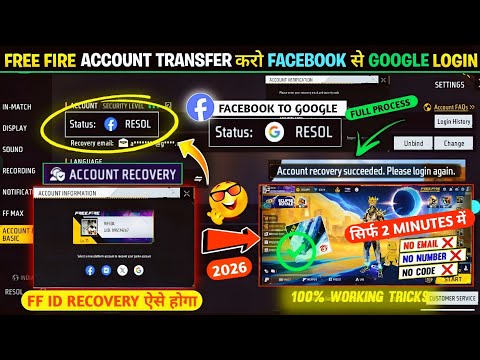
1. 🎮 Importance of Account Transfer and Recovery
· Explains the necessity of protecting and transferring your game account when Facebook account issues arise.
· Guides you on how to safely recover your account and transfer it to another platform in unexpected situations like hacking or suspension.
· Guides you on how to safely recover your account and transfer it to another platform in unexpected situations like hacking or suspension.
00:00 - 00:34
1. 🎮 Importance of Account Transfer and Recovery
· Explains the necessity of protecting and transferring your game account when Facebook account issues arise.
· Guides you on how to safely recover your account and transfer it to another platform in unexpected situations like hacking or suspension.
· Guides you on how to safely recover your account and transfer it to another platform in unexpected situations like hacking or suspension.
00:35 - 01:33
2. ⚙️ Checking Account Settings and Preparing for Transfer
· Checks the current account linkage status (Facebook) in the in-game settings menu.
· Emphasizes the need to consider transferring your account to another platform like Google as a precaution against Facebook account instability or hacking risks.
· Explains the importance of the preparation process for account transfer and recovery.
· Emphasizes the need to consider transferring your account to another platform like Google as a precaution against Facebook account instability or hacking risks.
· Explains the importance of the preparation process for account transfer and recovery.
01:34 - 03:04
3. 🔑 Setting Up Recovery Email and Verification Process
· Guides you on how to set up a recovery email through the in-game 'Bind' option.
· Shows in detail the process of entering the email address to be used and receiving and entering the verification code sent by Garena.
· Explains how to set a 6-digit security code for security, checking the verification code's validity period (10 minutes).
· Confirms that the recovery email binding has been successfully completed.
· Shows in detail the process of entering the email address to be used and receiving and entering the verification code sent by Garena.
· Explains how to set a 6-digit security code for security, checking the verification code's validity period (10 minutes).
· Confirms that the recovery email binding has been successfully completed.
03:05 - 04:09
4. ⏳ Account Transfer Waiting Period and Precautions
· Informs you that a 14-day waiting period is required for account transfer after setting up the recovery email.
· Stresses the importance of not pressing the 'Cancel' button during this period.
· Explains that options related to the recovery email (Unbind, Change, etc.) will be activated after 14 days.
· Stresses the importance of not pressing the 'Cancel' button during this period.
· Explains that options related to the recovery email (Unbind, Change, etc.) will be activated after 14 days.
04:10 - 05:56
5. 🔄 Attempting Account Recovery and Platform Transfer (Google)
· Demonstrates the account recovery process assuming a situation where Facebook account access is impossible.
· Guides you through identity verification by receiving an authentication code to your recovery email via the in-game 'Account Recovery' option and entering it.
· Shows a scenario where Google is selected as the platform to transfer to, but an error 'Platform already bound' occurs because a Free Fire account already exists on that Google account.
· Advises that a new Google account must be created in this case.
· Guides you through identity verification by receiving an authentication code to your recovery email via the in-game 'Account Recovery' option and entering it.
· Shows a scenario where Google is selected as the platform to transfer to, but an error 'Platform already bound' occurs because a Free Fire account already exists on that Google account.
· Advises that a new Google account must be created in this case.
05:57 - 06:41
6. ✅ Successful Account Transfer to a New Google Account
· Retries transferring the Free Fire account to the newly created Google account.
· Confirms that the account is successfully transferred without the 'Platform already bound' error, and the Google logo is displayed on the login screen.
· Proves the transfer completion by showing that the account linkage status has changed to Google in the in-game settings.
· Confirms that the account is successfully transferred without the 'Platform already bound' error, and the Google logo is displayed on the login screen.
· Proves the transfer completion by showing that the account linkage status has changed to Google in the in-game settings.
06:42 - 07:27
7. 🔒 Status and Management After Account Transfer Completion
· Explains that after the account transfer is complete, login is only possible with the Google account.
· Emphasizes that even if the Facebook account is hacked or becomes unusable, you can transfer your account to any desired platform at any time as long as you securely manage your recovery email.
· Re-emphasizes the importance of the recovery email and advises caution against sharing it with others.
· Emphasizes that even if the Facebook account is hacked or becomes unusable, you can transfer your account to any desired platform at any time as long as you securely manage your recovery email.
· Re-emphasizes the importance of the recovery email and advises caution against sharing it with others.
07:28 - 08:50
8. 🔁 How to Transfer an Account Back to Facebook
· Demonstrates the process of transferring an account currently transferred to Google back to Facebook.
· Goes through the recovery email verification process as before and selects the Facebook platform.
· Confirms that the account is successfully transferred back to Facebook and the Facebook logo is displayed again on the login screen and in settings.
· Goes through the recovery email verification process as before and selects the Facebook platform.
· Confirms that the account is successfully transferred back to Facebook and the Facebook logo is displayed again on the login screen and in settings.
08:51 - 09:39
9. ⚠️ Additional Information on Account Security and Recovery
· Mentions that if the recovery email is exposed to others or changed, a separate recovery process is needed to regain the account.
· Provides links to related videos and re-emphasizes the importance of maintaining account security.
· Provides links to related videos and re-emphasizes the importance of maintaining account security.
09:40 - 10:09
10. 👍 Encouraging Channel Subscription and Video Sharing
· Concludes by encouraging viewers to subscribe to the channel and share the video.
· Informs that inquiries can be made anytime if further information on account recovery is needed.
· Informs that inquiries can be made anytime if further information on account recovery is needed.