Post
NFT trading? No worries with OpenSea!" GameFi101 (5/5)
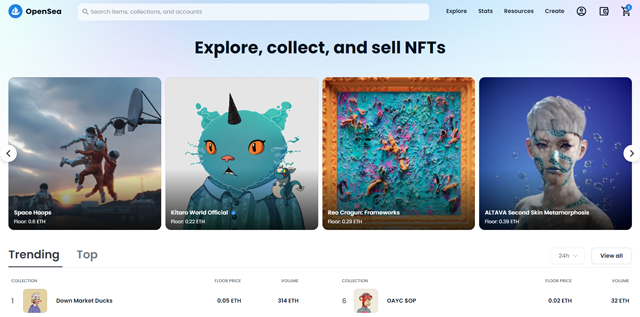
OpenSea is the most popular and largest online marketplace for trading NFTs. It offers various cryptocurrencies as a means of transaction, including Ethereum (ETH) and Klaytn (KLAY), which is used in game-related NFTs. It is preferred by people who want to trade NFTs due to its low commission (2.5%) and easy-to-use method.
OpenSea only mediates transactions based on individual personal wallets, so no separate membership registration is required. However, you must connect a compatible cryptocurrency wallet to trade. The most popular cryptocurrency wallet is MetaMask, and you can quickly connect and use your wallet by accessing the OpenSea site in a browser with the MetaMask plugin installed.
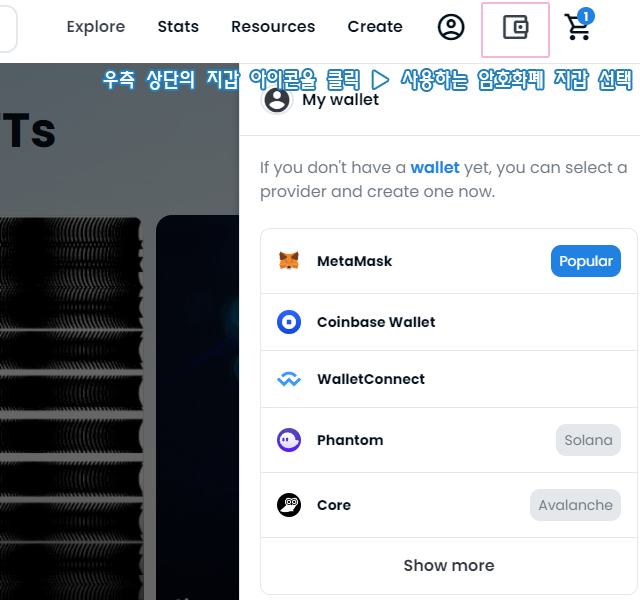
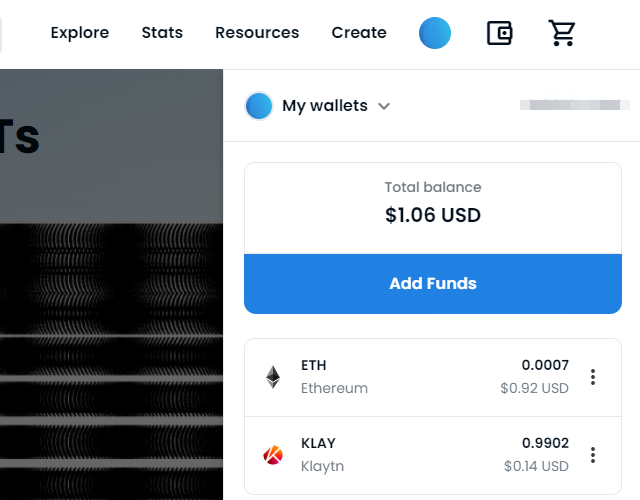
Although Ethereum is the main trading currency on OpenSea, a separate mainnet connection is required in the cryptocurrency wallet when using MATIC or Klay (KLAY), which is mainly used for games, as a means of transaction for simple transactions.
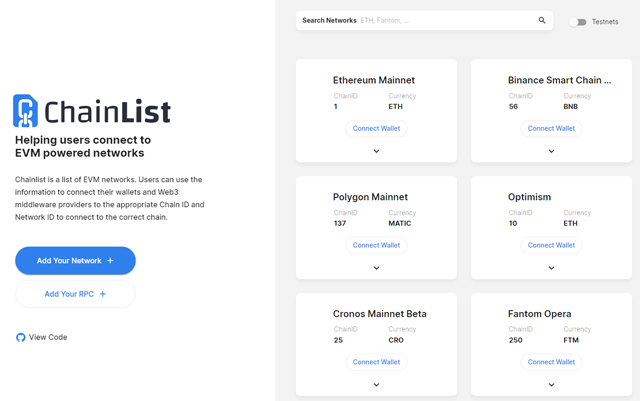
You can manually enter the address information published on each cryptocurrency's official page to connect to the mainnet, but if you are using MetaMask, which you will mainly use on OpenSea, it is convenient to register the necessary mainnet using the Chainlist (https://chainlist.org/) site.
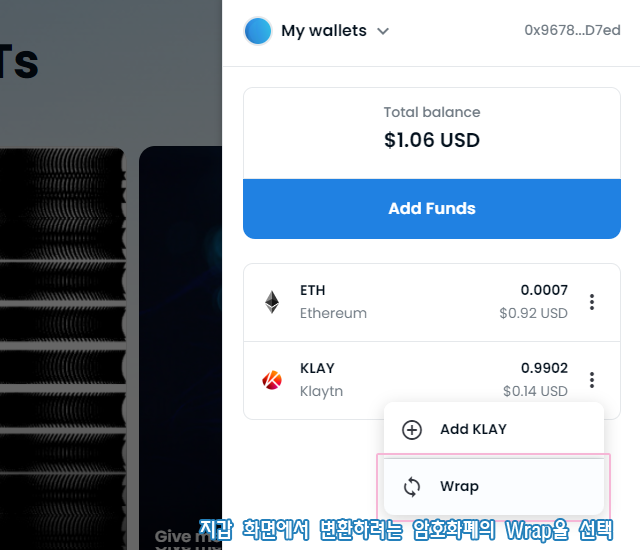
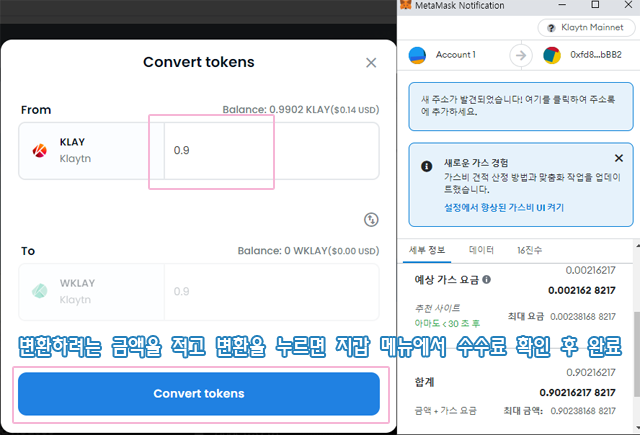
OpenSea is based on Ethereum, but in order to trade, you may need to convert ETH to WETH, which has undergone a standardization process. This is the same for other non-standardized cryptocurrencies, and in the case of Klaytn, KLAY is exchanged for WKALY for trading.
You can check the cryptocurrency in your wallet and select Wrap by pressing the additional menu (3 vertical dots) on the right to convert. The converted tokens can be converted back to the original cryptocurrency, but this conversion process requires a gas fee, which can be said to be a commission, so if you trade NFTs frequently, it is better to minimize the conversion/reversion process while using OpenSea in the converted token state to reduce losses.
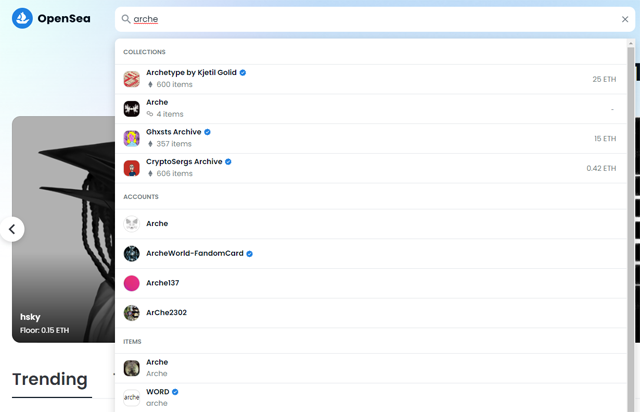
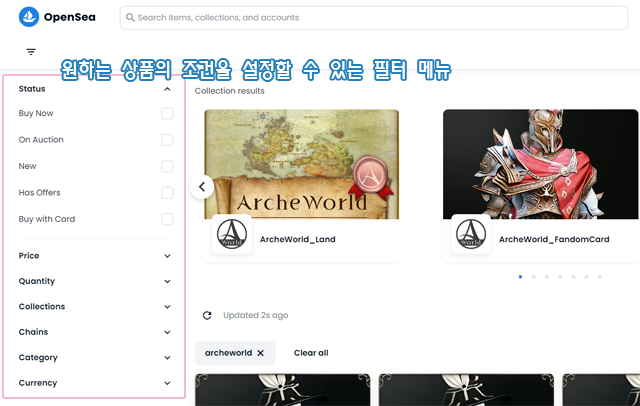
Once you have a wallet connection and a means for trading, you can now search for and trade products. You can usually search for the name or keyword of the product you want through the search bar at the top of OpenSea, and you can filter the search results by transaction status, price, quantity, collection, blockchain, category, means of transaction, etc. on the left side of the screen.
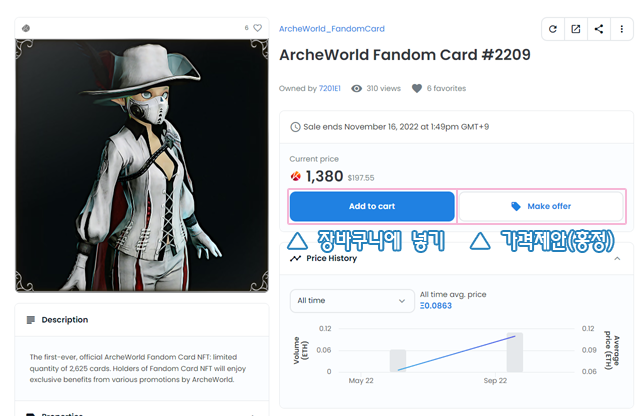
If you find the product you want, you can select Add to Cart to purchase it, and for negotiable products, you can request a price adjustment from the seller through Make Offer.
On the product details page, you can check the attributes and transaction status of the NFT, so be sure to check the relevant information thoroughly before trading to avoid paying high costs.

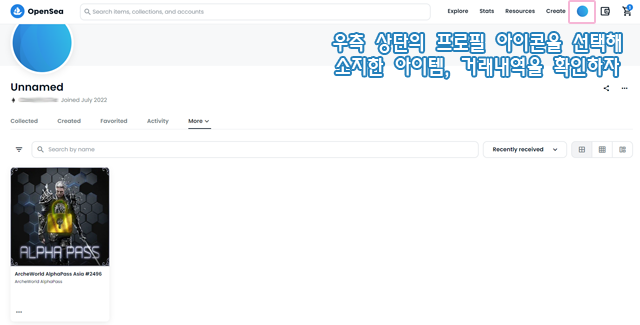
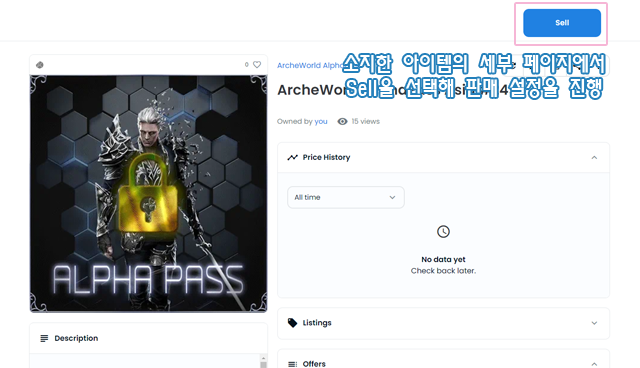
If you are selling an NFT product that you have, you must first check the product you have. You can check the products you own in the Profile menu, and then select the product you want to sell.
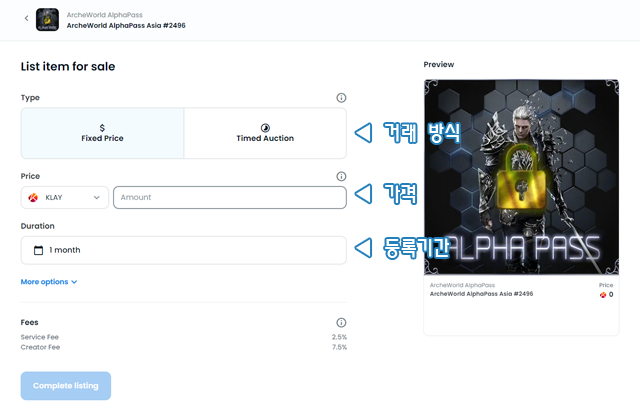
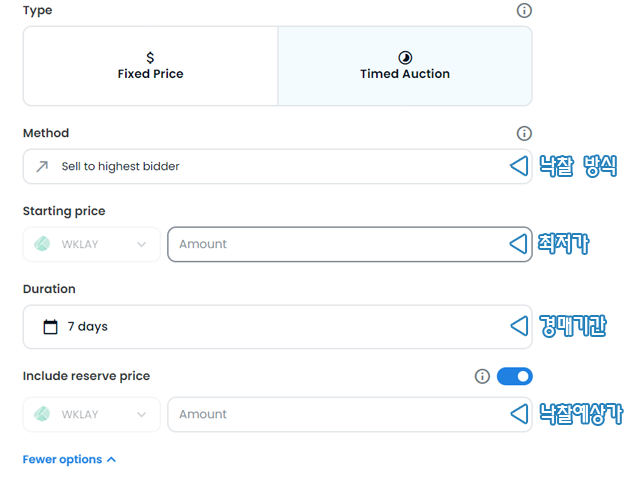
You can set the sales method, price, sales registration period, etc. for the product you want to sell, and a sales commission of 2.5% will be charged unless the transaction uses the Polygon mainnet. You can cancel the registered product if you do not want it, but in this case, a certain fee may be consumed.
GameFi101 (1/5) : "Welcome! Blockchain, NFT, P2E for the first time?"
GameFi101 (2/5) : "Recommended VPN 3 types, Google overseas account creation"
GameFi101 (3/5) : "Changing iOS country of residence, creating a Wallet"
GameFi101 (4/5) : "Signing up for domestic/overseas exchanges for coin trading"
GameFi101 (5/5) : "NFT trading, no worries if you use OpenSea!"